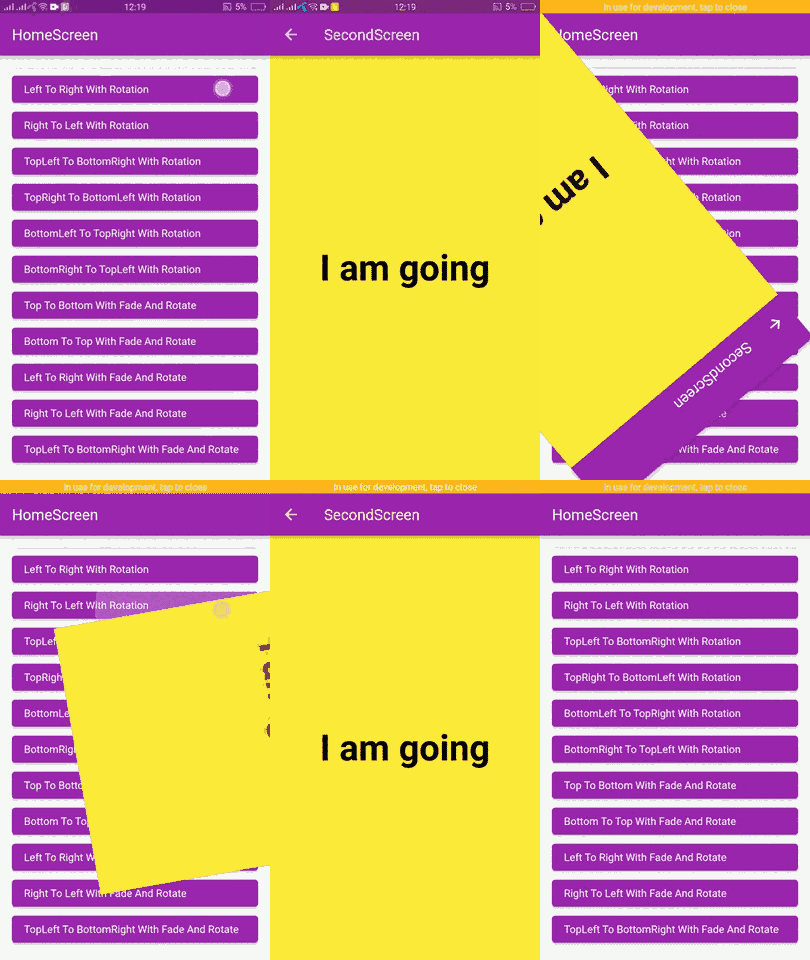
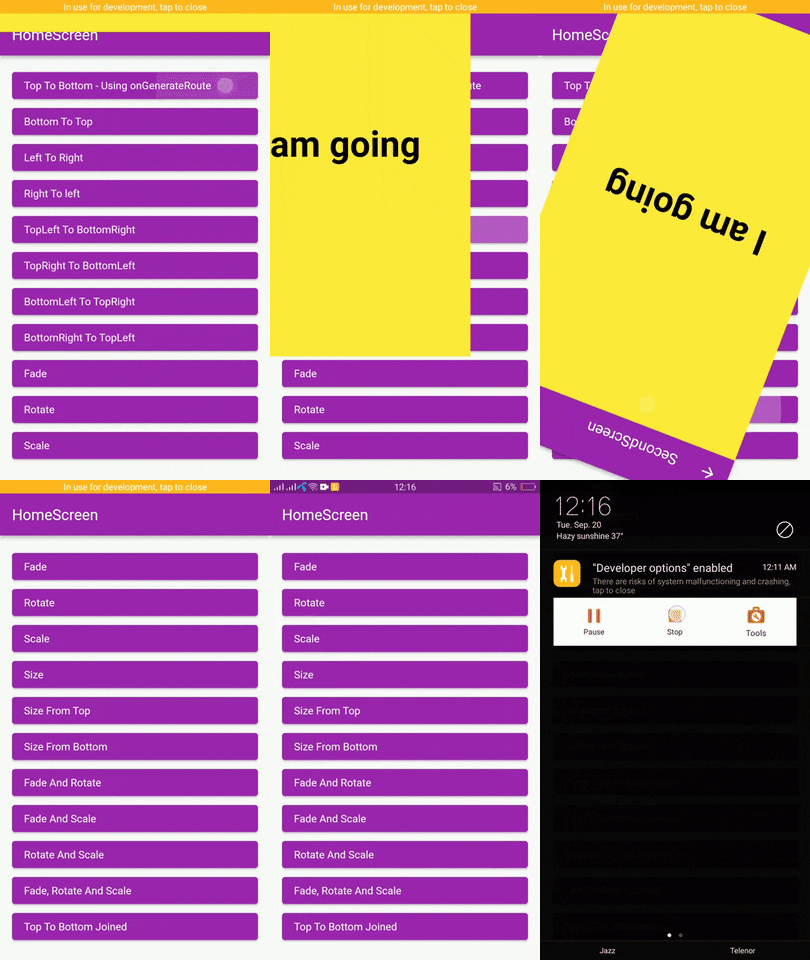
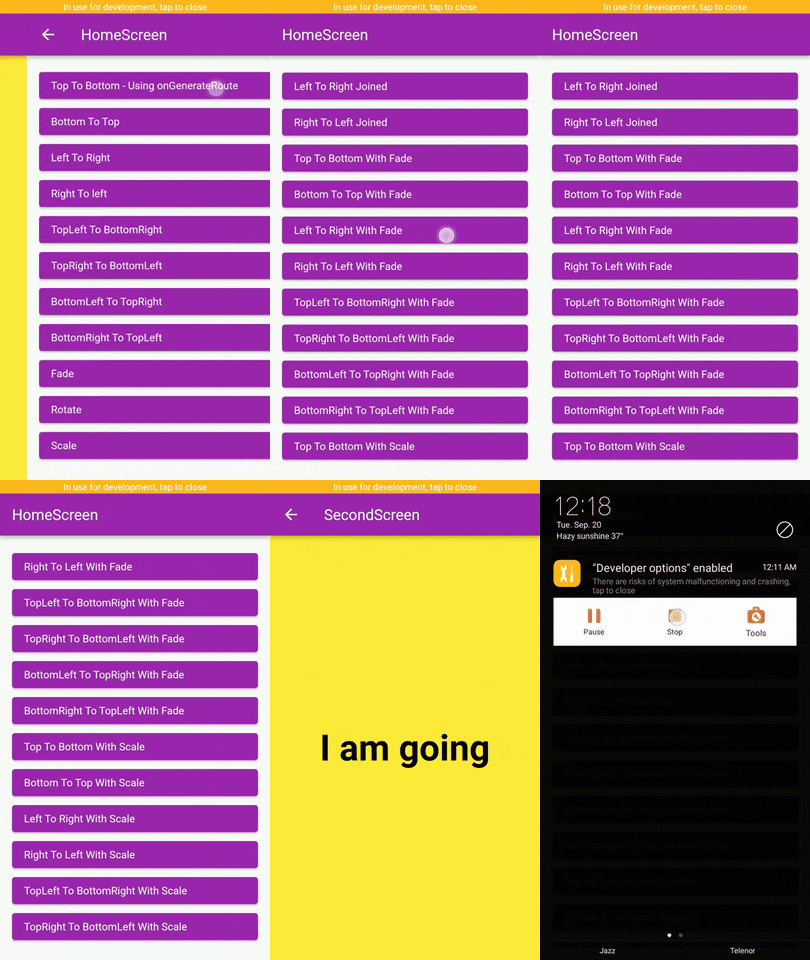
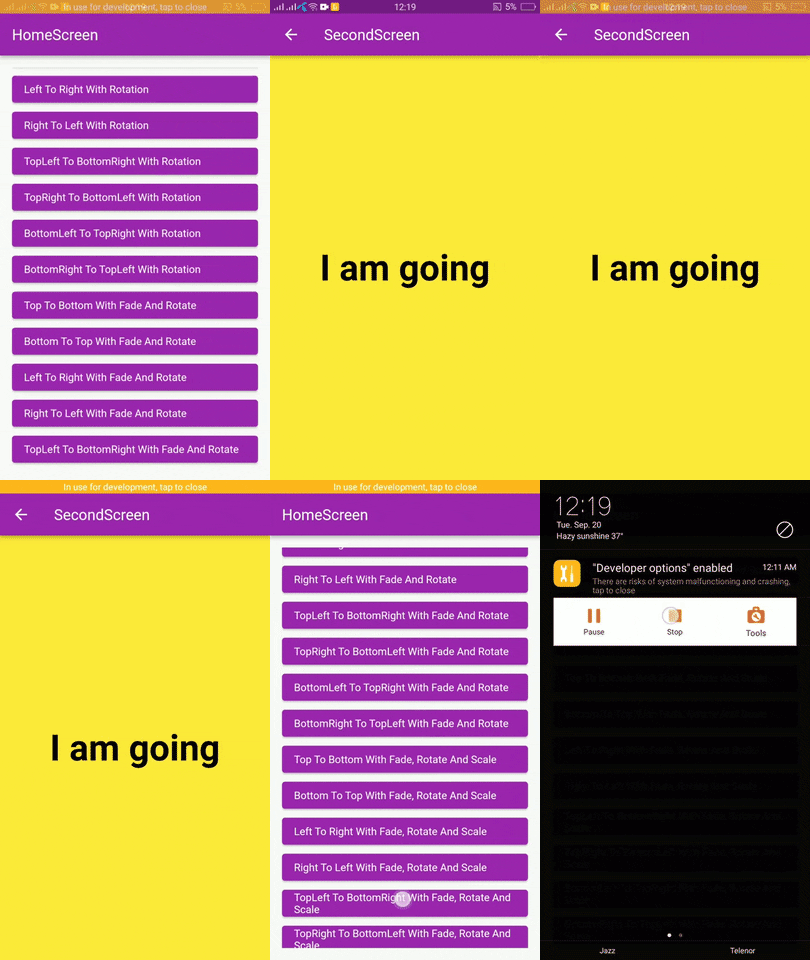
Original README snapshot from the linked source repository. Visit the repository for the latest content.
Page Route Animator Package
Flutter page route transition package, with 62 different page transitions.
Examples
Getting Started
In the pubspec.yaml of your flutter project, add the following dependency:
dependencies:
  page_route_transition: ^1.0.4
Usage
To use this package you have to import it in your file by using below command:
import 'package:page_route_animator/page_route_animator.dart' ;
Code Example
import 'package:flutter/material.dart' ;
import 'package:page_route_animator/page_route_animator.dart' ;
void main (List <String > args) => runApp (const MyApp ());
class MyApp extends StatelessWidget const MyApp ({Key ? key}) : super (key: key);
@override
Widget build (BuildContext context) {
return MaterialApp (
debugShowCheckedModeBanner: false ,
title: 'Page Route Animator Code Example' ,
theme: ThemeData (primarySwatch: Colors .purple),
home: const HomeScreen (),
onGenerateRoute: (settings) {
switch (settings.name) {
case '/second-screen' :
return PageRouteAnimator (
child: const SecondScreen (),
routeAnimation: RouteAnimation .topToBottom,
settings: settings,
curve: Curves .linear,
duration: const Duration (milliseconds: 500 ),
reverseDuration: const Duration (milliseconds: 500 ),
);
default :
return null ;
}
},
);
}
}
class HomeScreen extends StatelessWidget const HomeScreen ({Key ? key}) : super (key: key);
@override
Widget build (BuildContext context) {
return Scaffold (
appBar: AppBar (
title: const Text ('HomeScreen' ),
),
body: Padding (
padding: const EdgeInsets .all (16.0 ),
child: ListView (
children: [
ElevatedButton (
onPressed: () {
Navigator .pushNamed (
context,
'/second-screen' ,
arguments: 'I am going' ,
);
},
child: getText ('Top To Bottom - onGenerateRoute' ),
),
ElevatedButton (
onPressed: () {
Navigator .push (
context,
PageRouteAnimator (
child: const SecondScreen (),
routeAnimation: RouteAnimation .bottomToTop,
settings: const RouteSettings (arguments: 'I am going' ),
curve: Curves .slowMiddle,
duration: const Duration (milliseconds: 500 ),
reverseDuration: const Duration (milliseconds: 500 ),
),
);
},
child: getText ('Bottom To Top' ),
),
ElevatedButton (
onPressed: () {
Navigator .push (
context,
PageRouteAnimator (
child: const SecondScreen (),
routeAnimation: RouteAnimation .leftToRight,
settings: const RouteSettings (arguments: 'I am going' ),
curve: Curves .linear,
),
);
},
child: getText ('Left To Right' ),
),
ElevatedButton (
onPressed: () {
Navigator .push (
context,
PageRouteAnimator (
child: const SecondScreen (),
routeAnimation: RouteAnimation .rightToLeft,
settings: const RouteSettings (arguments: 'I am going' ),
curve: Curves .easeOut,
),
);
},
child: getText ('Right To left' ),
),
ElevatedButton (
onPressed: () {
Navigator .push (
context,
PageRouteAnimator (
child: const SecondScreen (),
routeAnimation: RouteAnimation
.bottomRightToTopLeftWithFadeRotateAndScale,
settings: const RouteSettings (arguments: 'I am going' ),
curve: Curves .easeOut,
),
);
},
child:
getText ('BottomRight To TopLeft With Fade, Rotate And Scale' ),
),
],
),
),
);
}
}
class SecondScreen extends StatelessWidget const SecondScreen ({Key ? key}) : super (key: key);
@override
Widget build (BuildContext context) {
String ? argument = ModalRoute .of (context)?.settings.arguments as String ?;
return Scaffold (
backgroundColor: Colors .yellow,
appBar: AppBar (
title: const Text ('SecondScreen' ),
),
body: Center (
child: Text (
argument ?? 'No Data' ,
style: const TextStyle (
fontSize: 48.0 ,
fontWeight: FontWeight .bold,
color: Colors .black,
),
),
),
);
}
}
Widget getText (String text) {
return Align (
alignment: Alignment .centerLeft,
child: Text (text),
);
}
Types Of Transitions
topToBottom,
bottomToTop,
leftToRight,
rightToLeft,
fade,
rotate,
scale,
size,
sizeFromTop,
sizeFromBottom,
fadeAndRotate,
fadeAndScale,
rotateAndScale,
fadeRotateAndScale,
topToBottomJoined,
bottomToTopJoined,
leftToRightJoined,
rightToLeftJoined,
topLeftToBottomRight,
topRightToBottomLeft,
bottomLeftToTopRight,
bottomRightToTopLeft,
topToBottomWithFade,
bottomToTopWithFade,
leftToRightWithFade,
rightToLeftWithFade,
topLeftToBottomRightWithFade,
bottomLeftToTopRightWithFade,
bottomRightToTopLeftWithFade,
topRightToBottomLeftWithFade,
topToBottomWithRotation,
bottomToTopWithRotation,
leftToRightWithRotation,
rightToLeftWithRotation,
topLeftToBottomRightWithRotation,
bottomLeftToTopRightWithRotation,
bottomRightToTopLeftWithRotation,
topRightToBottomLeftWithRotation,
topToBottomWithFadeAndRotate,
bottomToTopWithFadeAndRotate,
leftToRightWithFadeAndRotate,
rightToLeftWithFadeAndRotate,
topLeftToBottomRightWithFadeAndRotate,
topRightToBottomLeftWithFadeAndRotate,
bottomLeftToTopRightWithFadeAndRotate,
bottomRightToTopLeftWithFadeAndRotate,
topToBottomWithScale,
bottomToTopWithScale,
leftToRightWithScale,
rightToLeftWithScale,
topLeftToBottomRightWithScale,
topRightToBottomLeftWithScale,
bottomLeftToTopRightWithScale,
bottomRightToTopLeftWithScale,
topToBottomWithFadeRotateAndScale,
bottomToTopWithFadeRotateAndScale,
leftToRightWithFadeRotateAndScale,
rightToLeftWithFadeRotateAndScale,
topLeftToBottomRightWithFadeRotateAndScale,
topRightToBottomLeftWithFadeRotateAndScale,
bottomLeftToTopRightWithFadeRotateAndScale,
bottomRightToTopLeftWithFadeRotateAndScale,
Curves
Learn about Curves from official docs, curves .
License
BSD 3-Clause