Search packages, repositories and app categories

pagination_flutter cover
Package detailsv0.0.8

pagination_flutter

A modular pagination component for flutter. Pagination component with page indicators and page navigation buttons - compatible on all devices and platforms.

AndroidiOSWebmacOSWindowsLinux
30-day downloads
923
Likes
35
Pub points
145

Install package

flutter pub add pagination_flutter

Package Overview

Package selection guidance compiled from public package information, community data, and project usage.

A modular pagination component for Flutter that provides customizable page indicators and navigation buttons. Designed to work seamlessly across all platforms including Android, iOS, Web, macOS, Windows, and Linux. The package offers a clean, responsive interface for navigating through paginated content, making it ideal for lists, carousels, or any data-heavy UI. It supports both manual and automatic pagination with smooth transitions and accessibility features.

Use cases

  • Displaying paginated lists
  • Creating image sliders
  • Building data-heavy dashboards
  • Implementing infinite scroll interfaces
  • Enhancing mobile and web app navigation

Key features

  • Cross-platform compatibility
  • Customizable page indicators
  • Built-in navigation buttons
  • Responsive design
  • Accessibility support
  • Modular architecture

Suitable for

  • Developers building multi-platform apps
  • Teams needing consistent pagination UX
  • Projects requiring accessible UI components
  • Apps with large datasets or content carousels
  • Frontend developers focused on reusable components

Considerations

  • Requires integration with existing list or scroll views
  • Limited to visual pagination; does not handle data fetching
  • May need additional logic for dynamic content loading
  • Not optimized for extremely high page counts
Original README

Original README snapshot from the linked source repository. Visit the repository for the latest content.

pagination_flutter

Getting started

Installation
dependencies:
  pagination_flutter: ^0.0.8
import 'package:pagination_flutter/pagination_flutter.dart';

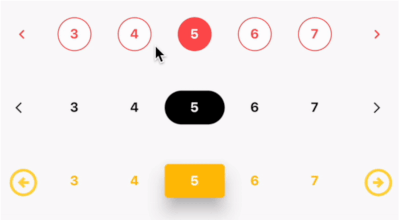
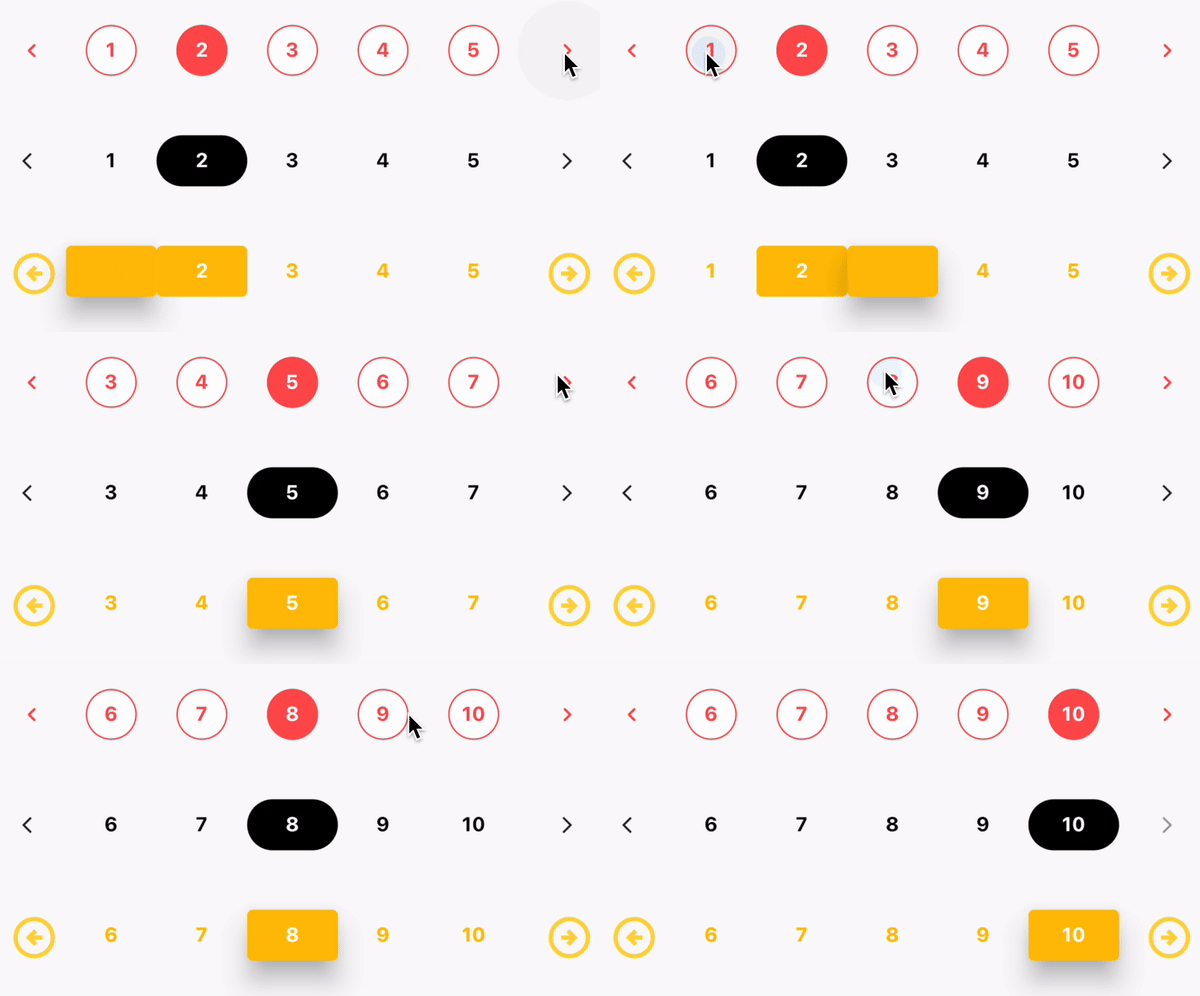
Preview

Usage

class _MyHomePageState extends State<MyHomePage> {
  int selectedPage = 1;

  setSelectedPage(int index) {
    setState(() {
      selectedPage = index;
    });
  }

  @override
  Widget build(BuildContext context) {
    return Scaffold(
      appBar: AppBar(
        title: const Text("Flutter Pagination"),
      ),
      body: Center(
        child: Column(
          mainAxisAlignment: MainAxisAlignment.center,
          children: [
            Pagination(
              numOfPages: 10,
              selectedPage: selectedPage,
              pagesVisible: 3,
              onPageChanged: (page) {
                setState(() {
                  selectedPage = page;
                });
              },
              nextIcon: const Icon(
                Icons.arrow_forward_ios,
                color: Colors.blue,
                size: 14,
              ),
              previousIcon: const Icon(
                Icons.arrow_back_ios,
                color: Colors.blue,
                size: 14,
              ),
              activeTextStyle: const TextStyle(
                color: Colors.white,
                fontSize: 14,
                fontWeight: FontWeight.w700,
              ),
              activeBtnStyle: ButtonStyle(
                backgroundColor: MaterialStateProperty.all(Colors.blue),
                shape: MaterialStateProperty.all(
                  RoundedRectangleBorder(
                    borderRadius: BorderRadius.circular(38),
                  ),
                ),
              ),
              inactiveBtnStyle: ButtonStyle(
                shape: MaterialStateProperty.all(RoundedRectangleBorder(
                  borderRadius: BorderRadius.circular(38),
                )),
              ),
              inactiveTextStyle: const TextStyle(
                fontSize: 14,
                fontWeight: FontWeight.w700,
              ),
            ),
          ],
        ),
      ),
    );
  }
}

Additional information

Properties
Name Type Default Description
numOfPages int 0 Number of pages to be displayed
selectedPage int 0 The currently selected page
pagesVisible int 0 Number of pages to be visible
onPageChanged Function null Function to be called when a page is selected
nextIcon Widget null Widget to be displayed as the next icon
previousIcon Widget null Widget to be displayed as the previous icon
activeTextStyle TextStyle null TextStyle for the active page
activeBtnStyle ButtonStyle null ButtonStyle for the active page
inactiveBtnStyle ButtonStyle null ButtonStyle for the inactive pages
inactiveTextStyle TextStyle null TextStyle for the inactive pages
spacing double 0 Spacing between the pages

License

MIT

Author

Varun V

Issues

If you find any issues, please report them here

Categories

Source repository

Projects using this package

No data available yet.