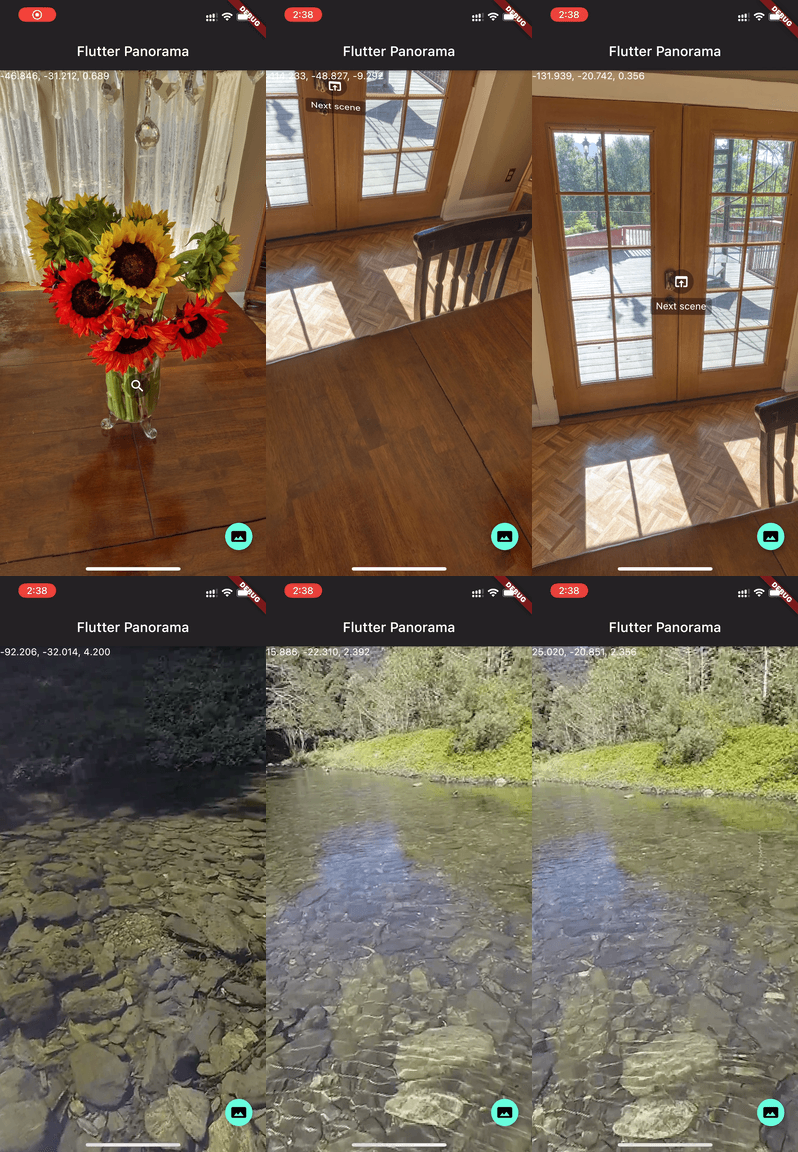
Panorama is a Flutter package that enables 360-degree panorama viewing within applications. It provides an immersive experience by rendering spherical images with smooth, interactive navigation. Designed for Android and iOS, it supports touch and motion-based controls for intuitive exploration of panoramic content. The package integrates seamlessly into Flutter projects via a simple add command and leverages native performance for fluid rendering. Ideal for virtual tours, real estate, travel apps, and immersive media experiences.
Use cases
- Virtual tours
- Real estate walkthroughs
- Travel and exploration apps
- Immersive media displays
- Educational 360° content
Key features
- 360-degree spherical image rendering
- Touch and motion gesture support
- Cross-platform (Android & iOS)
- Simple integration with Flutter
- High-performance rendering
Suitable for
- Apps requiring immersive visual experiences
- Developers building virtual reality content
- Travel and tourism platforms
- Real estate and architecture visualization
Considerations
- Requires high-resolution panoramic images
- Limited to spherical panoramas
- Performance may vary on older devices
- Needs proper image format (e.g., equirectangular)