Search categories, packages and repositories

Package detailsv1.0.2

parallax_cards

A Flutter package for scrolling parallax effect and custom card overlays

AndroidiOSmacOSWindowsLinux
30-day downloads
92
Likes
94
Pub points
160

Install package

flutter pub add parallax_cards

Package Overview

Package selection guidance compiled from public package information, community data, and project usage.

ParallaxCards is a Flutter package that enables smooth scrolling parallax effects and customizable card overlays in your app. It enhances user engagement by creating dynamic, visually appealing card transitions as users scroll through content. Ideal for carousels, cover flows, or interactive galleries, it supports multiple platforms including Android, iOS, macOS, Windows, and Linux. The package allows developers to easily customize card appearance, depth, and animation behavior. With minimal setup via pub add, it integrates seamlessly into existing Flutter projects.

Use cases

  • Interactive product showcases
  • Dynamic image sliders
  • Engaging onboarding screens
  • Visual data dashboards
  • Mobile app navigation interfaces

Key features

  • Smooth parallax scrolling
  • Customizable card overlays
  • Cross-platform support
  • Easy integration with pub
  • Configurable depth and animation
  • Responsive design handling

Suitable for

  • Developers building interactive UIs
  • Designers seeking visual depth
  • Apps with content-heavy carousels
  • Projects requiring engaging scroll effects
  • Flutter beginners exploring animations

Considerations

  • May impact performance on low-end devices
  • Requires careful tuning of animation parameters
  • Limited documentation beyond basic examples
  • Not optimized for very large datasets
  • Best suited for moderate card counts

Original README

Original README snapshot from the linked source repository. Visit the repository for the latest content.

Parallax Cards

A Flutter package for scrolling parallax effect and custom card overlays

Getting started

1. Depend on it

Add this to your package's pubspec.yaml file:

dependencies:
  parallax_cards: ^1.0.1
2. Install it

Install it from the command line:

$ flutter pub get
3. Import it

Now in your project you can use:

import 'package:parallax_cards/parallax_cards.dart';

Usage

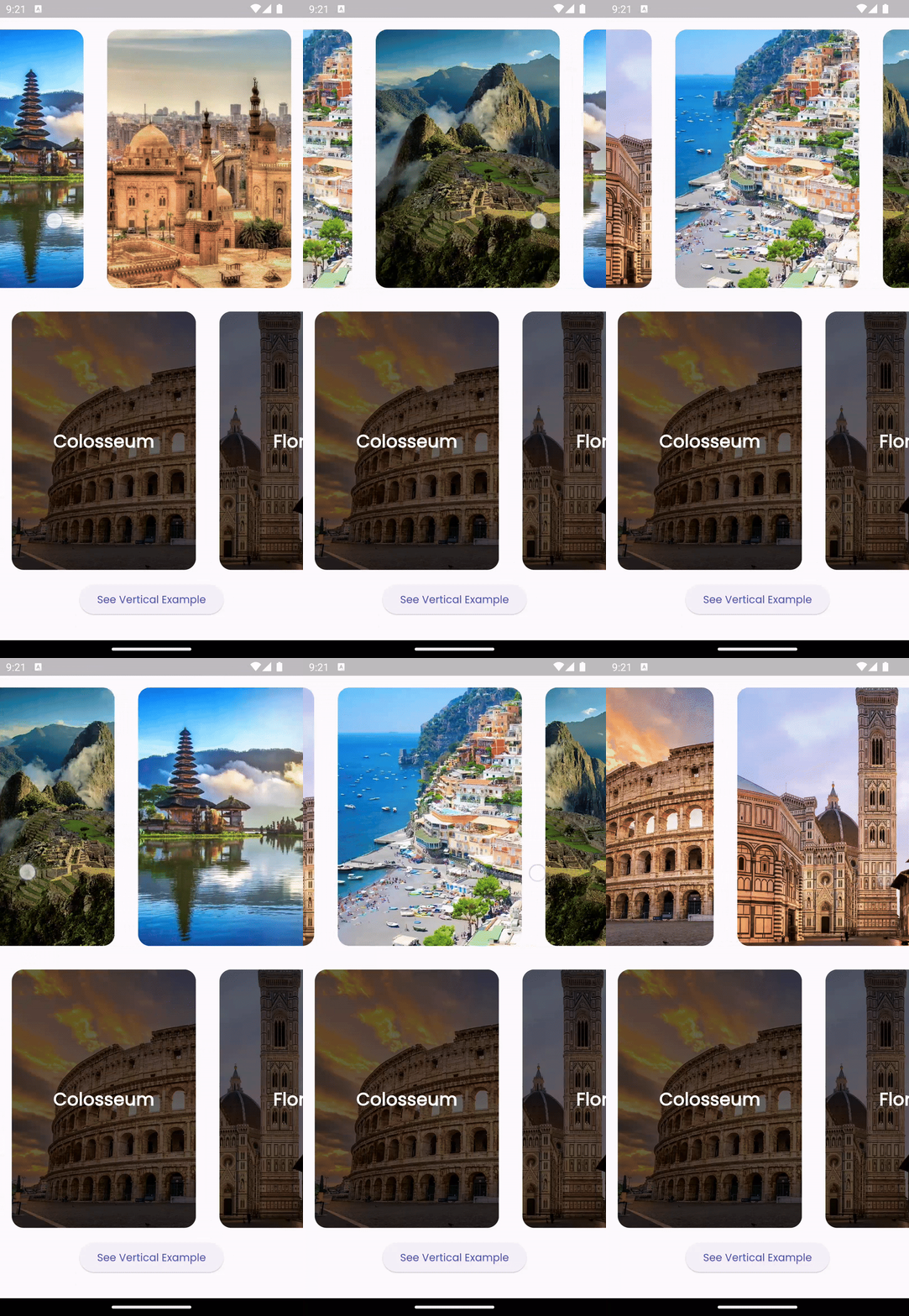
ParallaxCards is a Stateless Widget which you can include in your widget tree. You can use it either vertically or horizontally by overriding the scrollDirection property:

Horizontal scroll view
ParallaxCards(
  scrollDirection: Axis.horizontal,
  imagesList: imagesList,
  width: 250,
  height: 350,
  onTap: (index) {
    log('$index pressed');
  },
),

img

Vertical scroll view

You can customize the card overlays according to your preferences by overriding the overlays property. However, ensure that the lengths of imageList and overlays are equal.

ParallaxCards(
                imagesList: imagesList,
                width: double.infinity,
                height: 200,
                onTap: (index) {
                  ScaffoldMessenger.of(context).showSnackBar(SnackBar(
                    content: Text("$index tapped"),
                    duration: const Duration(milliseconds: 500),
                  ));
                },
                overlays: [
                  for (var title in titlesList)
                    Stack(
                      children: [
                        Positioned.fill(
                          child: DecoratedBox(
                            decoration: BoxDecoration(
                              gradient: LinearGradient(
                                colors: [
                                  Colors.transparent,
                                  Colors.black.withOpacity(0.8)
                                ],
                                stops: const [0.5, 0.9],
                                begin: Alignment.topCenter,
                                end: Alignment.bottomCenter,
                              ),
                            ),
                          ),
                        ),
                        Positioned(
                          left: 16,
                          bottom: 12,
                          child: Text(
                            title,
                            style: const TextStyle(
                                fontSize: 22,
                                color: Colors.white,
                                fontWeight: FontWeight.bold),
                          ),
                        ),
                      ],
                    )
                ],
              ),

img

Additional information

Feel free to open an issue if you encounter any bugs or challenges. Pull requests are welcome!

Categories

Source repository

Projects using this package

No data available yet.