Search packages, repositories and app categories

particular cover
Package detailsv0.3.4

particular

The Particular is a high performance particle effects flutter widget.

AndroidiOSWebmacOSWindowsLinux
30-day downloads
61
Likes
50
Pub points
160

Install package

flutter pub add particular

Package Overview

Package selection guidance compiled from public package information, community data, and project usage.

Particular is a high-performance Flutter widget designed for creating smooth and customizable particle effects. It leverages advanced rendering techniques to deliver fluid animations across multiple platforms, including mobile, web, and desktop. Ideal for enhancing app backgrounds with dynamic visual elements, it supports gradients, shaders, and real-time interaction. The package is optimized for performance, making it suitable for complex scenes without compromising frame rates. With a simple API and extensive configuration options, developers can easily integrate stunning particle systems into their applications.

Use cases

  • Creating animated app backgrounds
  • Enhancing UI with dynamic visual effects
  • Adding interactive particle animations
  • Improving app onboarding experiences
  • Designing immersive landing pages
  • Implementing ambient background effects

Key features

  • High-performance rendering
  • Cross-platform support (Android, iOS, Web, macOS, Windows, Linux)
  • Support for gradients and shaders
  • Real-time particle interaction
  • Customizable particle behaviors
  • Lightweight and efficient

Suitable for

  • UI designers seeking visual flair
  • Developers building engaging onboarding screens
  • Apps requiring ambient background animations
  • Interactive digital experiences
  • Performance-conscious projects
  • Creative app interfaces

Considerations

  • May require optimization for low-end devices
  • Complex configurations might increase build time
  • Limited documentation beyond basic examples
  • Not ideal for static or simple backgrounds
  • Requires understanding of particle system concepts
  • Potential memory usage with large particle counts
Original README

Original README snapshot from the linked source repository. Visit the repository for the latest content.

Particular Logo

Enhance your app or game visuals with this high-performance Flutter Particles System widget. Utilize JSON or programmatic configuration, seamlessly integrating with popular particles editors for effortless customization.

  • Customizable (live) Particle Effects.
  • Ready Presets (JSON Configs).
  • Seamless Integration with Editors.
  • Optimized Performance with 1~10k particle at frame

    Whether you're a designer or developer, Particular empowers you to bring your creative visions with ease.


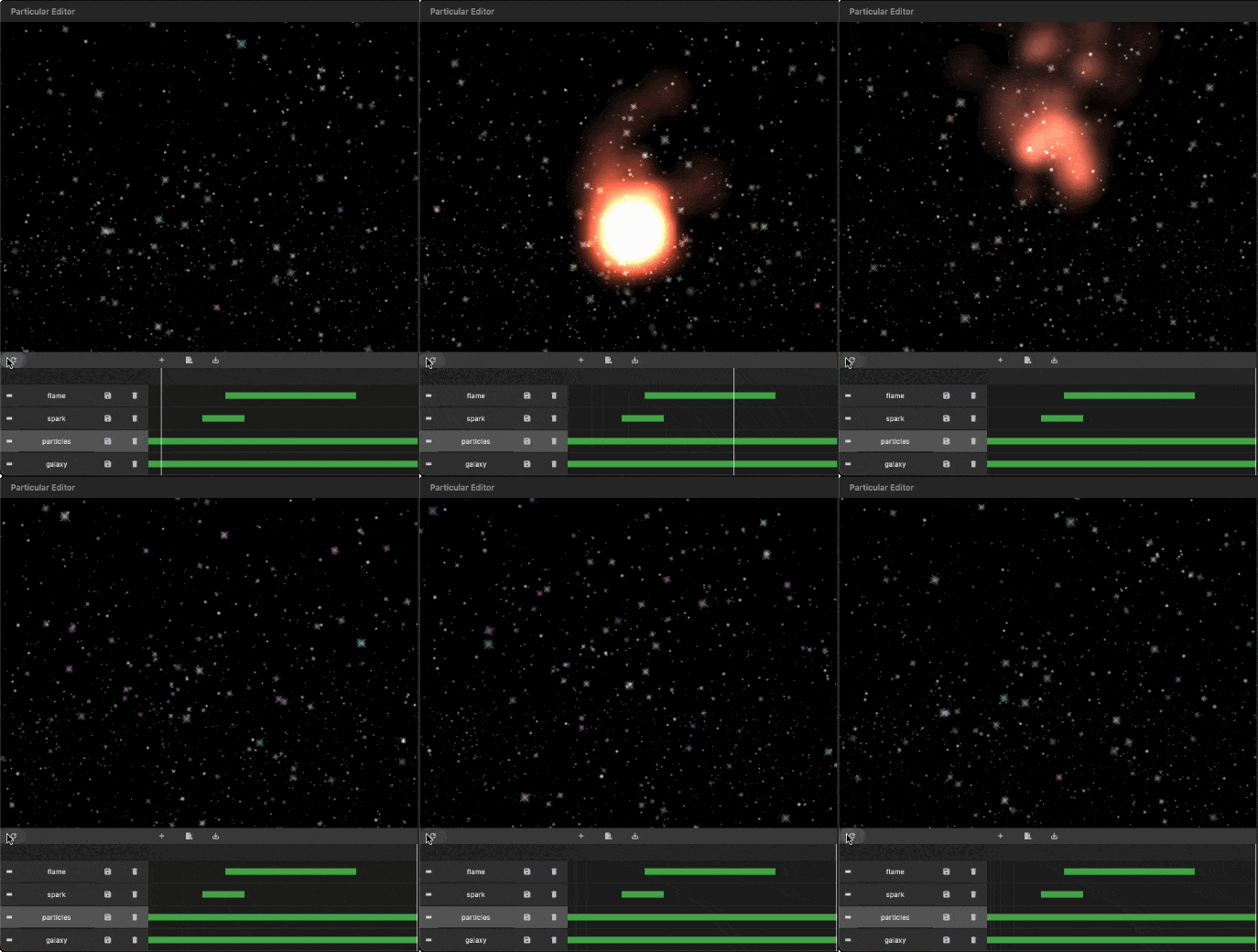
    - Some Presets:

    Meteor Galaxy Snow Meteor


    - Installation

    Add particular to your pubspec.yaml file:
    For detailed installation instructions, refer to the installation guide on pub.dev.


    - Configurate your particles

    You have two options for configuring your particles:

    1. Using Editors:

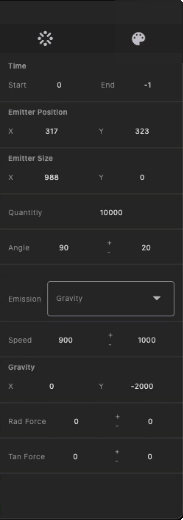
    Generate your particles system configurations by Particular Editor.


    1. Programmatic Configuration:
      Manually configure your particle controller in code. Refer to the following steps for more details.

    - Getting Started with Coding

    Follow these steps to integrate the particles system into your Flutter app:

    I. Insert Particle Files into Your Project:
    The Particular Editor exports one or multiple particle layers. For each particle layer, it generates a configuration file (configs.json) and a related image file (texture.png). In the configuration file, there is a node named textureFileName, which refers to the image file. Place the image and configs.json file in your project's assets folder, and add the necessary assets entry in your pubspec.yaml file.

    assets:
      - assets/configs.json
      - assets/texture.png
    

    https://docs.flutter.dev/ui/assets/assets-and-images


    II. Initialize the Particles Controller in `initState`:

    To use this library, import package:particular/particular.dart.

    final _particleController = ParticularController();
    ...
    @override
    void initState() {
      _loadParticleAssets();
      super.initState();
    }
    
    // Load configs and texture of particle
    Future<void> _loadParticleAssets() async {
    
      // Load particle configs file
      String json = await rootBundle.loadString("assets/configs.json");
      final configsData = jsonDecode(json);
    
      // Load particle texture file
      ByteData  bytes = await rootBundle.load("assets/${configsData["textureFileName"]}");
      ui.Image texture = await loadUIImage(bytes.buffer.asUint8List());
    
      // Add particles layer
      _particleController.addLayer(
        texture: frameInfo.image, // Remove in default-texture case
        configsData: configsData, // Remove in programmatic configuration case
      );
    }
    

    III. Add the Particular widget in your widget three:

    @override
    Widget build(BuildContext context) {
      return MaterialApp(
        home: Scaffold(
          backgroundColor: Colors.black,
          body: Particular(
            controller: _particleController,
          ),
        ),
      );
    }
    

    IIII. Live Update Particle Layer:

    _particleController.layers.first.update(
        maxParticles: 100,
        lifespan:1.2,
        speed:100,
        angle:30,
    );
    

    You can also use different image types supported by Flutter, with varying names and locations, following the guidelines below:

    {
      "textureFileName": "images/particle_snow.webp"
    }
    
    assets:
      - assets/data/particle_snow.json
      - assets/images/particle_snow.webp
    
    ...
    
    // Load particle configs file
    String json = await rootBundle.loadString("assets/data/particle_snow.json");
    
    ...
    

    This revised README provides clear installation instructions, options for configuring particles, and steps for integrating and customizing the particle system in your Flutter app. If you have any questions or need further assistance, don't hesitate to ask!

  • Categories

    Dependencies

    Dependency list 1 items

    Source repository

    Projects using this package

    No data available yet.