Search packages, repositories and app categories

Package detailsv1.1.4

pdf_flutter

Displaying PDF from Network, File and assets easily like we display Image in Flutter Widget.

30-day downloads
39
Likes
71
Pub points
40

Install package

flutter pub add pdf_flutter

Package Overview

Package selection guidance compiled from public package information, community data, and project usage.

pdf_flutter is a Flutter package that enables easy display of PDF documents from various sources—network URLs, local files, and assets—using a simple widget interface similar to Flutter's Image widget. It abstracts the complexity of rendering PDFs, providing a clean and intuitive API for developers. The package supports basic rendering and integrates smoothly into existing Flutter applications without requiring native code. Ideal for apps needing document viewing capabilities, such as e-books, reports, or forms.

Use cases

  • Displaying PDFs from URLs
  • Rendering local PDF files
  • Showing PDFs embedded in assets
  • Building document viewer apps
  • Integrating PDFs in educational apps

Key features

  • Simple Image-like API
  • Supports network, file, and asset PDFs
  • Lightweight and easy integration
  • Cross-platform compatibility
  • Built-in error handling

Suitable for

  • App developers needing PDF display
  • Educational or documentation-focused apps
  • Apps with downloadable or embedded PDF content
  • Beginners learning Flutter PDF integration

Considerations

  • Limited advanced PDF features like annotations
  • No built-in PDF editing
  • Performance may vary with large PDFs
  • Requires proper error handling for invalid PDFs

Original README

Original README snapshot from the linked source repository. Visit the repository for the latest content.

pdf_flutter

pub package

Inspired by Pdf_Viewer_Plugin 😇 Wrapped around AndroidPdfViewer on Android. 🙏🏼

1. Add pdf_flutteron pubspec.yml
dependencies:
  pdf_flutter: ^version
2. On iOS enable PDF preview like this:

Add this on ios/Runner/info.plist:

    <key>io.flutter.embedded_views_preview</key>
    <true/>
3. Start Using
Load PDF from network (caches PDF from network)
    PDF.network(
            'https://raw.githubusercontent.com/FlutterInThai/Dart-for-Flutter-Sheet-cheet/master/Dart-for-Flutter-Cheat-Sheet.pdf',
            height: 500,
            width: 300,
            maxAndroidZoom: widget.maxAndroidZoom,
            midAndroidZoom: widget.midAndroidZoom,
            minAndroidZoom: widget.minAndroidZoom,
    )
Load PDF files
    File fileName;  
    PDF.file(
        fileName,
        height: 200,
        width: 100,
        maxAndroidZoom: widget.maxAndroidZoom,
        midAndroidZoom: widget.midAndroidZoom,
        minAndroidZoom: widget.minAndroidZoom,
    )
Load PDF from assets
    PDF.assets(
        "assets/pdf/demo.pdf",
        height: 200,
        width: 100,
        maxAndroidZoom: widget.maxAndroidZoom,
        midAndroidZoom: widget.midAndroidZoom,
        minAndroidZoom: widget.minAndroidZoom,
    )
For Production
Here are the steps to fix:
    1. Add proguard-rules.pro file if its not already there
    2. Inside of the proguard-rules.pro file put this:
        -keep class com.shockwave.**
        -keepclassmembers class com.shockwave.** { *; }
        
    3.In app/build.gradle add this:
        shrinkResources true
        minifyEnabled true
        proguardFiles getDefaultProguardFile('proguard-android.txt'), 'proguard-rules.pro'

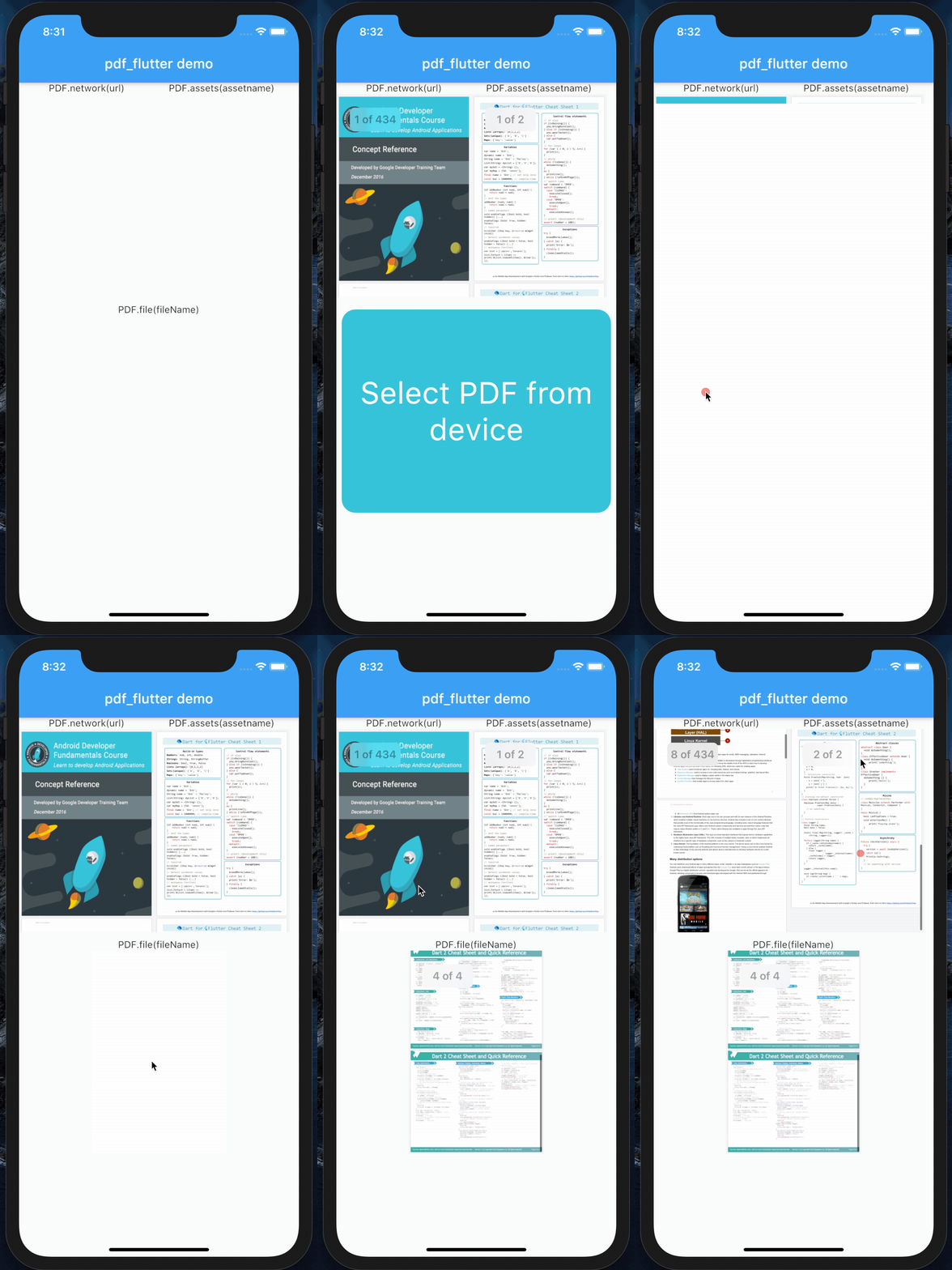
Demo

demo

Categories

Dependencies

Dependency list 3 items

Source repository

Projects using this package

No data available yet.