Search packages, repositories and app categories

pencil_field cover
Package detailsv0.5.0

pencil_field

Pencil / stylus interaction (writing & erasing) on different devices and platforms. Comes with versioned persistence of input.

AndroidiOSmacOSWindowsLinux
30-day downloads
200
Likes
17
Pub points
150

Install package

flutter pub add pencil_field

Package Overview

Package selection guidance compiled from public package information, community data, and project usage.

Pencil_Field is a Flutter package enabling precise stylus and pencil interactions for drawing, writing, and erasing across multiple platforms including Android, iOS, macOS, Windows, and Linux. It supports versioned persistence of user input, ensuring that sketches and annotations can be saved and restored reliably. Designed with cross-device compatibility in mind, it delivers consistent performance regardless of hardware differences. Ideal for apps requiring digital ink functionality such as note-taking, signature capture, or creative drawing tools.

Use cases

  • Digital note-taking
  • Signature capture
  • Creative sketching
  • Annotation tools
  • Cross-platform drawing apps

Key features

  • Stylus & touch input support
  • Versioned input persistence
  • Multi-platform compatibility
  • Smooth pen pressure handling
  • Real-time erasing functionality

Suitable for

  • Drawing and painting apps
  • Educational software
  • E-signature solutions
  • Note-taking applications
  • Interactive whiteboards

Considerations

  • Requires compatible hardware for full stylus features
  • Performance may vary on lower-end devices
  • Limited to platforms listed in the package
  • May require additional configuration for advanced use cases
  • Input persistence requires proper state management
Original README

Original README snapshot from the linked source repository. Visit the repository for the latest content.

FLUTTER PENCIL FIELD

pencil_field

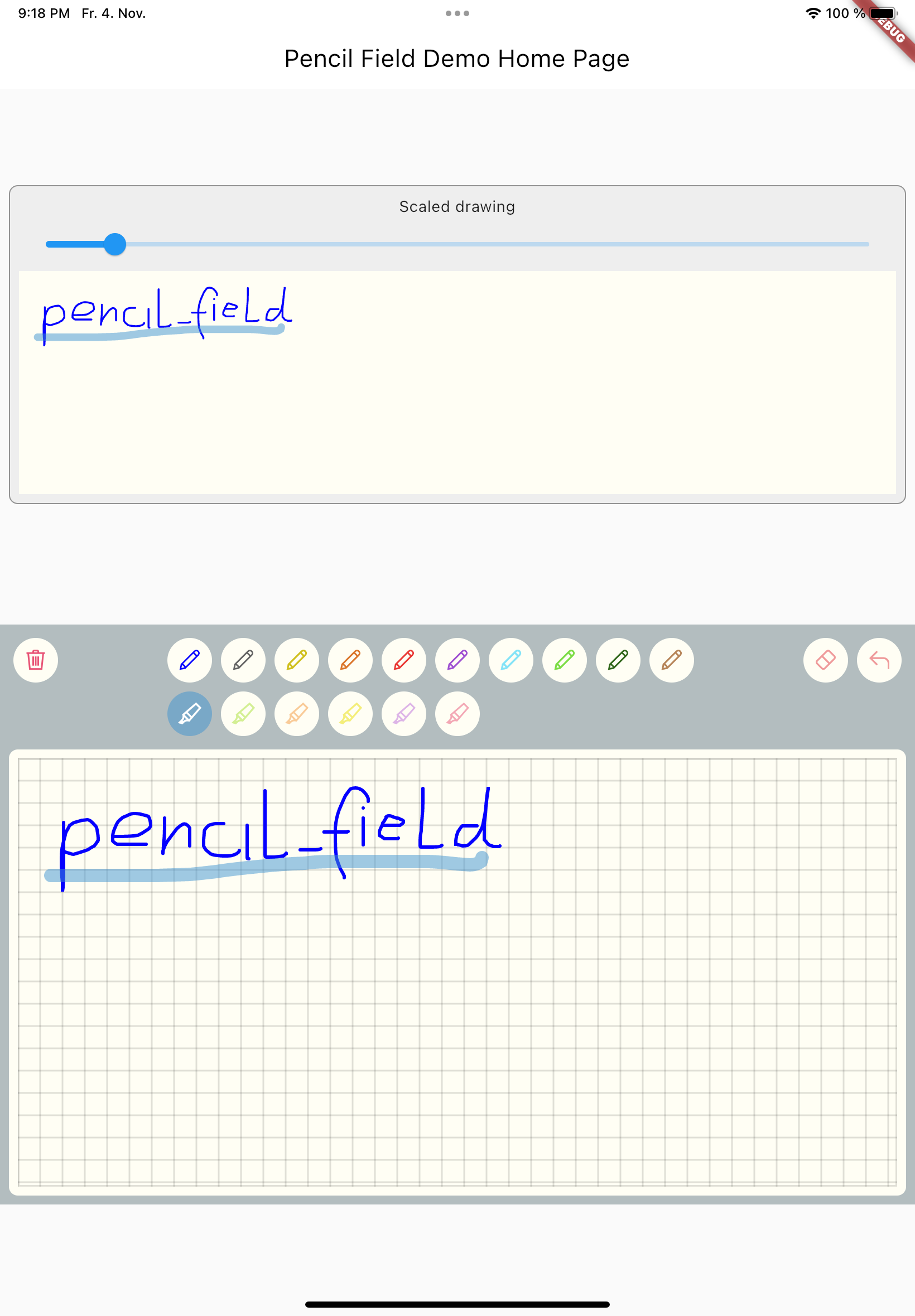
Widget for pencil / stylus input on different devices and platforms. This widget is intended for any freehand input like signatures or drawings.

example


How to use

Just create PencilField widget and embedd it into your page:

PencilField(
  controller: widget.controller,
  pencilPaint: pencilPaint,
  onPencilDrawingChanged: widget.onPencilDrawingChanged,
  decoration: PencilDecoration(
    type: PencilDecorationType.chequered,
    backgroundColor: Colors.white,
    patternColor: Colors.grey[300]!,
    numberOfLines: 10,
    strokeWidth: 2,
    padding: const EdgeInsets.all(10),
  ),
  pencilOnly: true,
)

And resulting input can be displayed like so. As everything is stored in vector format scaling (e.g. for creating previews) is easy:

PencilDisplay(
  pencilDrawing: widget.controller.drawing.scale(
    scale: scale,
  ),
  decoration: PencilDecoration(backgroundColor: Colors.white),
)

Features


PencilField / PencilFieldController

The actual widget that provides the capability to capture and store freehand / pencil input. Each PencilField requires a controller that builds the bridge between the widget and PencilDrawing that stores the input.

PencilDrawing

PencilDrawing stores the actual content captured by PencilField. You can store and retrieve this data in a versioned format, so that future version of PencilField can load old data.

Example

A full example is provided. This example shows how to use PencilField and its litte sibling PencilDisplay. It also shows how to define pens for input and interactions like erase, undo and clear.

Upcoming features

  • Additional eraser that only erases strokes within a circle
  • Pan support for the input widget and the display widget
  • Pinch support for the display widget
  • Input widget decoration that supports images as background

Categories

Source repository

Projects using this package

No data available yet.