Search packages, repositories and app categories

pinterest_nav_bar cover
Package detailsv0.0.1+5

pinterest_nav_bar

A new Flutter package project.

AndroidiOSWebmacOSWindowsLinux
30-day downloads
4
Likes
26
Pub points
120

Install package

flutter pub add pinterest_nav_bar

Package Overview

Package selection guidance compiled from public package information, community data, and project usage.

A Flutter package that implements a Pinterest-style bottom navigation bar, offering a unique, visually engaging interface with a central floating action button and evenly spaced icons. Designed for modern app aesthetics, it enhances user interaction by combining simplicity with creative layout. The package supports multiple platforms including Android, iOS, Web, macOS, Windows, and Linux, ensuring cross-platform consistency. It is ideal for apps seeking a distinctive navigation experience beyond standard bottom navigation bars.

Use cases

  • Creative app interfaces
  • Social media apps
  • Photo or content sharing platforms
  • Mobile-first design applications
  • Cross-platform mobile apps

Key features

  • Pinterest-inspired design
  • Central floating action button
  • Evenly spaced icon layout
  • Cross-platform compatibility
  • Customizable color and size options

Suitable for

  • Design-focused Flutter developers
  • Apps needing unique navigation
  • Developers targeting multiple platforms
  • Projects emphasizing visual appeal
  • Modern UI/UX experimentation

Considerations

  • May require additional styling for brand alignment
  • Limited to bottom navigation use case
  • Not suitable for complex navigation structures
  • Potential learning curve for customization
  • Depends on external dependencies for full functionality
Original README

Original README snapshot from the linked source repository. Visit the repository for the latest content.

pinterest_nav_bar

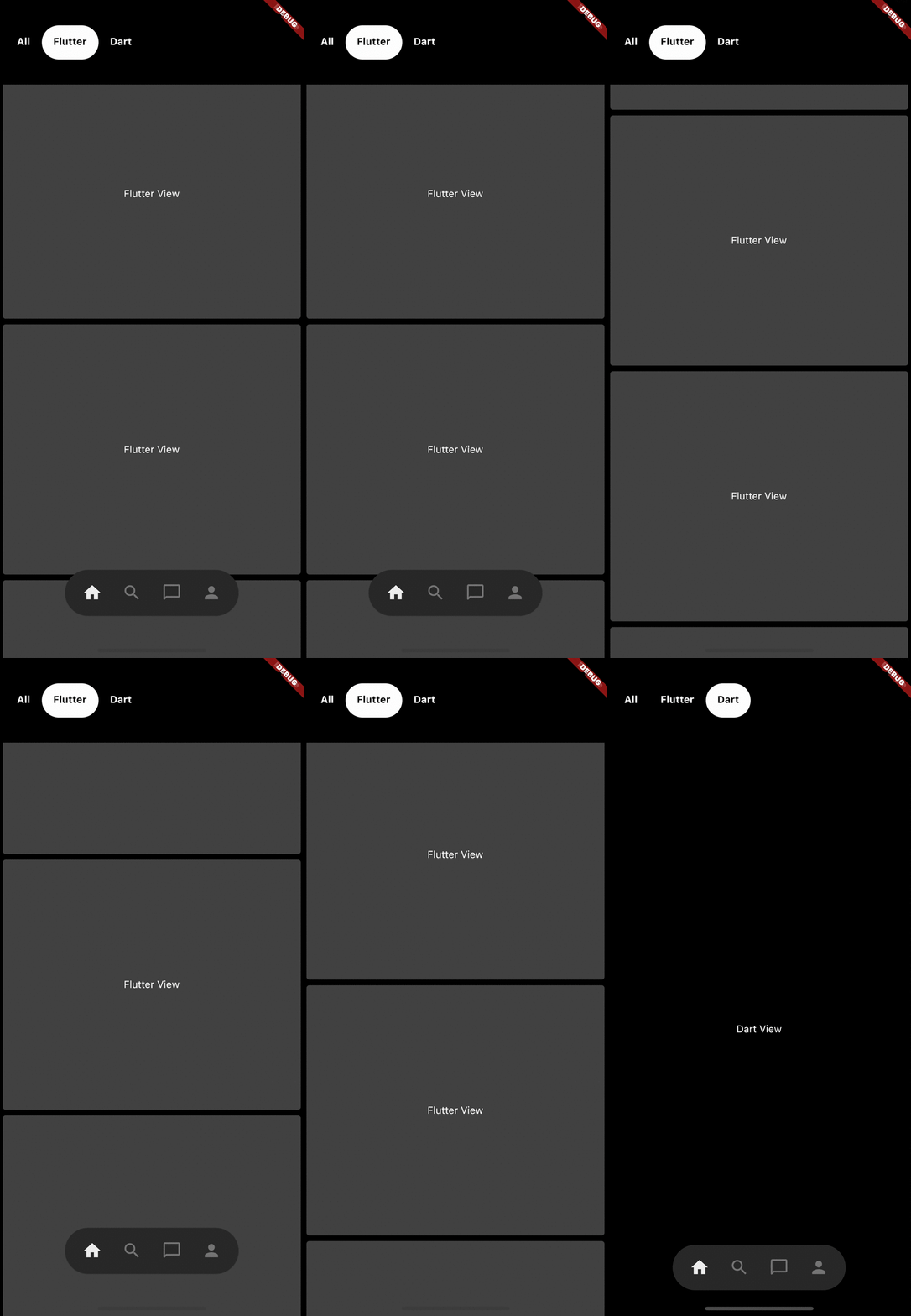
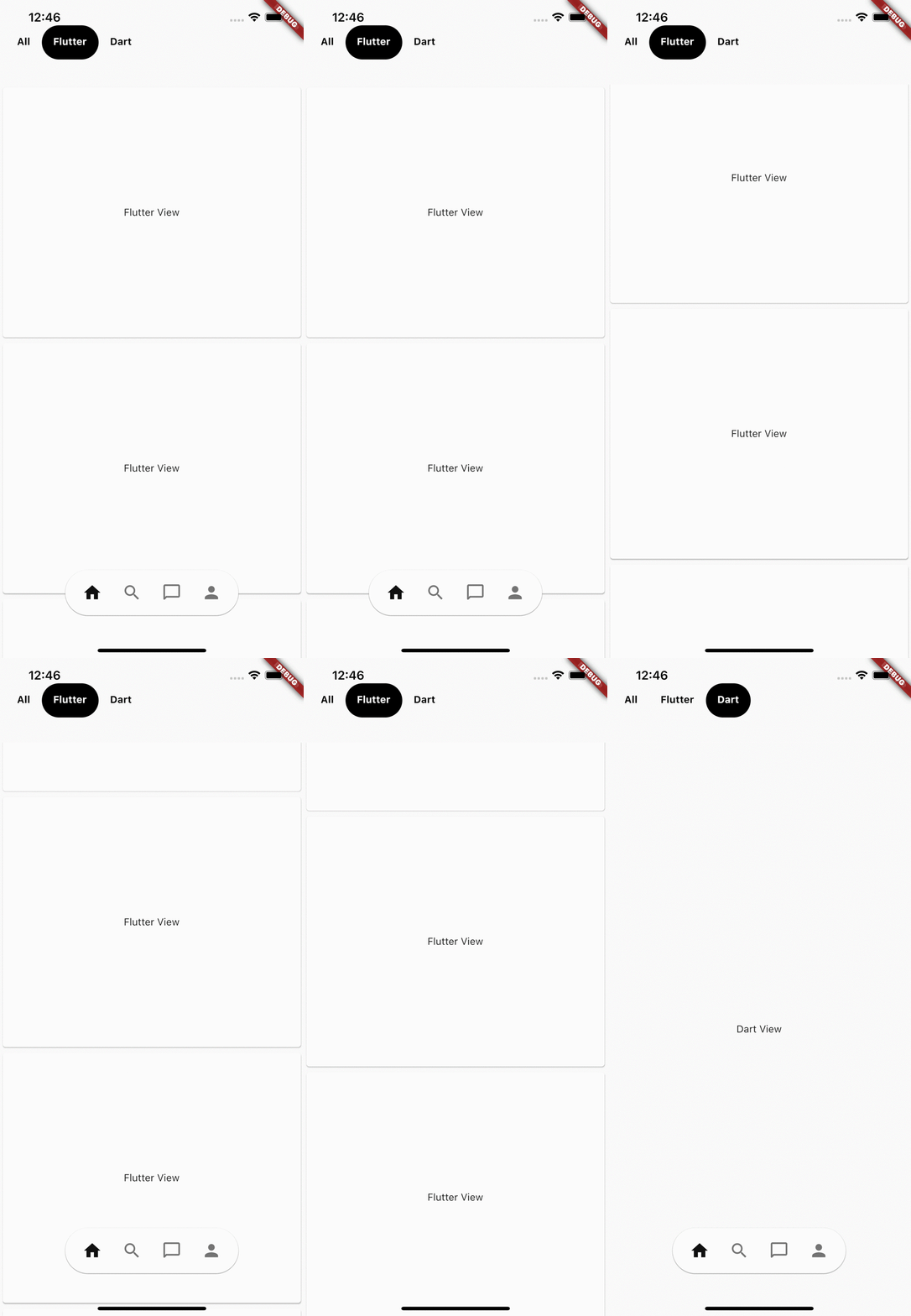
Pinterest app's Like bottom navigation bar.

Light theme Dark theme
Light theme mode video GIF Dark theme mode video GIF

Getting Started

Wrap you [MaterialApp] widget with [PinterestNavBarController] widget

    return PinterestNavBarController(
      child: MaterialApp(
        title: 'Pinterest Nav Bar Example',
        home: Pages(),
      ),
    );

Adding the widget

  • Note: it is recommended that you use this widget as the Floadting Action Button
      floatingActionButtonLocation: FloatingActionButtonLocation.centerDocked,
      floatingActionButton: PinterestNavBar(
        currentIndex: selectedPageIndex,
        onTap: (i) {
          print('PinterestNavBar.onTap($i)');
          setState(() {
            selectedPageIndex = i;
          });
        },
        items: [
          Icons.home,
          Icons.search,
          Icons.chat_bubble_outline_rounded,
          Icons.person
        ],
      ),
  • check out the example app code for complete understanding

Categories

Dependencies

Dependency list 1 items

Source repository

Projects using this package

No data available yet.