Search packages, repositories and app categories

pip_view cover
Package detailsv0.9.7

pip_view

Widget to allow the presentation of a widget below a floating one.

AndroidiOSWebmacOSWindowsLinux
30-day downloads
12.6K
Likes
202
Pub points
160

Install package

flutter pub add pip_view

Package Overview

Package selection guidance compiled from public package information, community data, and project usage.

The pip_view package enables developers to display a widget beneath a floating overlay, commonly used for picture-in-picture functionality. It allows seamless integration of a smaller, draggable content area within a larger app interface, ideal for video playback or live feeds. The package supports multiple platforms including Android, iOS, Web, macOS, Windows, and Linux, ensuring cross-platform consistency. It is lightweight and designed for easy implementation with minimal configuration. This makes it suitable for apps requiring dynamic, interactive overlays without disrupting the main UI flow.

Use cases

  • Video playback in picture-in-picture mode
  • Live camera feed overlays
  • Interactive floating controls
  • Multi-tasking app interfaces
  • Real-time data monitoring displays

Key features

  • Floating widget with drag support
  • Overlay rendering below main content
  • Cross-platform compatibility
  • Minimal setup required
  • Customizable size and position

Suitable for

  • Media applications
  • Educational tools with dual-screen layouts
  • Collaborative work apps
  • Real-time monitoring dashboards
  • Apps needing persistent floating UI elements

Considerations

  • May require additional handling for complex gestures
  • Performance impact on low-end devices
  • Limited customization for advanced animations
  • Not intended for full-screen replacement
  • Requires proper layout management in complex UIs

Original README

Original README snapshot from the linked source repository. Visit the repository for the latest content.

pip_view

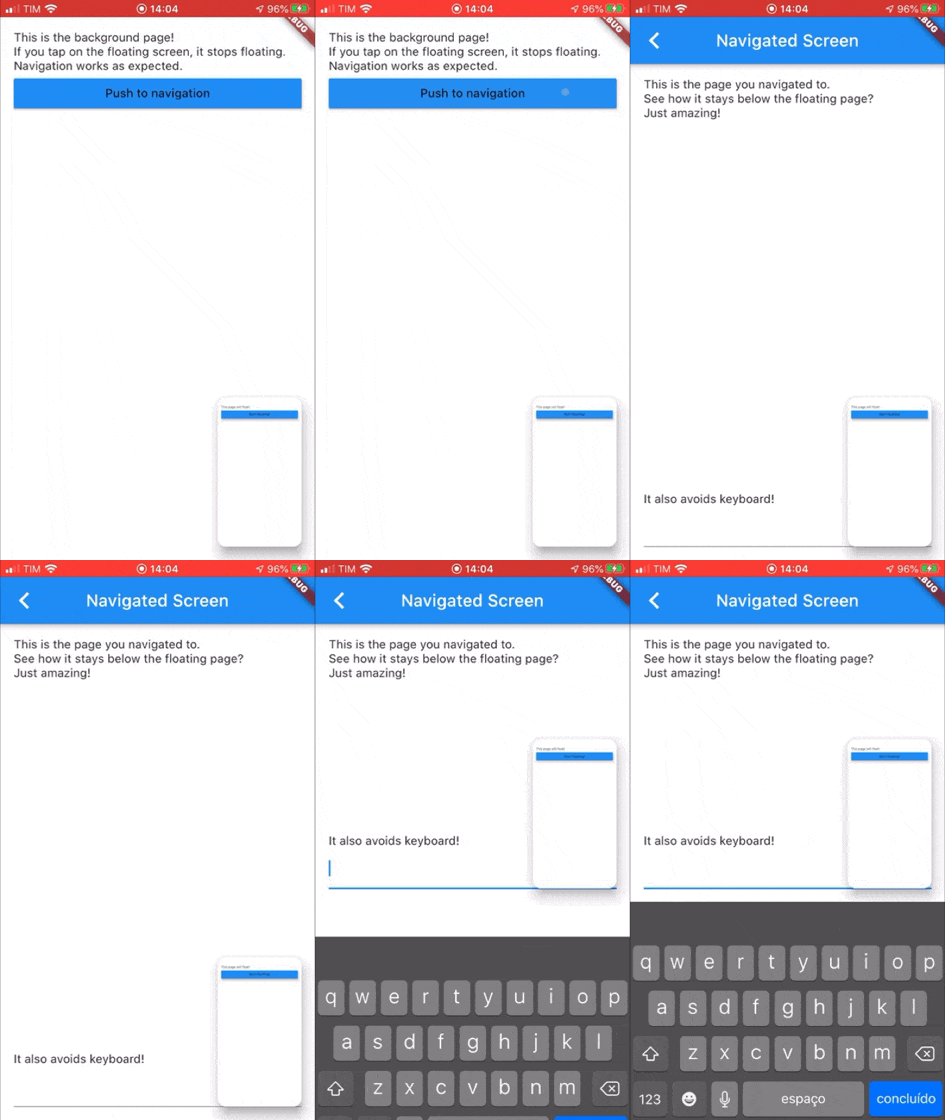
Widget to allow the presentation of a widget below a floating one. It supports moving the floating widget around which sticks to the corners.

Example GIF

Usage

Create a PIPView widget, the prop builder will be the view rendered floating when requested. To present a view below the floating view use PIPView.of(context).presentBelow(MyWidget()).

Props:
  • avoidKeyboard: whether the floating view should avoid the keyboard;
  • builder: a builder for the widget to float, the second parameter indicates if the view is floating;
  • initialCorner: the corner in which the floating view will be sticked initially
    • Possible values are: PIPViewCorner.topLeft, PIPViewCorner.topRight, PIPViewCorner.bottomLeft, PIPViewCorner.bottomRight;
  • floatingHeight: the height of the foreground view when floating. If not set is calculated from the floatingWidth to keep aspect ratio of the screen;
  • floatingWidth: the width of the foreground view when floating. If not set and floatingHeight is set, it is calculated from the floatingHeight value to keep aspect ratio of the screen. If not set and floatingHeight is not set, defaults to 100.0;
Example:
class MyScreen extends StatelessWidget {
  @override
  Widget build(BuildContext context) {
    return PIPView(
      builder: (context, isFloating) {
        return Scaffold(
          body: Column(
            children: [
              Text('This is the screen that will float!');
              MaterialButton(
                child: Text('Start floating');
                onPressed: () {
                  PIPView.of(context).presentBelow(MyBackgroundScreen());
                },
              ),
            ],
          );
        );
      },
    );
  }
}

class MyBackgroundScreen extends StatelessWidget {
  @override
  Widget build(BuildContext context) {
    return Scaffold(
      body: Text('This is my background screen!');
    );
  }
}

NOTE: If you want a more declarative way of using the PIPView, you can use RawPIPView instead.

Categories

Source repository

Projects using this package

No data available yet.