Package selection guidance compiled from public package information, community data, and project usage.
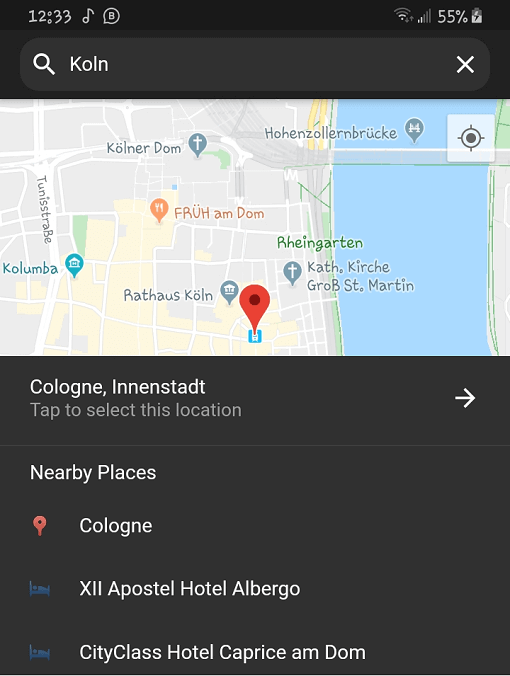
Place Picker is a fully Dart-written Flutter package for selecting locations, offering autocomplete suggestions and a list of nearby places. It supports localization, enabling multilingual user experiences. Built for seamless integration into Flutter apps, it simplifies address and location input with intuitive UI components. The package leverages Google Maps under the hood for accurate geolocation data and enhances user experience through smart suggestions and real-time feedback. Ideal for apps requiring precise location selection.
Use cases
Address input in forms
Location selection for delivery services
Travel and mapping applications
User profile location setup
Event or venue registration
Key features
Autocomplete suggestions
Nearby locations list
Built-in localization
Google Maps integration
Fully customizable UI
Dart-only implementation
Suitable for
Mobile apps needing location input
Apps targeting international users
Developers using pure Dart solutions
Projects requiring lightweight location pickers
Flutter apps with map-based features
Considerations
Requires Google Maps API key
Limited to Google Maps backend
May need additional styling for custom themes
Depends on internet connectivity
Not suitable for offline location selection
Original README
Original README snapshot from the linked source repository. Visit the repository for the latest content.
Flutter Place Picker
The missing location picker made in Flutter for Flutter. With dark theme and custom localization support.
⚠️ Please note: This library will NOT be affected by the deprecation of Place Picker as indicated here.
🍭 Remember to enable Places API, Maps SDK for Android, Maps SDK for iOS and Geocoding API for your API key.
Opt-in to the embedded views preview by adding a boolean property to the app's Info.plist file
with the key io.flutter.embedded_views_preview and the value YES.
Also add these to the dict values in Info.plist for location request to work on iOS
Sample Usage
Import the package into your code
import'package:place_picker/place_picker.dart';
Create a method like below, and call it in onTap of a button or InkWell. A LocationResult will be returned
with the name and lat/lng of the selected place. You can then handle the result in any way you want.
Pass in an optional LatLng displayLocation to display that location instead. This is useful when you want the map
to display the previously selected location.
voidshowPlacePicker() async {
LocationResult result = awaitNavigator.of(context).push(MaterialPageRoute(
builder: (context) =>
PlacePicker("YOUR API KEY",
displayLocation: customLocation,
)));
// Handle the result in your wayprint(result);
}