Search packages, repositories and app categories

Package detailsv1.0.0+2

platform_alert_dialog

Flutter plugin for build alert dialogs adapted to the current platform.

30-day downloads
4
Likes
17
Pub points
40

Install package

flutter pub add platform_alert_dialog

Package Overview

Package selection guidance compiled from public package information, community data, and project usage.

A Flutter plugin that creates alert dialogs tailored to the native look and feel of the current platform. It automatically adapts the dialog style for iOS, Android, and other platforms, ensuring a consistent user experience across devices. The package simplifies the process of displaying platform-specific alerts without requiring manual configuration. It supports standard alert features like title, content, and actions, while respecting platform conventions such as button placement and visual design. Ideal for apps targeting multiple platforms with minimal code changes.

Use cases

  • Displaying platform-adapted alerts
  • Creating cross-platform dialog consistency
  • Simplifying native UI integration
  • Enhancing user experience on iOS and Android
  • Reducing boilerplate for alert dialogs

Key features

  • Automatic platform detection
  • Native-style dialog rendering
  • Support for title, content, and actions
  • Minimal setup required
  • Cross-platform compatibility

Suitable for

  • Developers targeting iOS and Android
  • Apps requiring native UI consistency
  • Teams minimizing platform-specific code
  • Projects focused on UX quality
  • Flutter beginners learning dialogs

Considerations

  • No support for web or desktop platforms
  • Limited customization beyond basic properties
  • Relies on platform-specific behavior
  • May require testing on each target OS
  • Does not include advanced dialog types
Original README

Original README snapshot from the linked source repository. Visit the repository for the latest content.

Platform Alert Dialog

Flutter plugin for build alert dialogs adapted to the current platform.

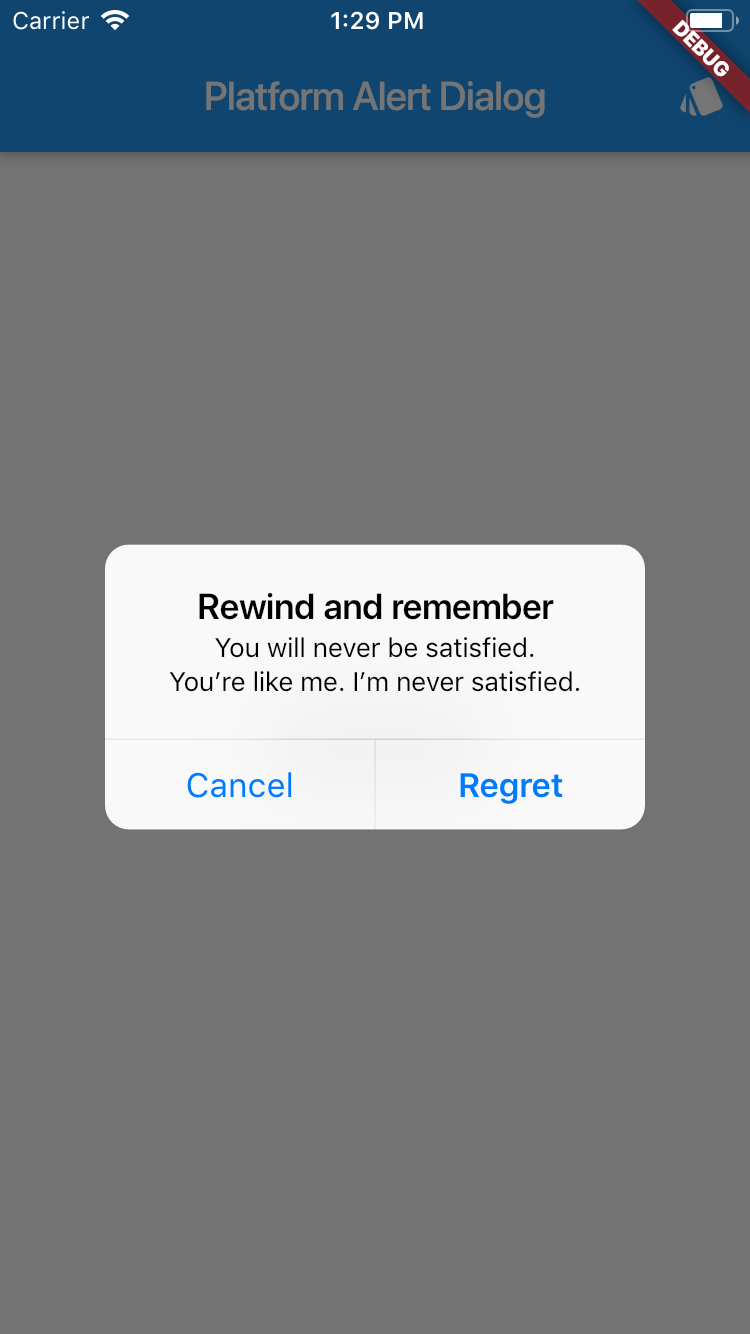
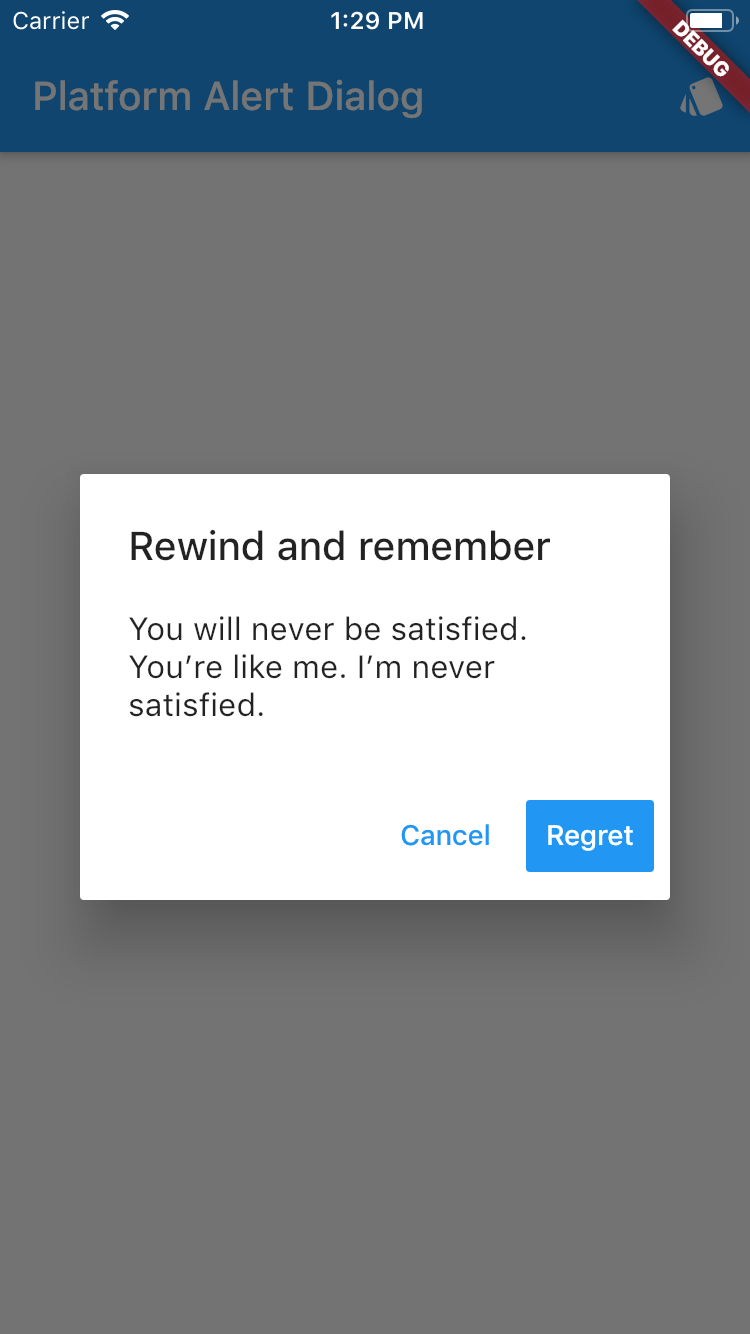
showDialog<void>(
  context: context,
  builder: (BuildContext context) {
    return PlatformAlertDialog(
      title: Text('Rewind and remember'),
      content: SingleChildScrollView(
        child: ListBody(
          children: <Widget>[
            Text('You will never be satisfied.'),
            Text('You\’re like me. I’m never satisfied.'),
          ],
        ),
      ),
      actions: <Widget>[
        PlatformDialogAction(
          child: Text('Cancel'),
          onPressed: () {
            Navigator.of(context).pop();
          },
        ),
        PlatformDialogAction(
          child: Text('Regret'),
          actionType: ActionType.Preferred,
          onPressed: () {
            Navigator.of(context).pop();
          },
        ),
      ],
    );
  },
);
Example
Screenshot with theme Android Screenshot with theme iOs

Categories

Source repository

Projects using this package

No data available yet.