Package selection guidance compiled from public package information, community data, and project usage.
platform_detail is a lightweight Dart package that simplifies the retrieval of comprehensive platform-specific information. It provides a unified, easy-to-use interface to identify the current operating system, device type, architecture, and other runtime details across multiple platforms including Android, iOS, macOS, Windows, and Linux. Designed for developers needing reliable platform detection without boilerplate code, it abstracts low-level platform checks into clean, readable methods. The library is ideal for conditional logic based on environment or device characteristics.
Use cases
Conditional UI rendering based on platform
Device-specific feature toggles
Cross-platform debugging utilities
Runtime environment introspection
Optimizing performance per device
Testing platform-specific behaviors
Key features
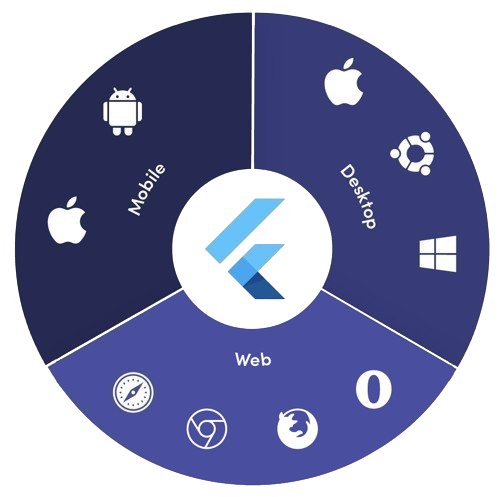
Supports Android, iOS, macOS, Windows, and Linux
Simple API for platform and device detection
Returns detailed system information
Lightweight with no external dependencies
Consistent interface across platforms
Easy integration via pub add
Suitable for
Cross-platform Flutter apps
Apps requiring platform-aware logic
Developers seeking minimal setup
Debugging and diagnostics tools
Apps targeting multiple desktop and mobile platforms
Considerations
Does not support web platform
Limited to runtime platform info only
No real-time platform change detection
Relies on native platform APIs
May require permission handling on some platforms
Not intended for complex device fingerprinting
Original README
Original README snapshot from the linked source repository. Visit the repository for the latest content.
Platform Detail
About
Platform Detail is a lightweight and developer-friendly Flutter package that makes platform detection easier, more complete, and cross-platform.
It provides a unified and consistent API for checking the platform your app is running on — including web, something that native Flutter classes like TargetPlatform and Platform from dart:io don't currently support.
⚠️ Flutter’s native Platform and TargetPlatform do not provide support for detecting web, which can be a limitation in universal apps.
✅ platform_detail addresses this limitation by introducing a simple and intuitive API that includes web detection out of the box.
✅ Why Use This Package?
✅ Unified API across all platforms (including web).
✅ Clear separation between platform type and platform group.
✅ Static API with simple access from PlatformDetail.
✅ No need to manually check kIsWeb or rely on partial solutions.
If you only rely on TargetPlatform, you’ll miss web support.
voidmain() {
// Native TargetPlatform doesn't detect web:if (defaultTargetPlatform == TargetPlatform.android) {
// OK for Android
} elseif (kIsWeb) {
// Web has to be checked manually
}
}
With PlatformDetail, the check is unified:
voidmain() {
if (PlatformDetail.isWeb) {
print('Web detected ✔️');
}
}
🔎 Group-based Detection
Check whether the current platform belongs to a broader category:
voidmain() {
if (PlatformDetail.isMobile) {
print('Mobile platform');
}
if (PlatformDetail.isDesktop) {
print('Desktop platform');
}
if (PlatformDetail.isDesktopOrWeb) {
print('Desktop or Web platform');
}
}
voidmain() {
if (PlatformDetail.isIOS) print('iOS');
if (PlatformDetail.isAndroid) print('Android');
if (PlatformDetail.isFuchsia) print('Fuchsia');
if (PlatformDetail.isWindows) print('Windows');
if (PlatformDetail.isLinux) print('Linux');
if (PlatformDetail.isMacOS) print('macOS');
if (PlatformDetail.isWeb) print('Web');
}
Or create different cases through the enum with a switch:
ℹ️ No configuration is required for most platforms.
For macOS, you must add the following entry to both DebugProfile.entitlements and ReleaseProfile.entitlements files:
If you need more detailed information about the device and operating system it is running on.
voidmain() async {
final descriptionDevice = awaitPlatformDetail.deviceInfo();
}
Or maybe you need an information string about the device info:
voidmain() async {
final descriptionDevice = awaitPlatformDetail.deviceInfoDetails();
}
This will return something like this:
Android: Android 9 (SDK 28), Xiaomi Redmi Note 7
iOS: iOS 13.1, iPhone 11 Pro Max iPhone
Web: Google Chrome (115.0.5790.170)
Linux: Fedora 17 (Beefy Miracle)
Windows: Windows 10 Home (1903)
MacOS: macOS 13.5, MacBook Pro
Get compact environment details
If you need a typed and lightweight payload with platform, model and locale, use environmentDetails():
voidmain() async {
final details = awaitPlatformDetail.environmentDetails();
print(details.platformType); // PlatformType.androidprint(details.platform); // android 14print(details.deviceModel); // Google Pixel 8print(details.locale); // en-US
}
This returns an EnvironmentDetails object with these fields:
platformType: PlatformType
platform: String
deviceModel: String
locale: String
The example app includes a section that renders these values on screen.
Get app version and build number
If you need app package metadata, you can use versionDetails():
voidmain() async {
final details = awaitPlatformDetail.versionDetails();
print(details.appName); // My Appprint(details.packageName); // com.example.my_appprint(details.version); // 5.4.0print(details.buildNumber); // 12
}
This returns a VersionDetails object with these fields:
appName: String
packageName: String
version: String
buildNumber: String
Light/Dark Mode
You can detect too if the device is configured in light or dark mode:
voidmain() {
if (PlatformDetail.isLightMode) {
print('The current platform is configured with light mode');
}
if (PlatformDetail.isDarkMode) {
print('The current platform is configured with dark mode');
}
}
voidmain() {
if (PlatformDetail.theme == DeviceTheme.light) {
print('The current device is configured in light mode');
}
if (PlatformDetail.theme == DeviceTheme.dark) {
print('The current device is configured in dark mode');
}
}