Search packages, repositories and app categories

Package detailsv1.0.6

pluto_grid_export

PlutoGridExport converts PlutoGrid's metadata to CSV or PDF. Used with PlutoGrid.

AndroidiOSWebmacOSWindowsLinux
30-day downloads
94
Likes
29
Pub points
130

Install package

flutter pub add pluto_grid_export

Package Overview

Package selection guidance compiled from public package information, community data, and project usage.

PlutoGridExport is a Flutter package that enables exporting data from PlutoGrid to CSV or PDF formats. It leverages PlutoGrid's metadata to generate structured, printable, or shareable files, enhancing data accessibility and reporting capabilities. Designed as a companion to PlutoGrid, it simplifies the process of sharing grid-based data across platforms. The package supports all major platforms including Android, iOS, Web, macOS, Windows, and Linux, making it ideal for cross-platform applications requiring export functionality.

Use cases

  • Exporting grid data to CSV for analysis
  • Generating PDF reports from grid content
  • Sharing structured data with stakeholders
  • Integrating export features in dashboards
  • Automating report generation
  • Supporting offline data sharing

Key features

  • Exports to CSV and PDF formats
  • Uses PlutoGrid's metadata directly
  • Cross-platform compatibility
  • Simple integration with PlutoGrid
  • Lightweight and focused
  • Supports platform-specific rendering

Suitable for

  • Data-heavy applications
  • Reporting tools
  • Admin panels
  • Business analytics dashboards
  • Educational apps with data tables
  • Apps needing print-ready exports

Considerations

  • Requires PlutoGrid to be implemented
  • Limited to CSV/PDF export types
  • No built-in file storage or sharing
  • Depends on external rendering for PDF
  • Not suitable for large datasets without optimization
  • PDF quality depends on underlying platform rendering

Original README

Original README snapshot from the linked source repository. Visit the repository for the latest content.

PlutoGrid for flutter - v8.1.0

Awesome Flutter codecov License: MIT


PlutoGrid is a DataGrid that can be operated with the keyboard in various situations such as moving cells.
It is developed with priority on the web and desktop.
Improvements such as UI on mobile are being considered.
If you comment on an issue, mobile improvements can be made quickly.


Demo Web

You can try out various functions and usage methods right away.
All features provide example code.


Pub.Dev

Check out how to install from the official distribution site.


Documentation

The documentation has more details.


ChangeLog

Please note the changes when changing the version of PlutoGrid you are using.


Issue

Report any questions or errors.


Packages

PlutoGridExport
This package can export the metadata of PlutoGrid as CSV or PDF.


Screenshots
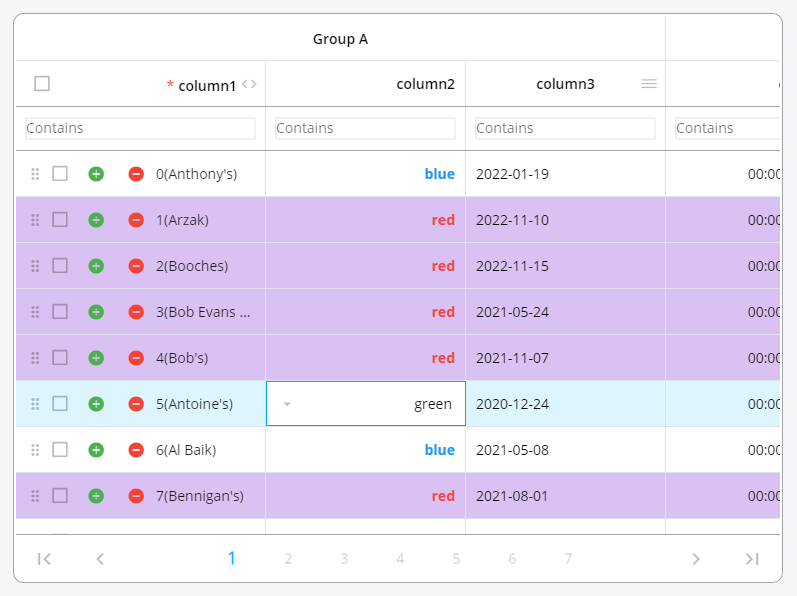
Change the color of the rows or make the cells look the way you want them.

PlutoGrid Normal


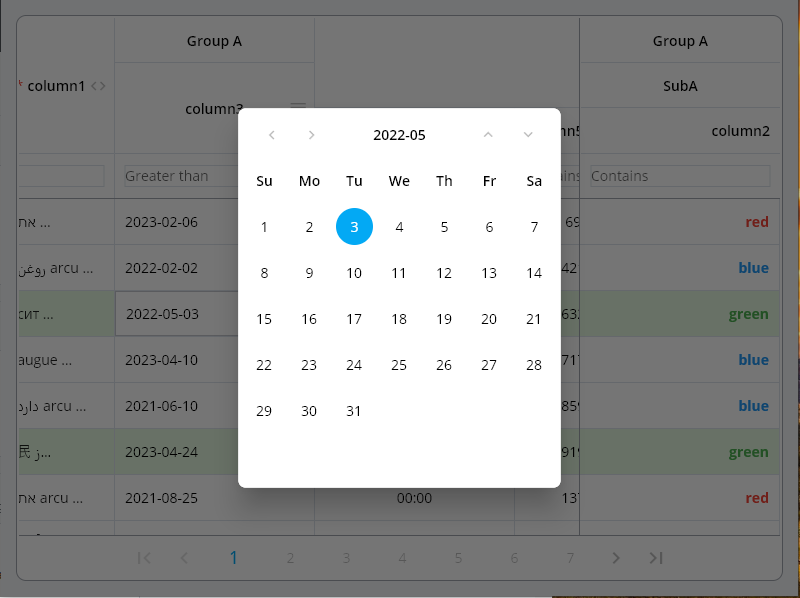
Date type input can be easily selected by pop-up and keyboard.

PlutoGrid Select Popup


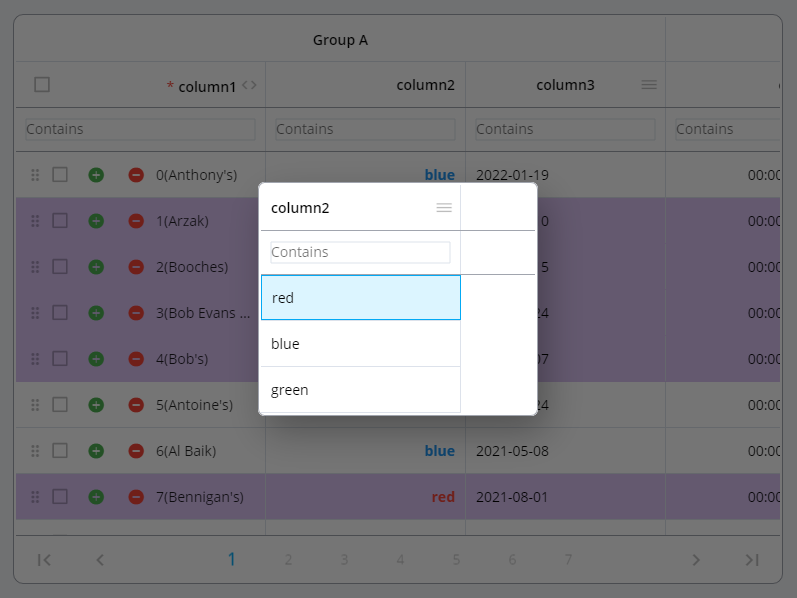
The selection type column can be easily selected using a pop-up and keyboard.

PlutoGrid Select Date


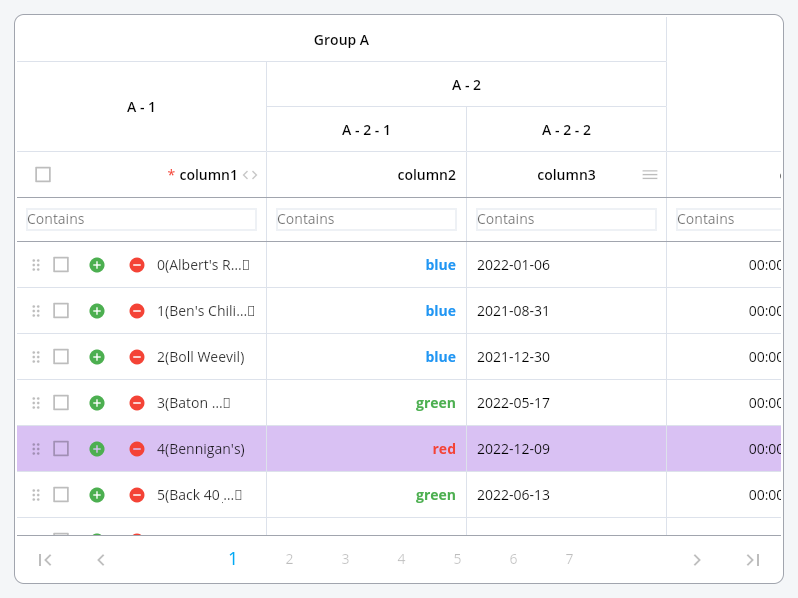
Group columns by desired depth.

PlutoGrid Cell renderer


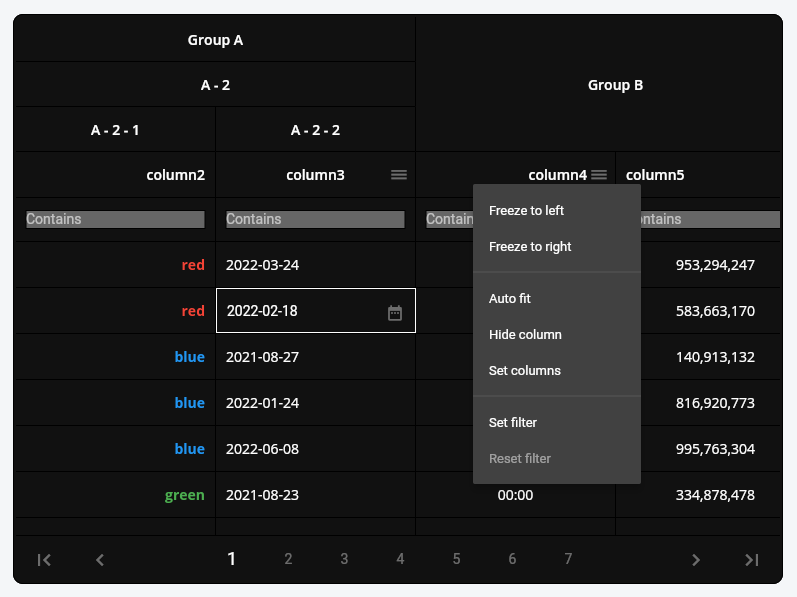
Grid can be expressed in dark mode or a combination of desired colors. Also, freeze the column, move it by dragging, or adjust the size.

PlutoGrid Multi select


Example

Generate the data to be used in the grid.


List<PlutoColumn> columns = [

  /// Text Column definition
  PlutoColumn(
    title: 'text column',
    field: 'text_field',
    type: PlutoColumnType.text(),
  ),

  /// Number Column definition
  PlutoColumn(
    title: 'number column',
    field: 'number_field',
    type: PlutoColumnType.number(),
  ),

  /// Select Column definition
  PlutoColumn(
    title: 'select column',
    field: 'select_field',
    type: PlutoColumnType.select(['item1', 'item2', 'item3']),
  ),

  /// Datetime Column definition
  PlutoColumn(
    title: 'date column',
    field: 'date_field',
    type: PlutoColumnType.date(),
  ),

  /// Time Column definition
  PlutoColumn(
    title: 'time column',
    field: 'time_field',
    type: PlutoColumnType.time(),
  ),
];

List<PlutoRow> rows = [
  PlutoRow(
    cells: {
      'text_field': PlutoCell(value: 'Text cell value1'),
      'number_field': PlutoCell(value: 2020),
      'select_field': PlutoCell(value: 'item1'),
      'date_field': PlutoCell(value: '2020-08-06'),
      'time_field': PlutoCell(value: '12:30'),
    },
  ),
  PlutoRow(
    cells: {
      'text_field': PlutoCell(value: 'Text cell value2'),
      'number_field': PlutoCell(value: 2021),
      'select_field': PlutoCell(value: 'item2'),
      'date_field': PlutoCell(value: '2020-08-07'),
      'time_field': PlutoCell(value: '18:45'),
    },
  ),
  PlutoRow(
    cells: {
      'text_field': PlutoCell(value: 'Text cell value3'),
      'number_field': PlutoCell(value: 2022),
      'select_field': PlutoCell(value: 'item3'),
      'date_field': PlutoCell(value: '2020-08-08'),
      'time_field': PlutoCell(value: '23:59'),
    },
  ),
];

Create a grid with the data created above.

  @override
Widget build(BuildContext context) {
  return Scaffold(
    appBar: AppBar(
      title: const Text('PlutoGrid Demo'),
    ),
    body: Container(
      padding: const EdgeInsets.all(30),
      child: PlutoGrid(
          columns: columns,
          rows: rows,
          onChanged: (PlutoGridOnChangedEvent event) {
            print(event);
          },
          onLoaded: (PlutoGridOnLoadedEvent event) {
            print(event);
          }
      ),
    ),
  );
}

Flutter version compatible
Flutter PlutoGrid
3.38.0 or higher 8.1.0 or higher
3.19.0 or higher 8.0.0 or higher
3.10.0 or higher 7.0.0 or higher
3.7.0 or higher 6.0.0 or higher
3.3.0 or higher 5.0.6 or higher
3.0.0 or higher 3.0.0-0.pre or higher
2.5.0 or higher 2.5.0 or higher

For other versions, contact the issue


Related packages

develop packages that make it easy to develop admin pages or CMS with Flutter.


Donate to this project

Buy me a coffee


Jetbrains provides a free license

IDE license support

Categories

Dependencies

Dependency list 4 items

Source repository

Projects using this package

No data available yet.