Search packages, repositories and app categories

prompts cover
Package detailsv2.0.0

prompts

Rich, simple, synchronous command-line prompt library for Dart.

AndroidiOSmacOSWindowsLinux
30-day downloads
1.2M
Likes
29
Pub points
140

Install package

flutter pub add prompts

Package Overview

Package selection guidance compiled from public package information, community data, and project usage.

A rich, simple, and synchronous command-line prompt library for Dart, designed to make interactive CLI applications easy to build. It provides a clean API for asking users for input through various prompt types, such as text, password, confirmation, and choice-based inputs. The library is ideal for tools, scripts, or development utilities that require user interaction in terminal environments. Prompts runs on all major platforms including Android, iOS, macOS, Windows, and Linux, making it highly portable. Its synchronous nature simplifies flow control without requiring async/await boilerplate.

Use cases

  • Building CLI tools
  • Interactive setup wizards
  • User input collection in scripts
  • Development utility applications
  • Terminal-based configuration

Key features

  • Synchronous API
  • Multiple prompt types
  • Cross-platform support
  • Simple, intuitive syntax
  • No async/await required

Suitable for

  • Dart developers building CLI apps
  • Tools needing user interaction in terminals
  • Simple command-line interfaces

Considerations

  • Not suitable for asynchronous workflows
  • Limited to console-based interaction
  • May block execution during input
  • Requires terminal access
  • Not designed for GUI applications

Original README

Original README snapshot from the linked source repository. Visit the repository for the latest content.

prompts

Pub

Rich, simple, synchronous command-line prompt library for Dart.

Now with pretty colors!

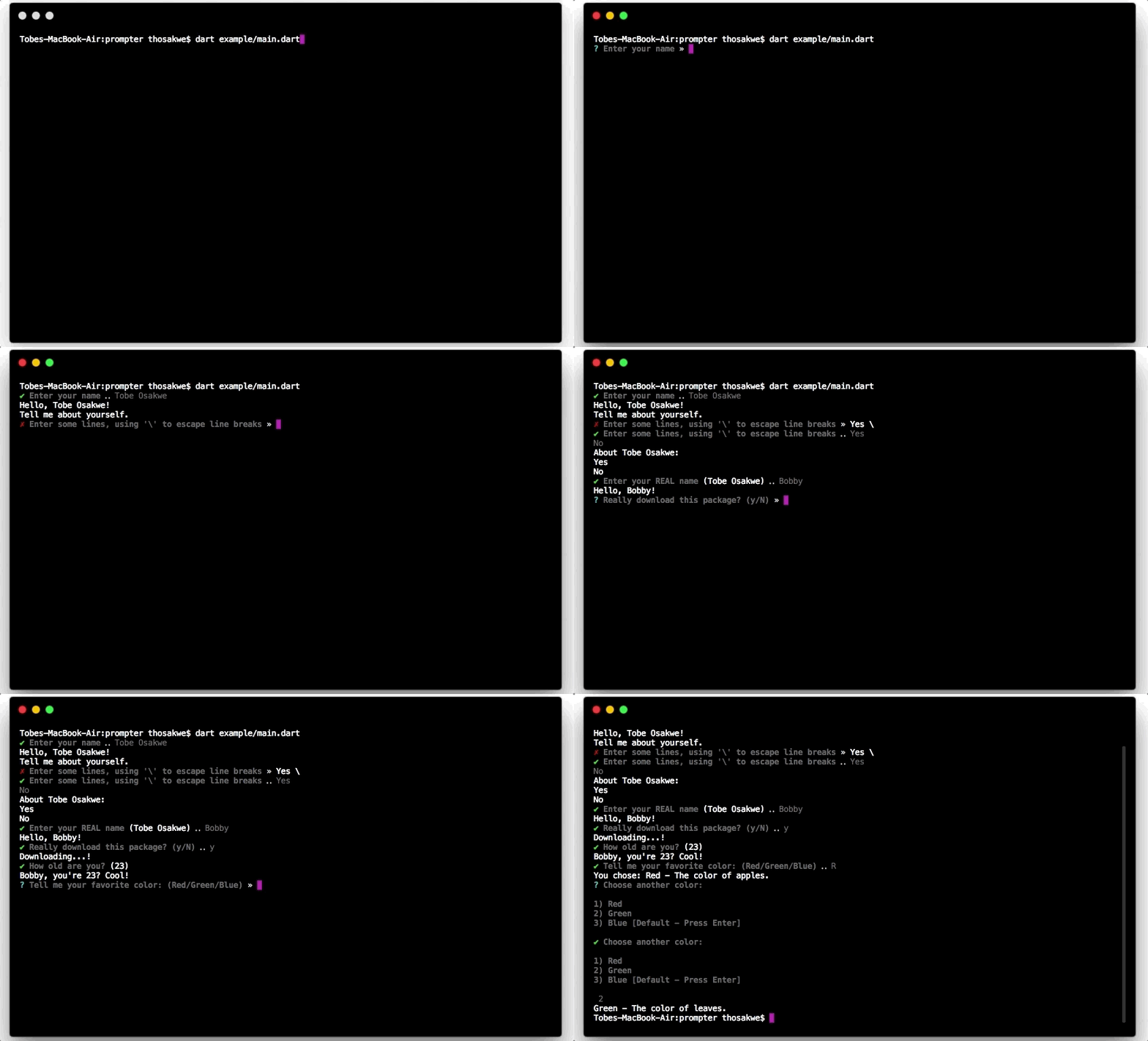
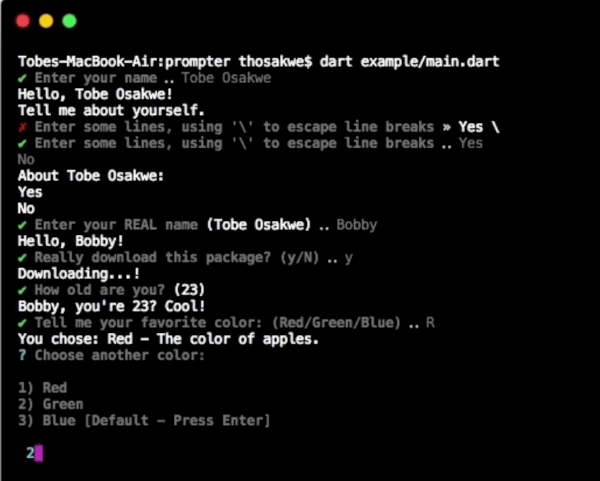
GIF Demo

Example

import 'package:io/ansi.dart';
import 'package:prompts/prompts.dart' as prompts;

void main() {
  // Easily get a single line.
  var name = prompts.get('Enter your name');
  print('Hello, $name!');

  // ... Or many lines.
  print('Tell me about yourself.');
  var bio = prompts.get(
    "Enter some lines, using '\\' to escape line breaks",
    allowMultiline: true,
    inputColor: resetAll,
  );
  print('About $name:\n$bio');

  // Supports default values.
  name = prompts.get('Enter your REAL name', defaultsTo: name);
  print('Hello, $name!');

  // "High-level" prompts are built upon [get].
  // For example, we can prompt for confirmation trivially.
  bool shouldDownload = prompts.getBool('Really download this package?');

  if (!shouldDownload)
    print('Not downloading.');
  else
    print('Downloading...!');

  // Or, get an integer, WITH validation.
  int age = prompts.getInt('How old are you?', defaultsTo: 23, chevron: false);
  print('$name, you\'re $age? Cool!');

  // We can choose from various values.
  // There are two methods - shorthand and regular.
  var rgb = [Color.red, Color.green, Color.blue];
  Color color = prompts.chooseShorthand('Tell me your favorite color', rgb);
  print('You chose: ${color.about}');

  // The standard chooser prints to multiple lines, but is often
  // clearer to read, and has more obvious semantics.
  color = prompts.choose('Choose another color', rgb, defaultsTo: Color.blue);
  print(color.about);
}

class Color {
  final String name, description;

  const Color(this.name, this.description);

  static const Color red = const Color('Red', 'The color of apples.'),
      blue = const Color('Blue', 'The color of the sky.'),
      green = const Color('Green', 'The color of leaves.');

  String get about => '$name - $description';

  @override
  String toString() => name;
}

Categories

Dependencies

Dependency list 2 items

Source repository

Projects using this package