Search packages, repositories and app categories

rich_readmore cover
Package detailsv1.1.1

rich_readmore

A widget that displays text with an option to show more or show less based on the provided settings.

AndroidiOSWebmacOSWindowsLinux
30-day downloads
1.1K
Likes
45
Pub points
160

Install package

flutter pub add rich_readmore

Package Overview

Package selection guidance compiled from public package information, community data, and project usage.

RichReadMore is a Flutter widget designed to display text with an intelligent 'show more' or 'show less' toggle. It supports rich text formatting and dynamically adjusts based on content length and user preferences. Ideal for displaying lengthy text snippets in a clean, interactive way, it enhances readability without overwhelming the UI. The widget is customizable and works across all major platforms, including mobile, web, and desktop.

Use cases

  • Displaying long-form content in apps
  • Enhancing user experience with collapsible text
  • Showing descriptions with expandable details
  • Integrating rich text with interactive controls
  • Reducing screen clutter in list items

Key features

  • Supports rich text formatting
  • Dynamic show more/less toggle
  • Customizable ellipsis and button labels
  • Cross-platform compatibility
  • Easy integration via pub
  • Configurable line limits

Suitable for

  • Content-heavy applications
  • User interfaces with variable text lengths
  • Apps needing responsive text display
  • Developers seeking lightweight text expansion
  • Projects requiring consistent UX across platforms

Considerations

  • May require careful styling for complex layouts
  • Performance impact with very large texts
  • Limited to text-only content (no images)
  • Depends on parent widget's constraints
  • Not suitable for non-textual content

Original README

Original README snapshot from the linked source repository. Visit the repository for the latest content.

rich_readmore workflow codecov MIT License

rich_readmore

A widget that displays text with an option to show more or show less based on the provided settings.
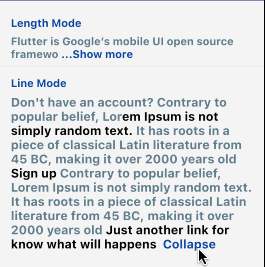
The RichReadMoreText widget allows you to trim text either based on the character length or the number of lines.
When the text is longer than the specified trim length or exceeds the maximum number of lines, it provides a toggle option to show more or show less of the text.
It has two options for settings, the LineModeSettings or LengthModeSettings for trimming using the behavior that you want.
If you want to pass a string directly instead of a TextSpan, you can just be using the the RichReadMoreText.fromString(...). There are some examples for that below.

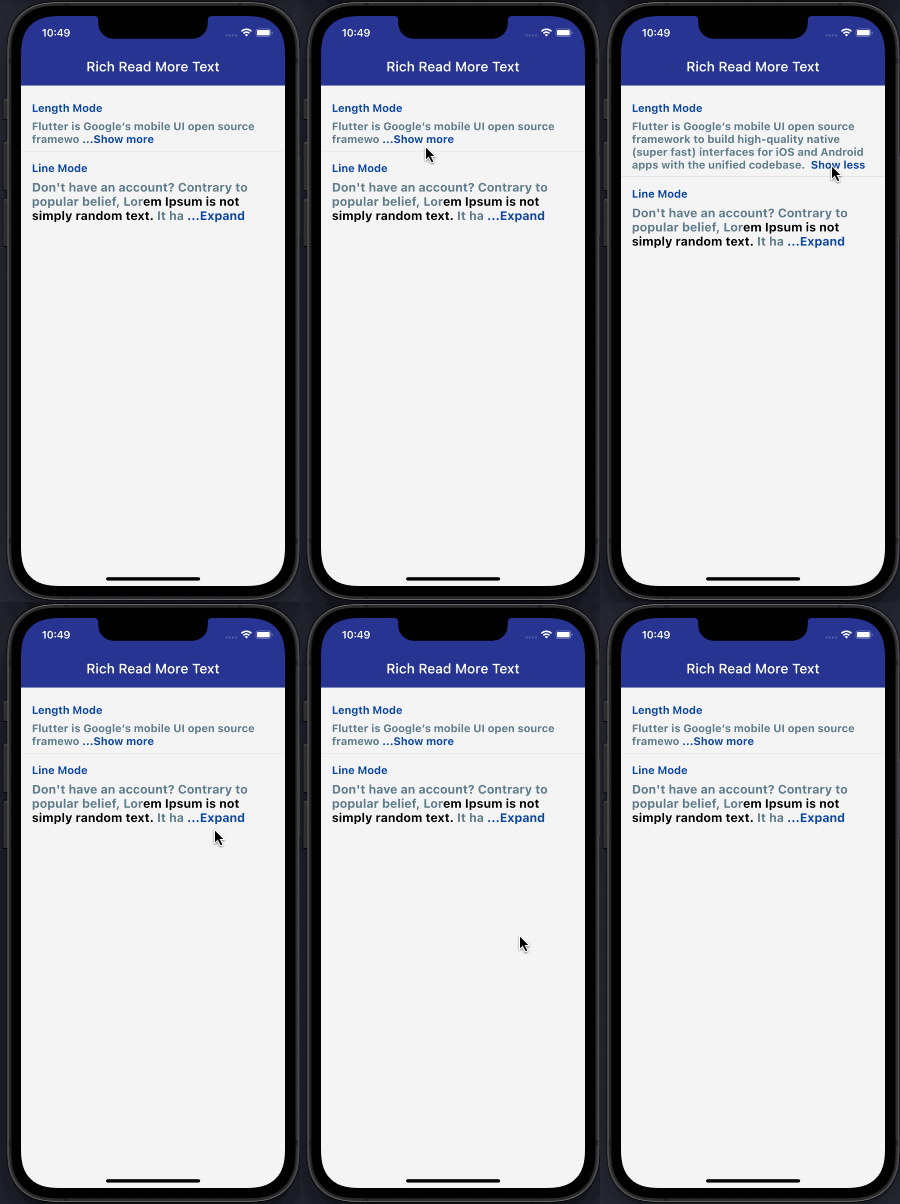
Demonstration

How to use

import:

import 'package:rich_readmore/rich_readmore.dart';

For TextSpan data:

 RichReadMoreText(
   textSpan,
   settings: LineModeSettings(
     trimLines: 3,
     trimCollapsedText: 'Expand',
     trimExpandedText: ' Collapse ',
     onPressReadMore: () {
       /// specific method to be called on press to show more
     },
     onPressReadLess: () {
       /// specific method to be called on press to show less
     },
   ),
 ),

Or for String data:

 RichReadMoreText.fromString(
   text: 'Lorem ipsum dolor sit amet, consectetur adipiscing elit.',
   textStyle: TextStyle(color: Colors.purpleAccent),
   settings: LengthModeSettings(
     trimLength: 20,
     trimCollapsedText: 'Expand',
     trimExpandedText: ' Collapse ',
     onPressReadMore: () {
       /// specific method to be called on press to show more
     },
     onPressReadLess: () {
       /// specific method to be called on press to show less
     },
     lessStyle: TextStyle(color: Colors.blue),
     moreStyle: TextStyle(color: Colors.blue),
   ),
 ),

Categories

Source repository

Projects using this package

No data available yet.