Search packages, repositories and app categories

scrollable_panel cover
Package detailsv0.4.1

scrollable_panel

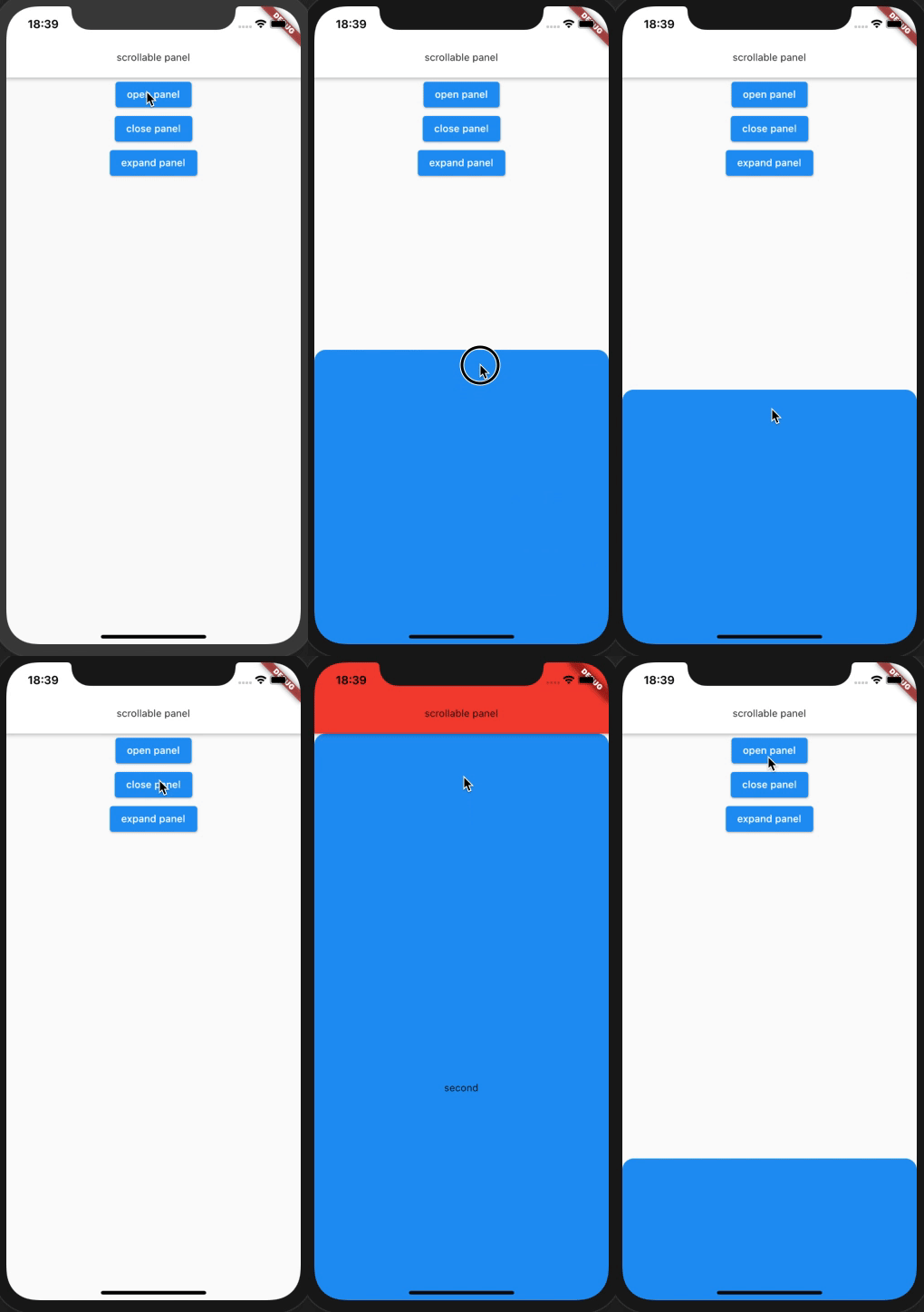
drag to expand and then can scroll contents. similar "Nearby spots" panel on google map app.

AndroidiOSWebmacOSWindowsLinux
30-day downloads
84
Likes
62
Pub points
150

Install package

flutter pub add scrollable_panel

Package Overview

Package selection guidance compiled from public package information, community data, and project usage.

A Flutter package that enables a bottom panel to be dragged open and scrolled, mimicking the 'Nearby spots' panel behavior seen in the Google Maps app. It provides smooth drag-to-expand interactions and supports content scrolling within the expanded panel. Ideal for displaying detailed information or lists in a compact, interactive format. The package is compatible across Android, iOS, Web, macOS, Windows, and Linux platforms.

Use cases

  • Displaying location details in maps apps
  • Showing list of nearby points of interest
  • Creating expandable info panels
  • Implementing collapsible content sections
  • Enhancing user interaction with draggable bottom sheets

Key features

  • Drag-to-expand gesture support
  • Built-in scrollable content area
  • Cross-platform compatibility
  • Smooth animation transitions
  • Customizable panel height and behavior
  • Responsive design for all screen sizes

Suitable for

  • Map and location-based applications
  • Content-heavy bottom sheets
  • User interfaces requiring expandable panels
  • Developers seeking native-like bottom sheet experiences
  • Apps needing intuitive gesture-based navigation

Considerations

  • May require additional styling for custom visuals
  • Performance impact with very large datasets
  • Limited customization for complex animations
  • Requires careful handling of nested scroll views
  • Not ideal for simple static content displays

Original README

Original README snapshot from the linked source repository. Visit the repository for the latest content.

scrollable_panel

pub package

drag to expand and then can scroll contents. similar "Nearby spots" panel on google map app.

https://pub.dev/packages/scrollable_panel

Panel Properties

Properties Data Type Description
builder ScrollableWidgetBuilder builder for inner panel view. ScrollableWidgetBuilder type define in draggable_scrollable_sheet.dart. provide PanelScrollController that extends ScrollController.
controller PanelController control panel from some interaction like button.
defaultPanelState PanelState set default panel state. (default value PanelState.open)
defaultPanelSize double set default panel height factor (default value 0.25)
minPanelSize double set minimum panel height factor. (default value 0)
maxPanelSize double set maximum panel height factor. (default value 1.0)
onOpen VoidCallback if non-null, this callback is called when panel state become open
onClose VoidCallback if non-null, this callback is called when panel state become close
onExpand VoidCallback if non-null, this callback is called when panel state become expand

PanelController actions

Action Data Type Description
open void open panel. panel animate to defaultPanelSize.
expand void expand panel. panel animate to maxPanelSize.
close void close panel. panel animate to minPanelSize.
animateTo double animate panel to value height.

Usage

class MyHomePage extends StatefulWidget {
  MyHomePage({Key key, this.title}) : super(key: key);

  final String title;

  @override
  _MyHomePageState createState() => _MyHomePageState();
}

class _MyHomePageState extends State<MyHomePage> {
  PanelController _panelController = PanelController();
  
  @override
  Widget build(BuildContext context) {
    return Scaffold(
      appBar: AppBar(
        title: Text('scrollable panel'),
      ),
      body: Stack(
        children: <Widget>[
          InkWell(
            onTap: () {
              _panelController.toDefault();
            },
            child: _FirstView(),
          ),
          ScrollablePanel(
            controller: _panelController,
            builder: (context, controller) {
              return SingleChildScrollView(
                controller: controller,
                child: _SecondView(),
              );
            },
          ),
        ],
      ),
    );
  }
}

TODO

  • ~write README.md and dartdoc~
  • ~null-safety support~
  • ~write test code~
  • add List<double> anchor property to use multi snapping point.

Categories

Source repository

Projects using this package

No data available yet.