Package selection guidance compiled from public package information, community data, and project usage.
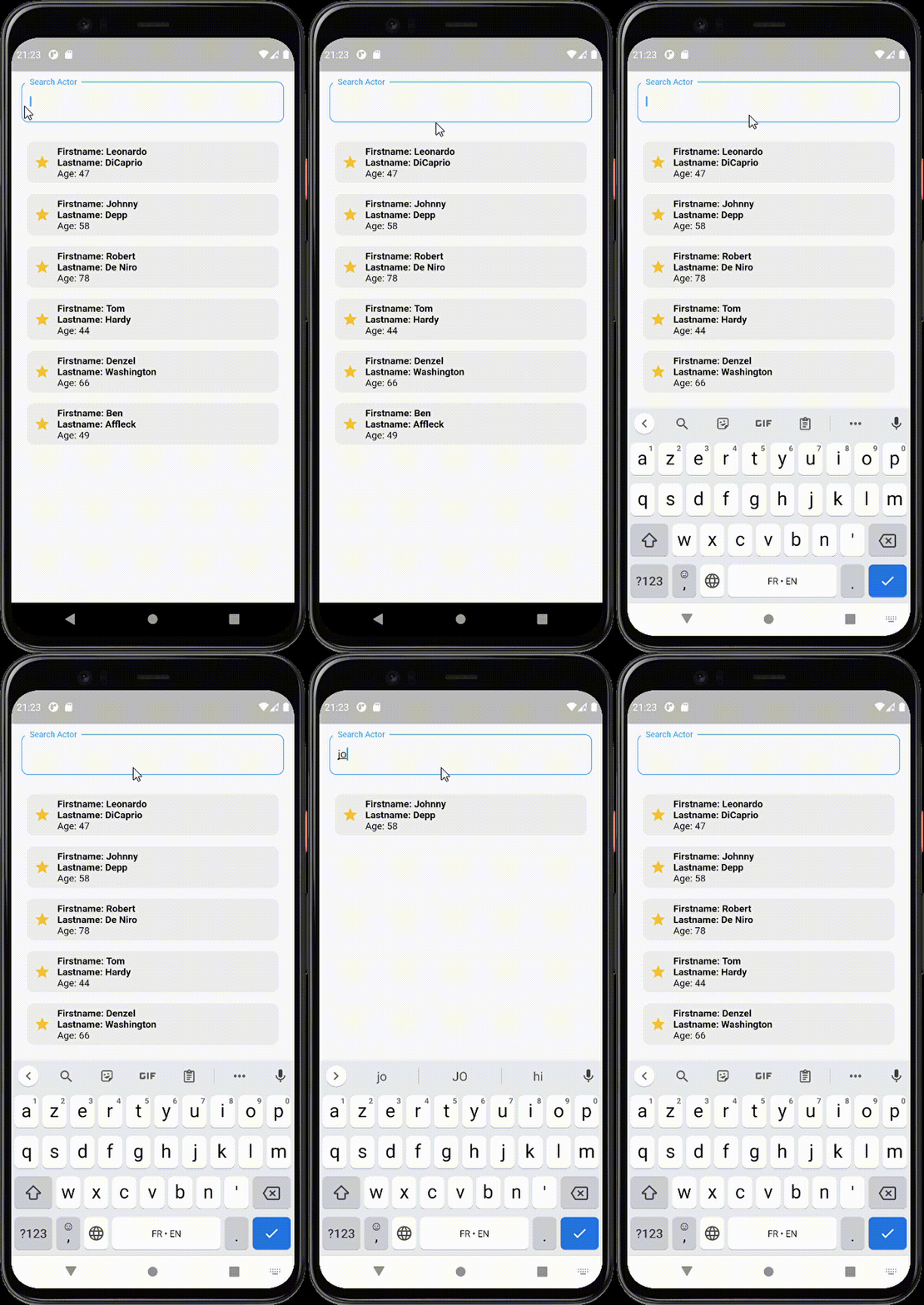
A Flutter package that simplifies filtering a ListView with a built-in search bar. It enables developers to quickly implement searchable lists with minimal code, offering customization options for the search field and empty state widget. The package supports all major platforms and is designed for ease of use, making it ideal for apps requiring dynamic content filtering. It integrates seamlessly into existing projects with a straightforward API.
Use cases
Filtering contact lists
Searching product catalogs
Dynamic data lookup in dashboards
User-driven content filtering
Real-time search in app interfaces
Key features
Simple implementation
Customizable search field
Configurable empty state
Cross-platform support
Built-in filtering logic
Minimal boilerplate
Suitable for
Developers seeking quick search integration
Apps with large datasets
UI-heavy applications
Prototyping search features
Beginner-friendly Flutter projects
Considerations
Limited advanced filtering options
No built-in pagination
Requires manual handling of complex data structures
Not optimized for very large datasets without additional optimization
Depends on external state management for dynamic updates
Original README
Original README snapshot from the linked source repository. Visit the repository for the latest content.
Searchable ListView
An easy-to-use Flutter widget for adding a searchable, sortable, and paginated list UI. Supports synchronous lists, asynchronous data sources, expansion groups, slivers, pull-to-refresh, and many customization options.
Package: searchable_listview
Features
Filter lists on edit or submit
Support for async data sources and async filtering
Expansion-group lists with searchable group contents
Optional sort widget and custom sort predicate
Pagination and onPaginate callback
Pull-to-refresh support
Sliver-based scrolling effect
Customizable loading / error / empty widgets
Customizable search field (decoration, input type, icons, width/height)
Auto-complete hints and secondary widgets next to the search field