Search packages, repositories and app categories

select_form_field cover
Package detailsv2.2.0

select_form_field

A Flutter select form field widget. It shows a list of options in a dropdown menu.

AndroidiOSWebmacOSWindowsLinux
30-day downloads
781
Likes
87
Pub points
130

Install package

flutter pub add select_form_field

Package Overview

Package selection guidance compiled from public package information, community data, and project usage.

A Flutter widget that implements a form field with a dropdown menu for selecting options. It provides a clean, customizable interface for choosing from a list of values, ideal for forms requiring user input from predefined choices. The widget supports various platforms including Android, iOS, Web, macOS, Windows, and Linux, ensuring cross-platform consistency. It integrates seamlessly into existing forms and can be styled to match app themes.

Use cases

  • Form inputs with predefined options
  • User selection from a list
  • Cross-platform dropdown fields
  • Dynamic option loading
  • Customizable dropdown styling
  • Integration with form validation

Key features

  • Dropdown menu interface
  • Customizable appearance
  • Platform-agnostic design
  • Easy integration with forms
  • Supports null safety
  • Configurable option display

Suitable for

  • Developers building forms in Flutter
  • Apps needing user selection from lists
  • Projects requiring consistent UI across platforms
  • Teams prioritizing code reusability
  • Applications with dynamic or static option sets

Considerations

  • Requires manual handling of option updates
  • Limited built-in filtering
  • May need additional styling for complex designs
  • Not optimized for very large option lists
  • Depends on external dependencies for advanced features

Original README

Original README snapshot from the linked source repository. Visit the repository for the latest content.

select_form_field

pub package

Buy Me A Beer

A Flutter select field widget. It shows a list of options in a dropdown menu.
This widget extend TextField and has a similar behavior as TextFormField

Usage

In the pubspec.yaml of your flutter project, add the following dependency:

dependencies:
  ...
  select_form_field: "^2.2.0"

In your library add the following import:

import 'package:select_form_field/select_form_field.dart';

For help getting started with Flutter, view the online documentation.

Example

Set items using a List map passing:

  • value: [String],
  • textStyle: [TextStyle | null],
  • label: [String | null],
  • icon: [Widget | null],
  • enable: [bool | null],
final List<Map<String, dynamic>> _items = [
  {
    'value': 'boxValue',
    'label': 'Box Label',
    'icon': Icon(Icons.stop),
  },
  {
    'value': 'circleValue',
    'label': 'Circle Label',
    'icon': Icon(Icons.fiber_manual_record),
    'textStyle': TextStyle(color: Colors.red),
  },
  {
    'value': 'starValue',
    'label': 'Star Label',
    'enable': false,
    'icon': Icon(Icons.grade),
  },
];
SelectFormField(
  type: SelectFormFieldType.dropdown, // or can be dialog
  initialValue: 'circle',
  icon: Icon(Icons.format_shapes),
  labelText: 'Shape',
  items: _items,
  onChanged: (val) => print(val),
  onSaved: (val) => print(val),
);

The result of val in onChanged, validator and onSaved will be a String.
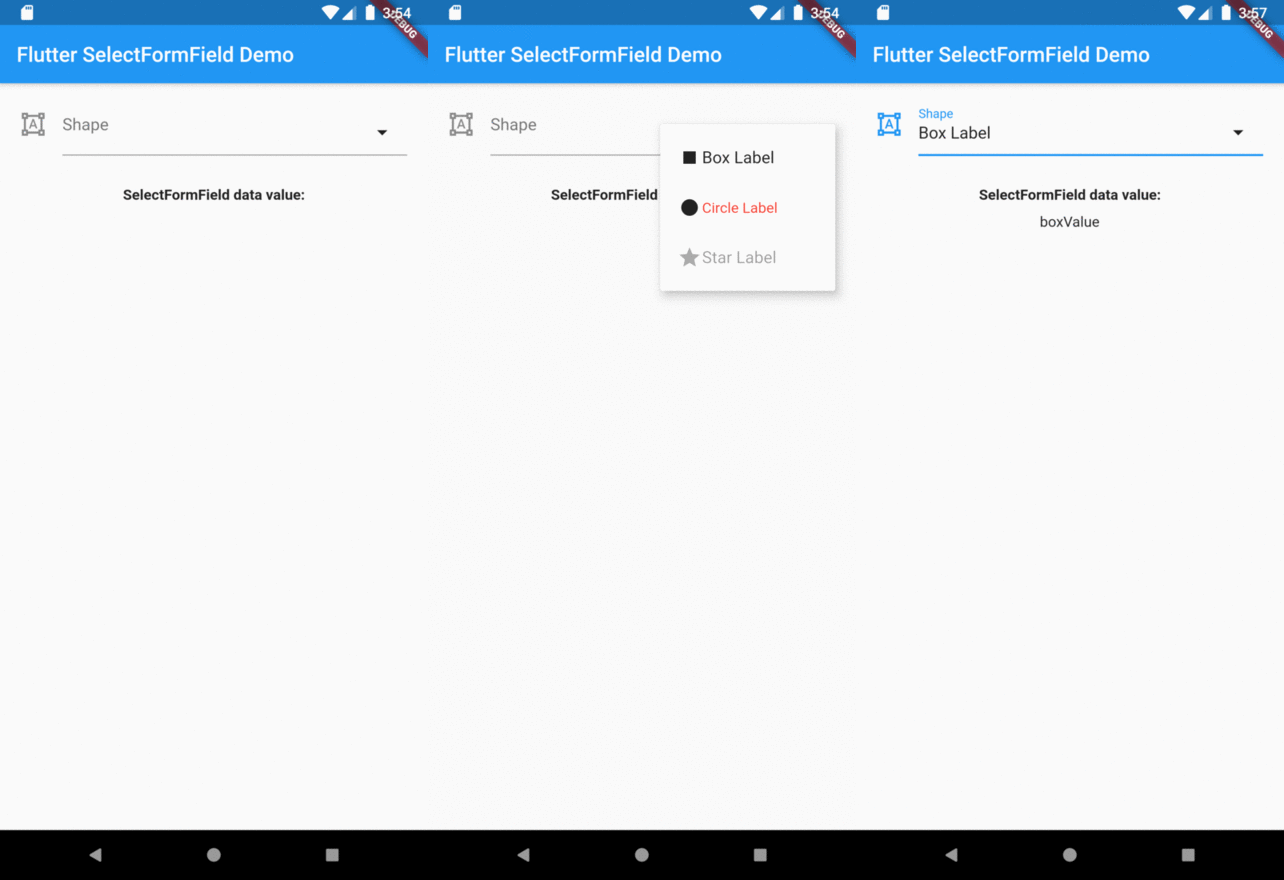
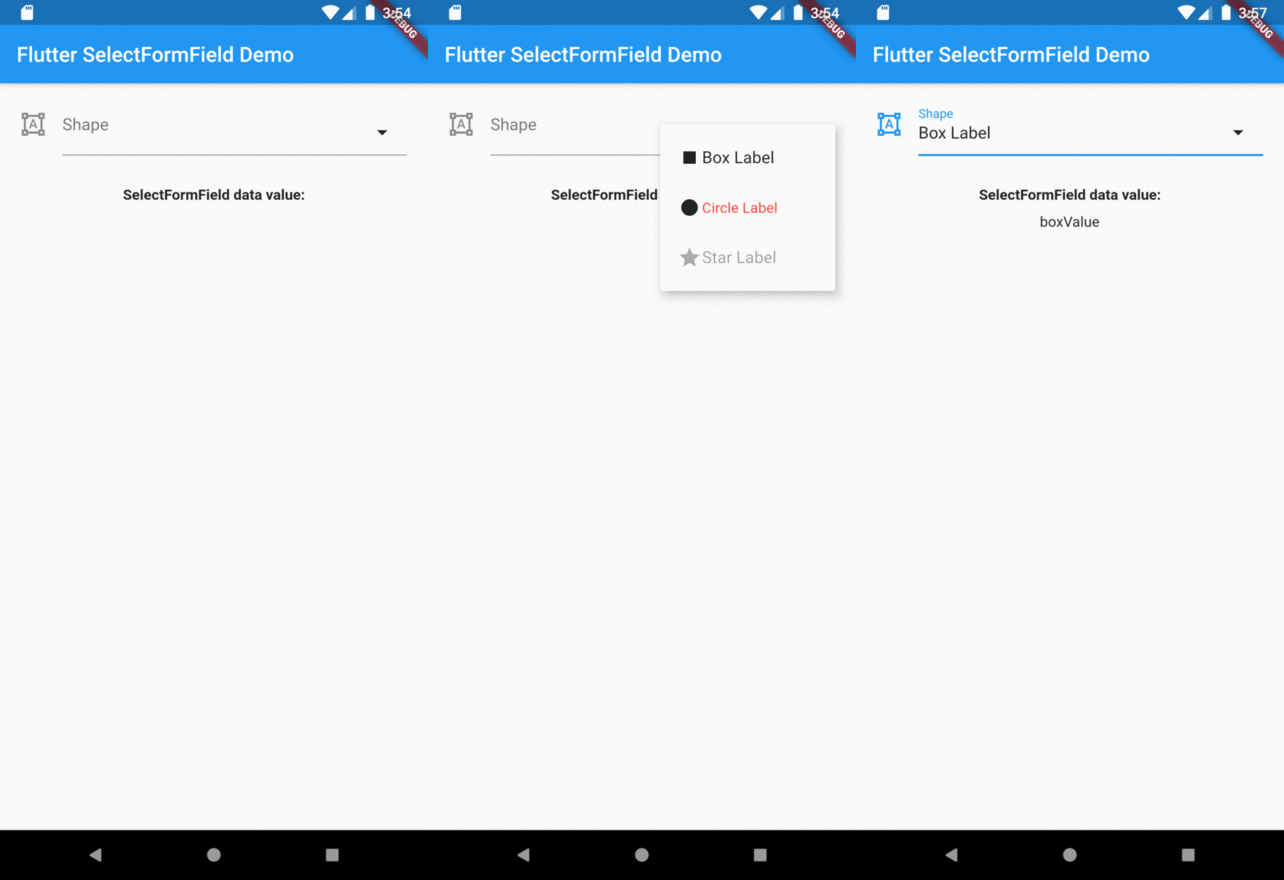
So, if you tap on Box Label item on select menu the result will be boxValue.

Preview

Overview

Categories

Source repository

Projects using this package

No data available yet.