
Search packages, repositories and app categories

selectable_container cover
Package detailsv1.0.7

selectable_container

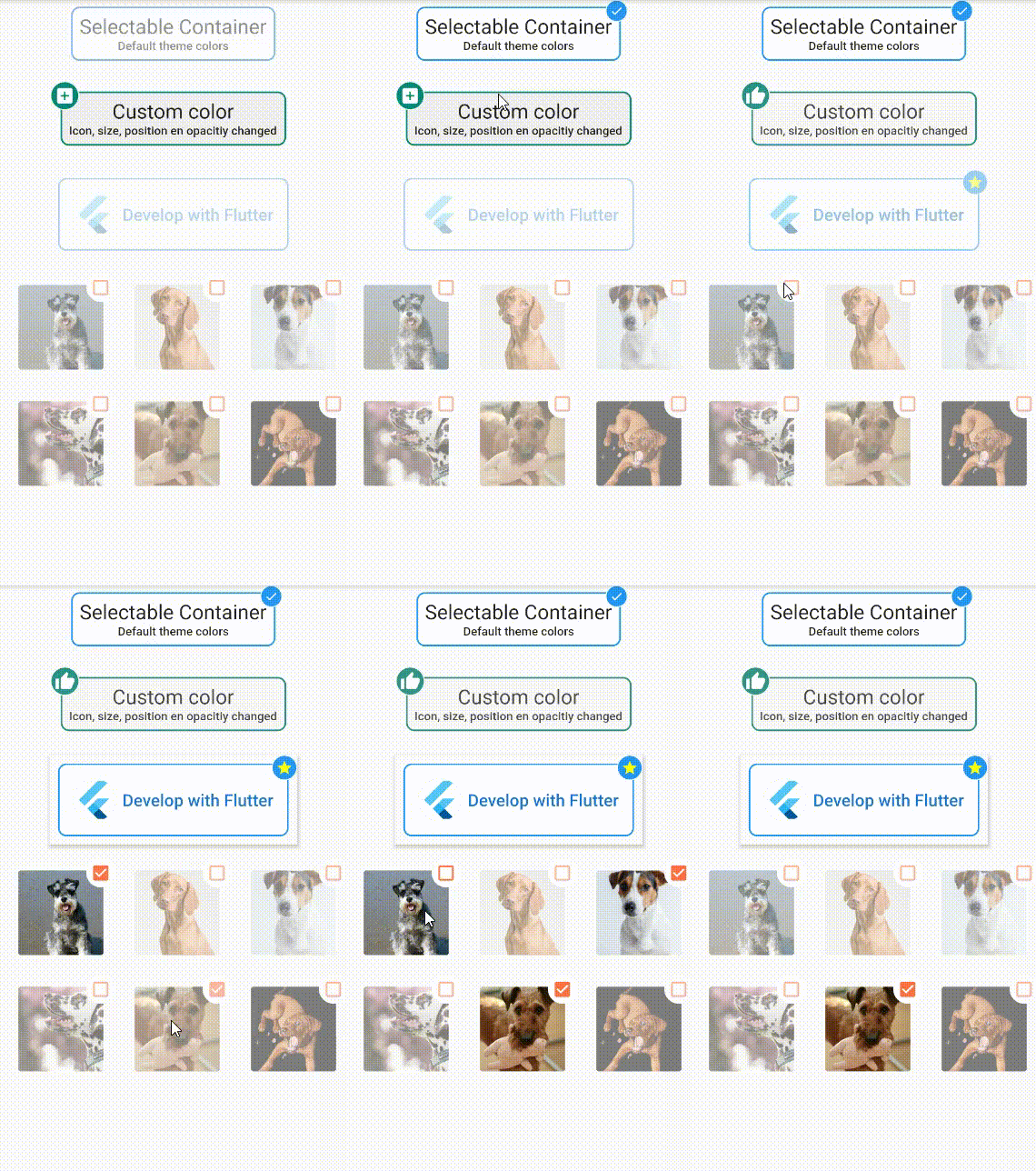
Selectable container for Flutter. The container shows an icon on one of the corner when tapped.

AndroidiOSWebmacOSWindowsLinux
30-day downloads
142
Likes
53
Pub points
150

Install package

flutter pub add selectable_container

Package Overview

Package selection guidance compiled from public package information, community data, and project usage.

A Flutter package that provides a selectable container widget with a visual indicator (icon) appearing in one corner when tapped. It enhances user interaction by offering immediate feedback, making it ideal for selection-based UIs like filters, tags, or options. The container supports multiple platforms including Android, iOS, Web, macOS, Windows, and Linux. It is lightweight and easy to integrate, focusing on simplicity and visual clarity.

Use cases

  • Filter selection interfaces
  • Tag-based navigation
  • Interactive form elements
  • User preference pickers
  • Multi-select chips
  • Custom toggle buttons

Key features

  • Corner icon indicator on tap
  • Cross-platform compatibility
  • Simple integration
  • Visual feedback on selection
  • Customizable appearance
  • Lightweight design

Suitable for

  • Developers building interactive UIs
  • Designers seeking visual feedback
  • Apps with selection-heavy workflows
  • Minimalist interface components
  • Flutter beginners learning state management

Considerations

  • Limited to corner-based indicators
  • No built-in animation customization
  • Requires manual handling of selection state
  • Not suitable for complex multi-state interactions
  • Depends on external state management for group selection
Original README

Original README snapshot from the linked source repository. Visit the repository for the latest content.

selectable_container

A Selectable Container for Flutter. Easy to implement and customize.

Demo

Demo:

Usage

To use plugin, just import package import 'package:selectable_container/selectable_container.dart';

Example

Check de example directory to access the project that implements the image shown above.

    import 'package:flutter/material.dart';
    import 'package:selectable_container/selectable_container.dart';

    class SimpleExamplePage extends StatefulWidget {
      @override
      _SimpleExamplePageState createState() => _SimpleExamplePageState();
    }

    class _SimpleExamplePageState extends State<SimpleExamplePage> {
      @override
      Widget build(BuildContext context) {
        return Scaffold(
          appBar: AppBar(
            title: Text('Selectable Container'),
          ),
          body: Column(
            children: <Widget>[
              Text(
                'Default container',
                style: TextStyle(fontSize: 22, fontWeight: FontWeight.bold),
              ),
              SelectableContainer(
                selected: _selected
                onValueChanged: (newValue) {
                   setState(() {
                    _selected = newValue;
                  });
                },
                child: Text('Tap me'),
                padding: 16.0,
              ),
            ],
          ),
        );
      }
    }

Categories

Source repository

Projects using this package

No data available yet.