Search packages, repositories and app categories

shadowed_image cover
Package detailsv1.0.3

shadowed_image

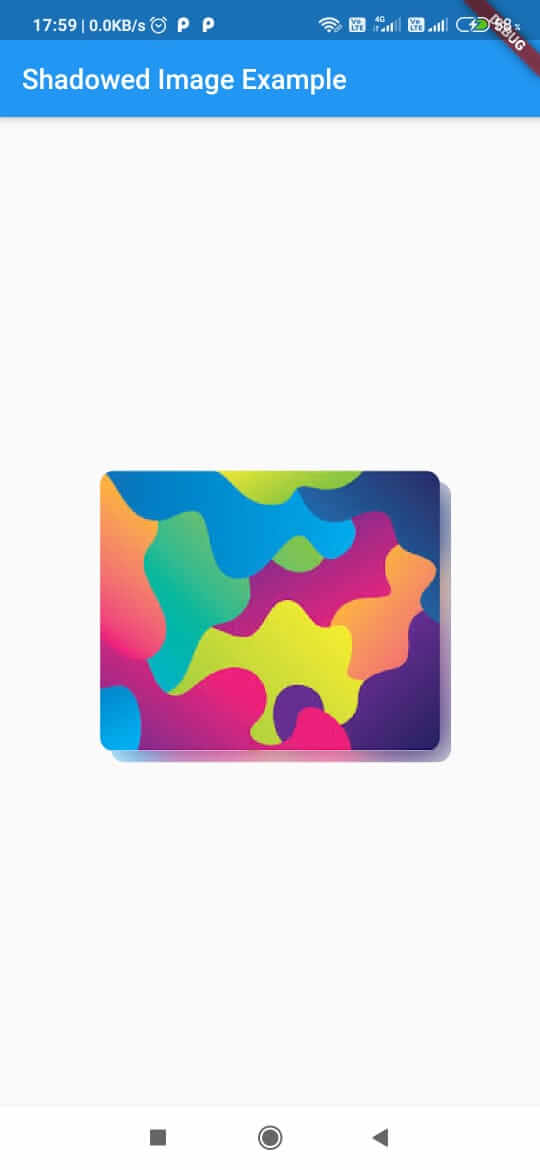
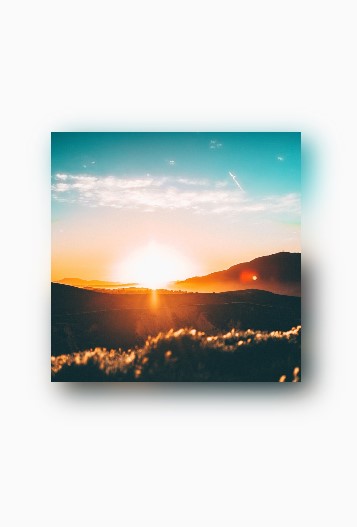
A new Flutter package for creating shadow of same color scheme as the image.

AndroidiOSWebmacOSWindowsLinux
30-day downloads
31
Likes
58
Pub points
160

Install package

flutter pub add shadowed_image

Package Overview

Package selection guidance compiled from public package information, community data, and project usage.

Shadowed Image is a Flutter package that generates shadows for images using the same color scheme as the original image, ensuring a natural and cohesive visual effect. It enhances image presentation by adding depth through dynamic shadowing based on the image's dominant colors. Ideal for UI elements requiring subtle yet impactful visual hierarchy, it works across all major platforms including Android, iOS, Web, macOS, Windows, and Linux. The package integrates seamlessly with existing Flutter projects via a simple pub add command.

Use cases

  • Enhancing image cards in apps
  • Creating depth in UI components
  • Improving visual appeal of profile pictures
  • Adding realistic shadows to icons
  • Designing modern app interfaces

Key features

  • Auto-generated shadows matching image colors
  • Cross-platform compatibility
  • Simple integration with Flutter
  • Supports all major operating systems
  • Customizable shadow intensity
  • Lightweight and efficient

Suitable for

  • UI designers seeking visual depth
  • Developers building modern mobile or web apps
  • Projects requiring consistent image styling
  • Apps with image-heavy interfaces
  • Creative digital product design

Considerations

  • May impact performance with many images
  • Shadow style limited to color-based generation
  • Not suitable for highly stylized or abstract shadows
  • Requires careful testing on different devices
  • Limited customization beyond shadow intensity
Original README

Original README snapshot from the linked source repository. Visit the repository for the latest content.

Package for creating shadow of same color scheme as the image.

Example

Installation

  1. Add this to your package's pubspec.yaml file:
dependencies:
  shadowed_image: ^latest
  1. Import the package into your dart file:
import 'package:shadowed_image/shadowed_image.dart';

Usage

import 'package:shadowed_image/shadowed_image.dart';
import 'package:flutter/material.dart';

void main() => runApp(AppBody());

class _AppBodyState extends StatelessWidget {
  @override
  Widget build(BuildContext context) {
    return MaterialApp(
          home: Scaffold(
        body: ShadowedImage(image: Image.asset('assets/images/download.jpg'))
      ),
    );
  }
}

Properties

1. Key key
 
2. double scale  // Size to parent. 

3. Offset offset  // Position of shadow. Takes 2 arguments- first one (dx) for horizontal component and second (dy) for vertical component.

4. double blurRadius // Amount of blur in the shadow. 0 means no blur.

5. Image image (@required) // The image.

Note

*If scale provided then offset should not be unchanged.

Categories

Source repository

Projects using this package

No data available yet.