Search packages, repositories and app categories

show_fps cover
Package detailsv1.1.0

show_fps

A flutter package that will allow you to check your app performance using FPS Badge.

AndroidiOSWebmacOSWindowsLinux
30-day downloads
2.4K
Likes
43
Pub points
160

Install package

flutter pub add show_fps

Package Overview

Package selection guidance compiled from public package information, community data, and project usage.

The show_fps package is a lightweight Flutter tool that displays a real-time FPS (frames per second) badge in the corner of your app during development. It helps developers monitor performance and identify rendering bottlenecks by visualizing frame rate fluctuations. The badge is automatically hidden in release builds, ensuring it doesn't affect production apps. Compatible with all major platforms, including mobile, web, and desktop, it integrates seamlessly into any Flutter project with minimal setup. Ideal for optimizing UI responsiveness and detecting performance issues early in development.

Use cases

  • Performance monitoring during development
  • Identifying UI jank or lag
  • Optimizing animation smoothness
  • Debugging rendering issues
  • Real-time feedback on app responsiveness

Key features

  • Displays live FPS counter
  • Auto-hides in release mode
  • Minimal configuration required
  • Supports all Flutter platforms
  • Customizable badge position
  • Lightweight and non-intrusive

Suitable for

  • Flutter developers
  • UI/UX engineers
  • Performance testers
  • Mobile and web app builders

Considerations

  • Not intended for production use
  • Badge visibility may interfere with testing layouts
  • Requires manual removal before release
  • Limited customization options
  • Only active in debug mode

Original README

Original README snapshot from the linked source repository. Visit the repository for the latest content.

Show FPS

GitHub stars pub package

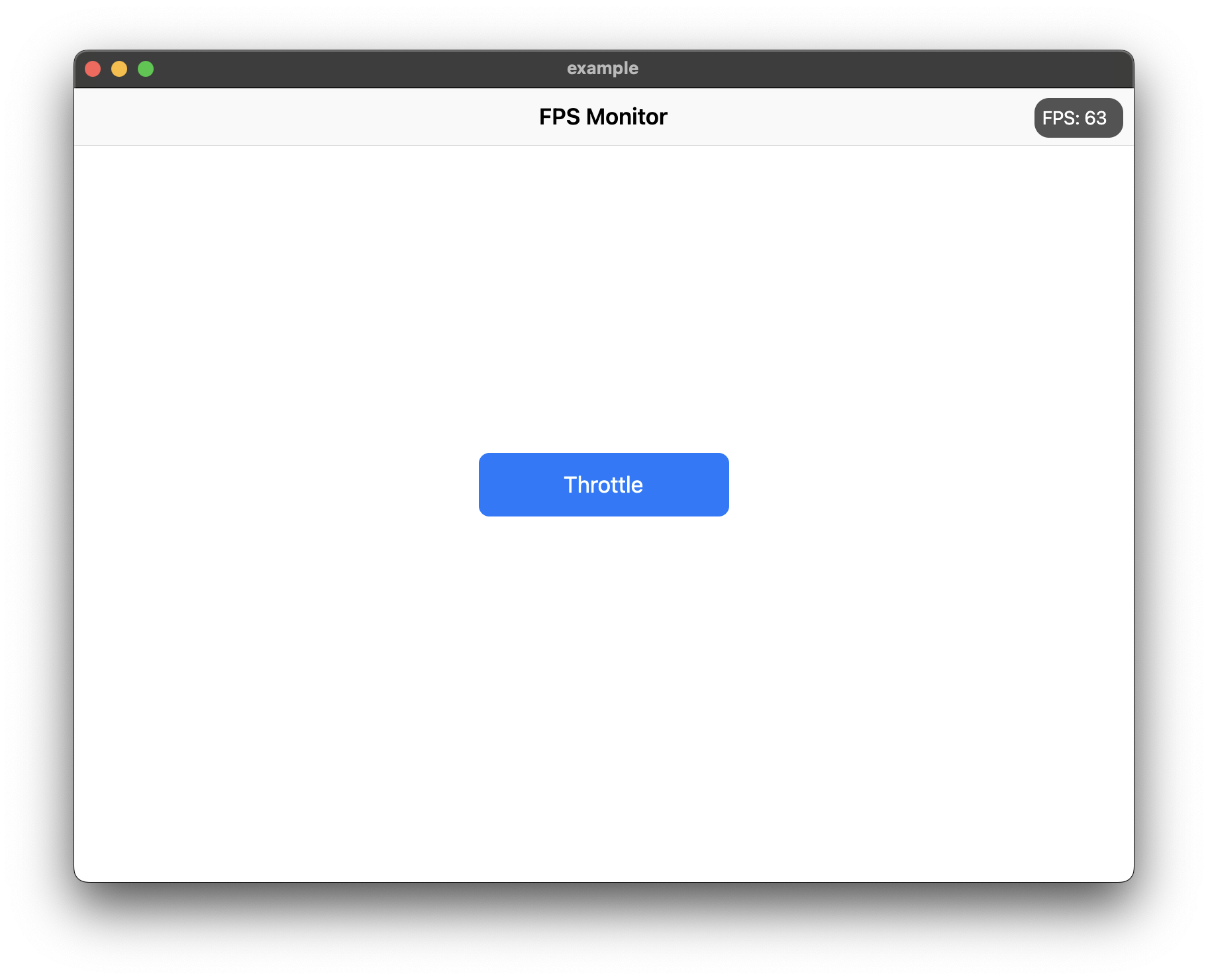
Use ShowFPS to monitor your app's FPS (Frames Per Second) in real time with advanced performance metrics.

Screenshot

Features

  • Real-time FPS monitoring with accurate microsecond precision
  • Average FPS calculation for smoother readings
  • Min/Max FPS tracking
  • Frame time display in milliseconds
  • Color-coded FPS text based on performance
  • Interactive chart with customizable colors
  • Target FPS line on chart
  • Jank frame indicators (frames significantly slower than average)
  • Frame budget indicator (percentage of target frame time used)
  • Dropped frame counter
  • Draggable widget positioning
  • Collapsible/expandable view
  • Double-tap to temporarily hide
  • Low FPS threshold alerts with visual feedback
  • Fully customizable colors and text styles

Installation

Add show_fps: ^1.1.0 in your project's pubspec.yaml:

dependencies:
  show_fps: ^1.1.0

Usage

Import show_fps in your dart file:

import 'package:show_fps/show_fps.dart';
Basic Usage

Wrap your main widget with ShowFPS widget:

import 'package:flutter/material.dart';
import 'package:show_fps/show_fps.dart';

void main() {
  runApp(const MyApp());
}

class MyApp extends StatelessWidget {
  const MyApp({super.key});

  @override
  Widget build(BuildContext context) {
    return MaterialApp(
      title: 'FPS Monitor',
      debugShowCheckedModeBanner: false,
      home: ShowFPS(
        alignment: Alignment.topRight,
        visible: true,
        showChart: true,
        child: const MyHomePage(),
      ),
    );
  }
}
Hide in Release Mode
import 'package:flutter/foundation.dart';

ShowFPS(
  visible: !kReleaseMode,
  child: MyHomePage(),
)
Simple FPS Counter (No Chart)
ShowFPS(
  showChart: false,
  child: MyHomePage(),
)
Advanced Usage with All Features
ShowFPS(
  alignment: Alignment.topRight,
  visible: true,
  showChart: true,
  borderRadius: const BorderRadius.all(Radius.circular(11)),

  // Display options
  showAverage: true,           // Show rolling average FPS
  showMinMax: true,            // Show min/max FPS values
  showFrameTime: true,         // Show frame time in ms
  colorCodedText: true,        // Color FPS based on performance

  // Chart options
  targetFps: 60,               // Target FPS for calculations
  showTargetLine: true,        // Show target line on chart
  showJankIndicators: true,    // Highlight slow frames
  jankThreshold: 1.5,          // Frames 1.5x slower than avg are jank
  chartMaxFps: 60,             // Max FPS for chart scale

  // Advanced metrics
  showFrameBudget: true,       // Show % of frame budget used
  showDroppedFrames: true,     // Show dropped frame count

  // Interaction options
  draggable: true,             // Allow dragging the widget
  collapsible: true,           // Tap to collapse/expand
  doubleTapToHide: true,       // Double-tap to temporarily hide
  hideDuration: const Duration(seconds: 3),

  // Performance options
  sampleRate: 1,               // Update every N frames

  // Customization
  backgroundColor: const Color(0xaa000000),
  goodColor: const Color.fromARGB(255, 0, 162, 255),
  poorColor: const Color(0xfff44336),
  textStyle: const TextStyle(
    color: Colors.white,
    fontSize: 14,
  ),

  // Alert callback
  alertThreshold: 30,          // Alert when FPS drops below 30
  onAlertTriggered: () {
    print('FPS dropped below threshold!');
  },

  child: MyHomePage(),
)

Parameters

Parameter Type Default Description
child Widget required The main widget to monitor
alignment Alignment Alignment.topRight Position of the FPS widget
visible bool true Whether to show the FPS widget
showChart bool true Whether to show the FPS chart
borderRadius BorderRadius BorderRadius.circular(11) Border radius of the widget
showAverage bool false Show average FPS instead of instantaneous
showMinMax bool false Show min/max FPS values
showFrameTime bool false Show frame time in milliseconds
colorCodedText bool true Color FPS text based on performance
targetFps double 60 Target FPS for calculations
showTargetLine bool false Show target FPS line on chart
showJankIndicators bool true Highlight jank frames on chart
jankThreshold double 1.5 Multiplier for jank detection
textStyle TextStyle? null Custom text style
draggable bool false Allow dragging the widget
collapsible bool false Allow tap to collapse/expand
sampleRate int 1 Update every N frames
chartMaxFps double 60 Maximum FPS for chart scale
showFrameBudget bool false Show frame budget percentage
showDroppedFrames bool false Show dropped frame counter
alertThreshold double? null FPS threshold for alerts
doubleTapToHide bool false Double-tap to temporarily hide
hideDuration Duration 3 seconds Duration to hide after double-tap
backgroundColor Color Color(0xaa000000) Background color
goodColor Color Color(0xff00a2ff) Color for good performance
poorColor Color Color(0xfff44336) Color for poor performance
onAlertTriggered VoidCallback? null Callback when FPS drops below threshold

Categories

Source repository

Projects using this package

No data available yet.