Search packages, repositories and app categories

shrink_sidemenu cover
Package detailsv2.0.0+2-null-safety

shrink_sidemenu

A Side Menu plugin for flutter and compatible with liquid ui.

AndroidiOSWebmacOSWindowsLinux
30-day downloads
3
Likes
293
Pub points
150

Install package

flutter pub add shrink_sidemenu

Package Overview

Package selection guidance compiled from public package information, community data, and project usage.

ShrinkSideMenu is a Flutter plugin that provides a customizable side menu with a unique shrinking animation, designed to work seamlessly with Liquid UI. It enhances navigation by allowing the side menu to collapse into a compact icon, improving screen space utilization on various platforms including mobile, web, and desktop. The plugin supports smooth transitions and integrates easily into existing Flutter projects. Its lightweight design and compatibility with modern UI patterns make it ideal for apps requiring intuitive navigation. The source code is open-source and publicly available for customization.

Use cases

  • Responsive navigation in mobile apps
  • Compact sidebar layouts on web
  • Desktop app navigation
  • Integration with Liquid UI components
  • Minimalist UI designs

Key features

  • Shrinking animation effect
  • Liquid UI compatibility
  • Cross-platform support
  • Customizable menu items
  • Smooth transition animations

Suitable for

  • Developers using Liquid UI
  • Apps needing space-efficient navigation
  • Multi-platform Flutter projects
  • UI-focused application design
  • Custom drawer implementations

Considerations

  • Requires familiarity with Flutter's layout system
  • May need additional styling for complex themes
  • Limited documentation beyond basic usage
  • Not optimized for very large menu item lists
  • Depends on external UI libraries for full functionality

Original README

Original README snapshot from the linked source repository. Visit the repository for the latest content.

Liquid Shrink Side Menu

A Side Menu plugin for flutter and compatible with liquid ui

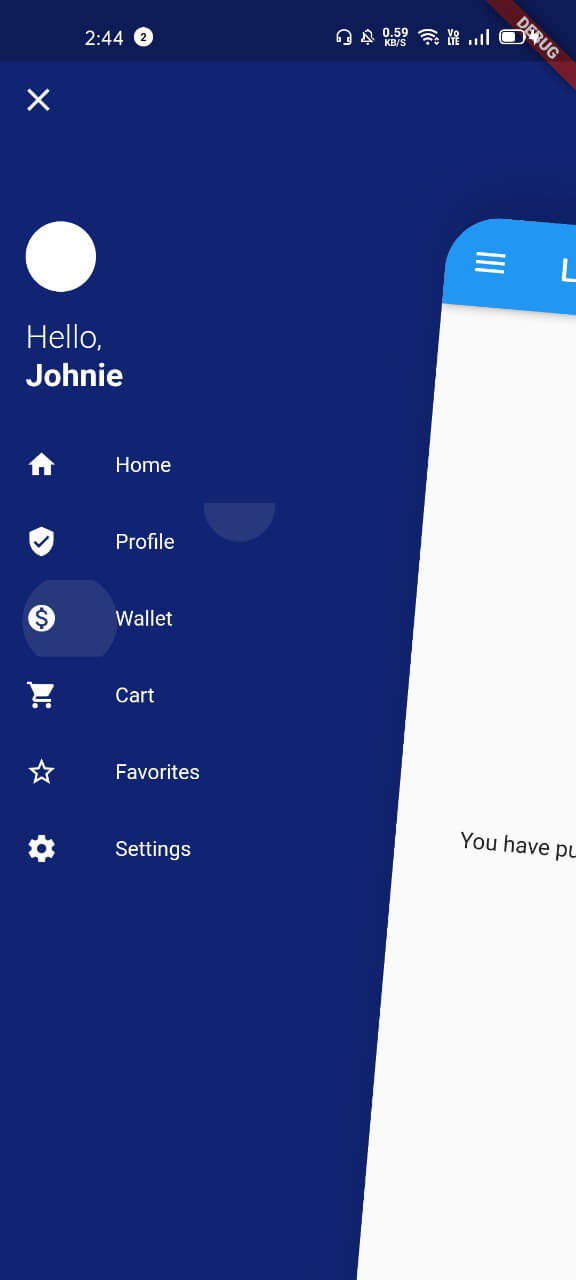
Liquid Ui Shrink Side Menu for flutter

Side Menu Types

There are 8 configuration of Liquid shrink side menu

1. SlideNRotate
SlideNRotate
2. SlideNRotate Inverse
SlideNRotate Inverse
3. ShrinkNRotate
ShrikNRotate
4. ShrinkNRotate Inverse
ShrinkNRotate Inverse
5. Slide
Slide
6. Slide Inverse
Slide Inverse
7. ShrinkNSlide
ShrinkNSlide
8. ShrinkNSlide Inverse
ShrinkNSlide

Getting Started

  • Step 1: Add shrink_sidemenu to pubspec.yaml
dependencies:
  flutter:
    sdk: flutter
  liquid_ui: // for extra features

  shrink_sidemenu: // Liquid Shrink Sidemenu is not dependent on liquid
  • Step 2: Wrap Scaffold with SideMenu

final GlobalKey<SideMenuState> _sideMenuKey = GlobalKey<SideMenuState>();

SideMenu(
    key: _sideMenuKey,
    menu: buildMenu(),
    type: SideMenuType.slideNRotate, // check above images
    child: Scaffold(
        appBar: AppBar(
            leading: IconButton(
              icon: Icon(Icons.menu),
              onPressed: () {
                final _state = _sideMenuKey.currentState;
                if (_state.isOpened)
                  _state.closeSideMenu(); // close side menu
                else
                  _state.openSideMenu();// open side menu
              },
            ),
        ...
    ),
);

About liquid ui for flutter

Liquid is an open source UI toolkit for developing cross platform apps in Flutter. Quickly create apps for Android, IOS, Web or Desktop with our powerful grid system, text processor, forms, extensive prebuilt components and dozens of utilities. Visit: Liquid For Flutter

Author

Raj Singh

Categories

Source repository

Projects using this package