Original README snapshot from the linked source repository. Visit the repository for the latest content.
skeleton_text
A package provides an easy way to add skeleton text loading animation in Flutter project
Dependency
dependencies:
  skeleton_text:
How To Use
import 'package:skeleton_text/skeleton_text.dart';
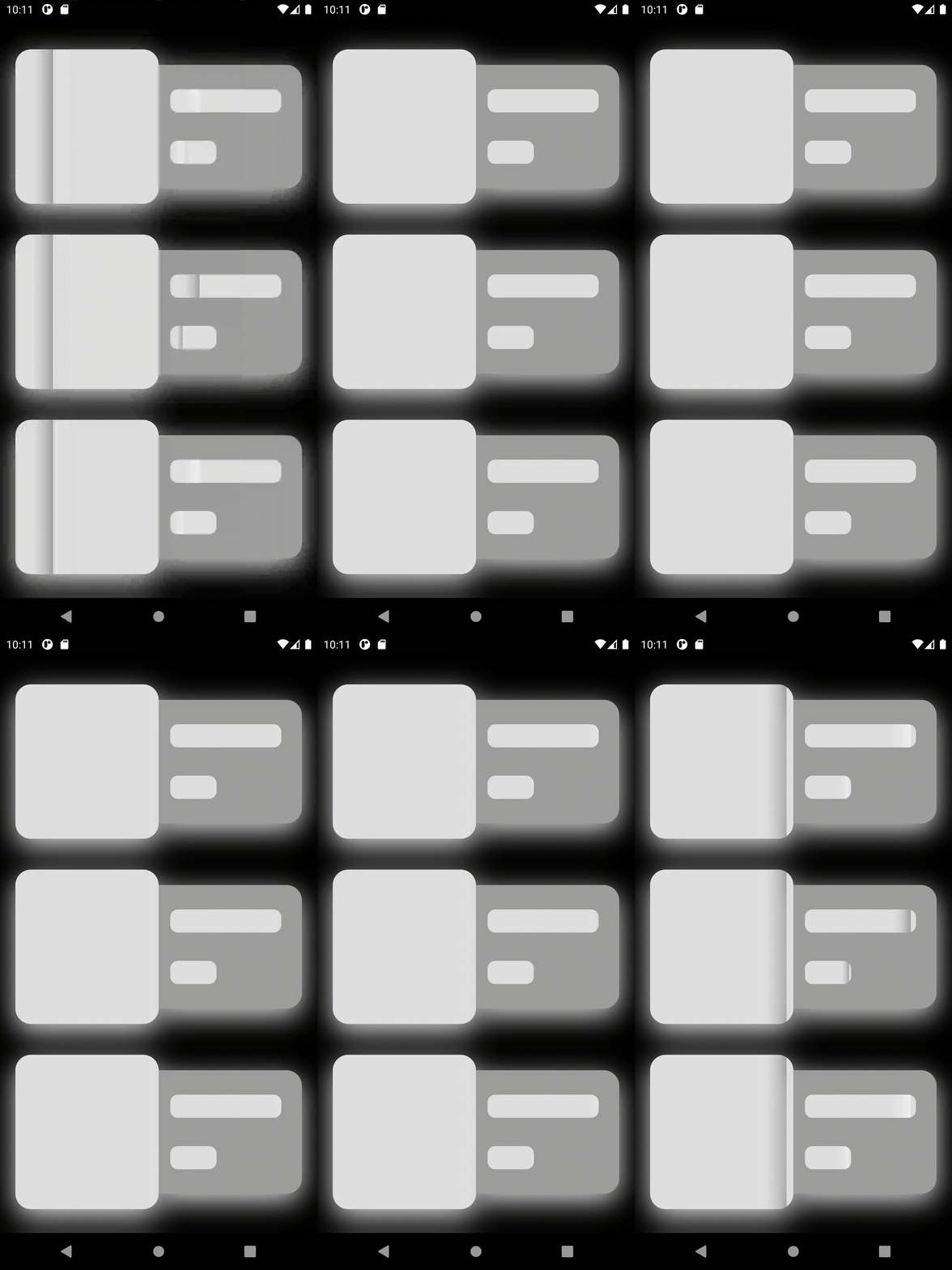
To achieve the above example animation use the following code :
 ListView.builder(
   scrollDirection: Axis.vertical,
   physics: BouncingScrollPhysics(),
   itemCount: 5,
   itemBuilder: (BuildContext context, int index) {
     return Container(
       height: 240,
       margin: EdgeInsets.symmetric(horizontal: 20),
       child: Row(
         children: [
           Expanded(
             child: SkeletonAnimation(
               shimmerColor: Colors.grey,
               borderRadius: BorderRadius.circular(20),
               shimmerDuration: 1000,
               child: Container(
                 decoration: BoxDecoration(
                   color: Colors.grey[300],
                   borderRadius: BorderRadius.circular(20),
                   boxShadow: shadowList,
                 ),
                 margin: EdgeInsets.only(top: 40),
               ),
             ),
           ),
           Expanded(
             child: Container(
               margin: EdgeInsets.only(top: 60, bottom: 20),
               decoration: BoxDecoration(
                 color: Colors.grey,
                 boxShadow: shadowList,
                 borderRadius: BorderRadius.only(
                   topRight: Radius.circular(20),
                   bottomRight: Radius.circular(20),
                 ),
               ),
               child: Column(
                 mainAxisAlignment: MainAxisAlignment.spaceEvenly,
                 crossAxisAlignment: CrossAxisAlignment.start,
                 mainAxisSize: MainAxisSize.max,
                 children: <Widget>[
                   Padding(
                     padding: const EdgeInsets.only(left: 15.0, bottom: 5.0),
                     child: SkeletonAnimation(
                       borderRadius: BorderRadius.circular(10.0),
                       shimmerColor: index % 2 != 0 ? Colors.grey : Colors.white54,
                       child: Container(
                         height: 30,
                         width: MediaQuery.of(context).size.width * 0.35,
                         decoration: BoxDecoration(
                             borderRadius: BorderRadius.circular(10.0),
                             color: Colors.grey[300]),
                       ),
                     ),
                   ),
                   Padding(
                     padding: const EdgeInsets.only(left: 15.0),
                     child: Padding(
                       padding: const EdgeInsets.only(right: 5.0),
                       child: SkeletonAnimation(
                         borderRadius: BorderRadius.circular(10.0),
                         shimmerColor: index % 2 != 0 ? Colors.grey : Colors.white54,
                         child: Container(
                           width: 60,
                           height: 30,
                           decoration: BoxDecoration(
                               borderRadius: BorderRadius.circular(10.0),
                               color: Colors.grey[300]),
                         ),
                       ),
                     ),
                   ),
                 ],
               ),
             ),
           ),
         ],
       ),
     );
   },
 )
Explanation
I have created a List builder of 5 Containers. Wrapping any widget by SkeletonAnimation would give a beautiful loading animation.
SkeletonAnimation Constructor :
  SkeletonAnimation({
      @required this.child,
      this.shimmerColor = Colors.white54,
      this.gradientColor = const Color.fromARGB(0, 244, 244, 244),
      this.curve = Curves.fastOutSlowIn,
      this.borderRadius = const BorderRadius.all(Radius.circular(0)),
      this.shimmerDuration = 1000,
      Key key,
    })

