Search packages, repositories and app categories

Package detailsv0.1.0

slider_side_menu

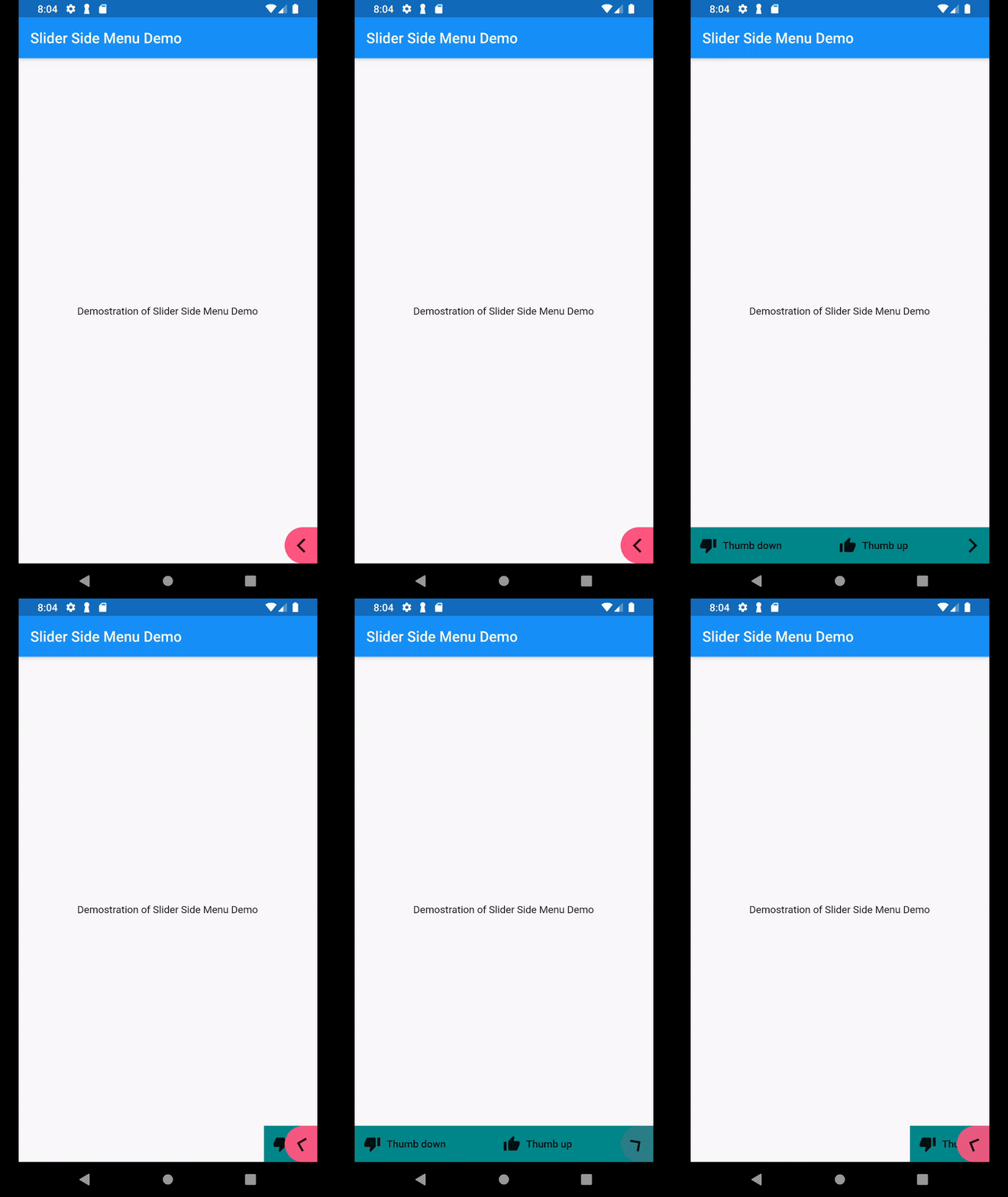
Slider Side Menu that is hidden to the side of the screen, and only open when user taps on the controller button.

AndroidiOSLinuxmacOSWebWindows
30-day downloads
252
Likes
20
Pub points
150

Install package

flutter pub add slider_side_menu

Package Overview

Package selection guidance compiled from public package information, community data, and project usage.

A Flutter package that provides a side menu drawer hidden off-screen, which slides in when triggered by a button tap. Designed for clean, minimal interfaces, it enhances navigation without cluttering the main screen. The menu supports smooth animations and works across all major platforms including Android, iOS, Web, and desktop. Ideal for apps needing a compact, gesture-friendly navigation solution.

Use cases

  • Mobile app navigation
  • Web dashboard layouts
  • Desktop application menus
  • Minimalist UI designs
  • Gesture-triggered drawers

Key features

  • Slide-in animation
  • Controller button trigger
  • Cross-platform support
  • Customizable position
  • Lightweight implementation
  • Responsive design

Suitable for

  • Developers seeking simple side menus
  • Apps with space-constrained UIs
  • Projects requiring platform-agnostic navigation
  • Designers focused on clean interfaces
  • Prototyping rapid navigation flows

Considerations

  • Limited customization beyond basic styling
  • No built-in swipe gestures
  • Requires manual handling of open/close states
  • Not ideal for complex nested navigation
  • Best suited for single-level menus

Original README

Original README snapshot from the linked source repository. Visit the repository for the latest content.

slider_side_menu

Slider Side Menu that is hidden to the side of the screen, and only open when user taps on the controller button.

Demo

Sample Demo

How to use

In your pubspec.yaml, include the package dependencies into your pubspec.yaml

In your code, add import

import 'package:slider_side_menu/slider_side_menu.dart';

Then add the widget to your screen

            SliderSideMenu(childrenData: [
              MenuItem(
                  icon: Icon(Icons.thumb_up),
                  label: Text("Thumb up"),
                  onPressed: _thumbUp
              ),
              MenuItem(
                  icon: Icon(Icons.thumb_down),
                  label: Text("Thumb down"),
                  onPressed: _thumbDown
              )
            ], description: "Sample tooltip message")

Sample code: https://github.com/suesitran/slider_side_menu/blob/master/example/lib/main.dart

Categories

Source repository

Projects using this package

No data available yet.