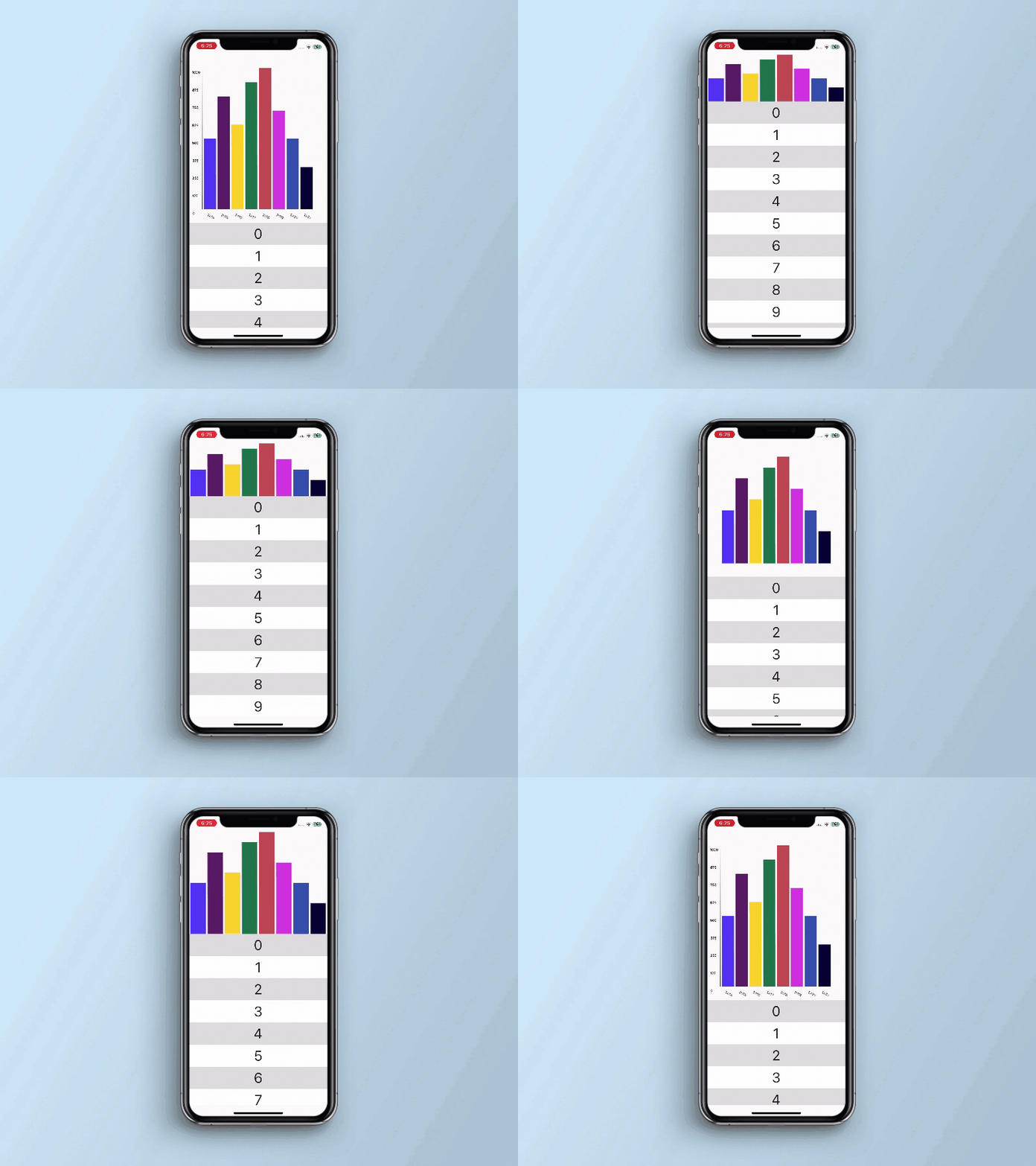
A package that supports Bar Chart in a Flutter Sliver. This Package allow us to add Bar Chart in Sliver and its set a Bar Chart as a Header on Slivers Scroll.
Package selection guidance compiled from public package information, community data, and project usage.
The sliver_bar_chart package enables the integration of bar charts within Flutter's Sliver widgets, allowing developers to display bar charts as scrollable headers in lists or custom scroll views. It is designed for use in complex scrolling layouts where visual data representation is needed at the top of a scrollable area. The package supports all major platforms and provides a seamless way to combine data visualization with responsive UIs. It enhances user experience by offering dynamic, interactive charts that adapt to scroll behavior.
Use cases
Creating scrollable dashboards with chart headers
Displaying time-series data in a list header
Building analytics interfaces with visual summaries
Integrating charts into nested scroll views
Enhancing data-heavy app screens with visual feedback
Key features
Bar charts as Sliver headers
Responsive design across platforms
Smooth integration with CustomScrollView
Support for dynamic data updates
Built-in animation for chart rendering
Suitable for
Data visualization in scrollable UIs
Dashboard and analytics apps
Mobile and web applications with large datasets
Developers using Sliver-based layouts
Apps requiring interactive chart headers
Considerations
Requires understanding of Sliver widgets
May impact performance with very large datasets
Limited customization beyond basic chart styling
Depends on underlying chart rendering library
Best suited for static or moderately dynamic data
Original README
Original README snapshot from the linked source repository. Visit the repository for the latest content.
sliver_bar_chart
It is Sliver component. Bar chart work with sliver animation on expand and collapse. It is an independent component that allows you to set data for the chart with the configuration of Sliver.
We’d be really happy if you send us links to your projects where you use our component. Just send an
email to sales@mindinventory.com And do let us know if you have any questions or suggestion
regarding our work.