Search packages, repositories and app categories

Package detailsv1.0.1

somedialog

Flutter package for handle a nice dialog ui using assets, netwok, and lottie

30-day downloads
12
Likes
28
Pub points
40

Install package

flutter pub add somedialog

Package Overview

Package selection guidance compiled from public package information, community data, and project usage.

A Flutter package designed to simplify the creation of visually appealing dialogs using assets, network images, and Lottie animations. It provides an easy-to-use interface for displaying custom dialogs with rich media content, enhancing user engagement. The package supports dynamic content loading from local or remote sources, making it ideal for splash screens, onboarding flows, or interactive alerts. Built with simplicity and performance in mind, it integrates seamlessly into existing Flutter projects.

Use cases

  • Onboarding screens
  • Interactive alerts
  • Splash screens
  • Loading indicators
  • User confirmation dialogs

Key features

  • Support for asset images
  • Network image integration
  • Lottie animation support
  • Customizable dialog layout
  • Easy integration with Flutter

Suitable for

  • App onboarding flows
  • Enhanced user notifications
  • Media-rich dialogs
  • Simple UI interactions
  • Flutter developers seeking quick dialog solutions

Considerations

  • Requires Lottie dependency for animations
  • Limited platform-specific customization
  • No built-in dark mode support
  • Depends on external image sources
  • May increase bundle size with Lottie files

Original README

Original README snapshot from the linked source repository. Visit the repository for the latest content.

Somedialog

pub package License support

Flutter package for handle a nice dialog ui using assets, netwok, and lottie image

Help Maintenance

I've taken the time to make this library, help support to develop it or buy me coffee and snacks to be even more enthusiastic
Buy Me A Coffee Paypal


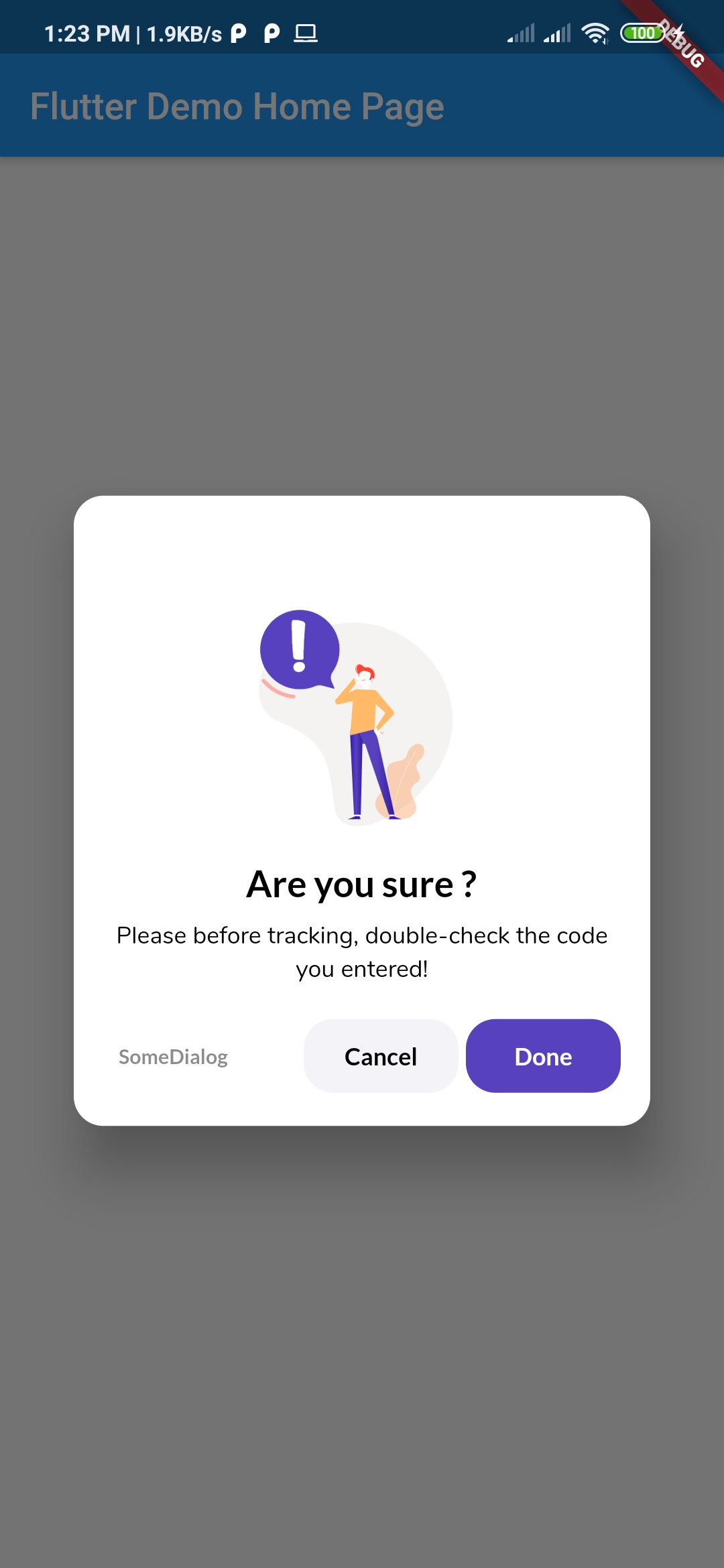
Dialog

Getting Started

Setup

Add dependency to your pubspec.yaml:

somedialog: ^{latest_version}
Basic use

First, add an import to your code:

import 'package:somedialog/somedialog.dart';

FlatButton(
              child: Text("Show Dialog"),
              onPressed: () {
                SomeDialog(
                  context: context,
                  path: "assets/report.json",
                  mode: SomeMode.Lottie,
                  content:
                      "Please before tracking, double-check the code you entered!",
                  title: "Are you sure ?",
                  submit: () {
                  }
                );
              },
            )

SomeMode

SomeMode
Lottie
Network
Asset

Parameters

parameter types defaultValues
buttonConfig buttonConfig ButtonConfig()
path string
title string
content string
dialogHeight double 310
imageHeight double 150
imageWidth double 150
submit Function
mode SomeMode SomeMode.Lottie

Categories

Dependencies

Dependency list 3 items

Source repository

Projects using this package

No data available yet.