Search packages, repositories and app categories

stacked_listview cover
Package detailsv1.0.4

stacked_listview

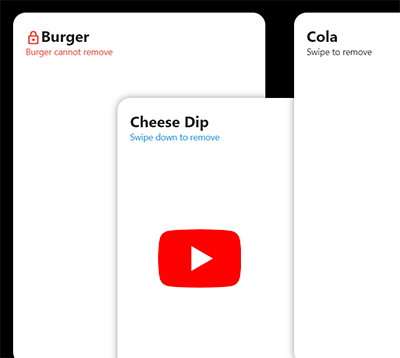
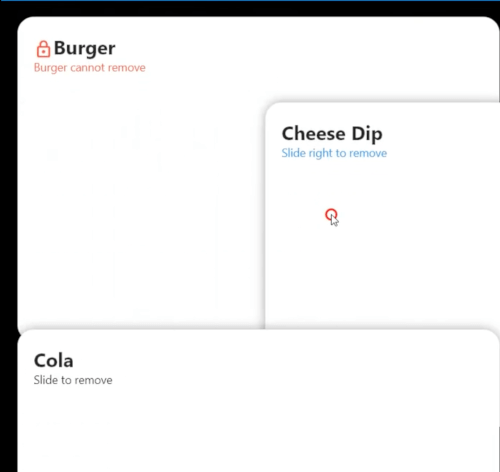
A ListView of stacked children. Each children will stacked at first when scroll.

AndroidiOSWebmacOSWindowsLinux
30-day downloads
1.6K
Likes
52
Pub points
150

Install package

flutter pub add stacked_listview

Package Overview

Package selection guidance compiled from public package information, community data, and project usage.

StackedListView is a Flutter widget that displays a list of children stacked on top of each other, with the first item fully visible and subsequent items partially overlapping as the user scrolls. It creates a visually engaging effect where items appear to stack behind one another, ideal for creating dynamic, layered list interfaces. The package supports all major platforms including Android, iOS, Web, macOS, Windows, and Linux, making it highly versatile for cross-platform applications. It's designed for developers seeking unique list animations without complex custom painting.

Use cases

  • Creating layered scrollable lists
  • Designing card-based UIs with depth
  • Building visually rich feed layouts
  • Implementing interactive stacked item transitions
  • Enhancing mobile app navigation with visual cues

Key features

  • Stacked child rendering
  • Smooth scrolling with layering effect
  • Cross-platform compatibility
  • Simple integration via pub
  • Customizable stacking behavior
  • Built-in animation support

Suitable for

  • UI designers seeking visual depth
  • Developers building modern app interfaces
  • Apps with card or timeline-style content
  • Projects requiring subtle animated list effects
  • Flutter beginners exploring advanced list patterns

Considerations

  • May impact performance with many items
  • Requires careful layout planning
  • Best suited for moderate item counts
  • Limited customization beyond stacking
  • Not ideal for dense data lists
  • Needs testing on low-end devices

Original README

Original README snapshot from the linked source repository. Visit the repository for the latest content.

A Stacked ListView

Video

v1.0.4 Breaking Change

  • onRemove(int index) changed to onRemove(int index, AxisDirection dir)
  • beforeRemove(int index) changed to beforeRemove(int index, AxisDirection dir)
🎉🎉 Yes, Now you can know the user's swipe direction for each list item 🎉🎉

Install

flutter pub add stacked_listview

Example code:

Scaffold(
  appBar: AppBar(),
  backgroundColor: Colors.black,
  body: SafeArea(
    child: StackedListView(
      padding: EdgeInsets.only(left: 20, right: 20, top: 50),
      itemCount: data.length,
      itemExtent: itemHeight,
      heightFactor: 0.7,
      fadeOutFrom: 0.7,
      onRemove: (index, direction) {
        setState(() {
          data.removeAt(index);
        });
      },
      beforeRemove: (index, direction) async {
        return await showDialog<bool>(
          context: context,
          builder: (_) => AlertDialog(
            title: Text('Delete ${data[index]} ?'),
            actions: [
              TextButton(
                  onPressed: () => Navigator.pop(context),
                  child: Text('Cancel')),
              ElevatedButton(
                onPressed: () => Navigator.pop(context, true),
                child: Text('Delete'),
              ),
            ],
          ),
        ).then((value) => value == true);
      },
      builder: (_, index) {
        return Container(
          width: double.infinity,
          height: itemHeight,
          decoration: BoxDecoration(
            borderRadius: BorderRadius.all(Radius.circular(20.0)),
            color: Colors.white,
            boxShadow: [
              BoxShadow(color: Colors.black.withAlpha(100), blurRadius: 10),
            ],
          ),
          child: Column(
            crossAxisAlignment: CrossAxisAlignment.start,
            children: [
              Text(
                data[index],
                style: TextStyle(fontSize: 24, fontWeight: FontWeight.bold),
              ),
              Text('Slide to left or right to delete'),
            ],
          ),
          padding: EdgeInsets.all(20),
        );
      },
    ),
  ),
);

Categories

Source repository

Projects using this package

No data available yet.