Search packages, repositories and app categories

store_locator cover
Package detailsv1.1.0

store_locator

Store locator for Flutter. Allow to show stores (or POI) on map based on current map position.

AndroidiOSWeb
30-day downloads
83
Likes
3
Pub points
160

Install package

flutter pub add store_locator

Package Overview

Package selection guidance compiled from public package information, community data, and project usage.

The store_locator package for Flutter enables developers to display stores or points of interest (POI) on a map, dynamically updating based on the user's current location. It integrates seamlessly with Flutter apps on Android, iOS, and Web platforms, providing an intuitive way to visualize nearby locations. Built with simplicity in mind, it leverages map services to render markers and supports custom styling and filtering. Ideal for retail, service, or logistics applications requiring location-based discovery.

Use cases

  • Finding nearby stores
  • Displaying POIs on a map
  • Location-based service discovery
  • Retail app navigation
  • Map-driven customer engagement

Key features

  • Real-time location-based store display
  • Customizable map markers
  • Supports Android, iOS, and Web
  • Easy integration with Flutter
  • Filterable store listings

Suitable for

  • Retail applications
  • Service provider directories
  • Logistics and delivery tracking
  • Travel and tourism apps
  • Local business discovery tools

Considerations

  • Requires map API key configuration
  • Limited to supported platforms
  • Depends on external map service
  • May require permission handling for location access
  • Performance depends on data size and network speed

Original README

Original README snapshot from the linked source repository. Visit the repository for the latest content.

Store Locator for Flutter

pub package build

A Flutter package for showing map markers dynamically based on API calls that use Haversine distance or a similar location query.

Android iOS Web
Support SDK 24+ 14.0+ Any*

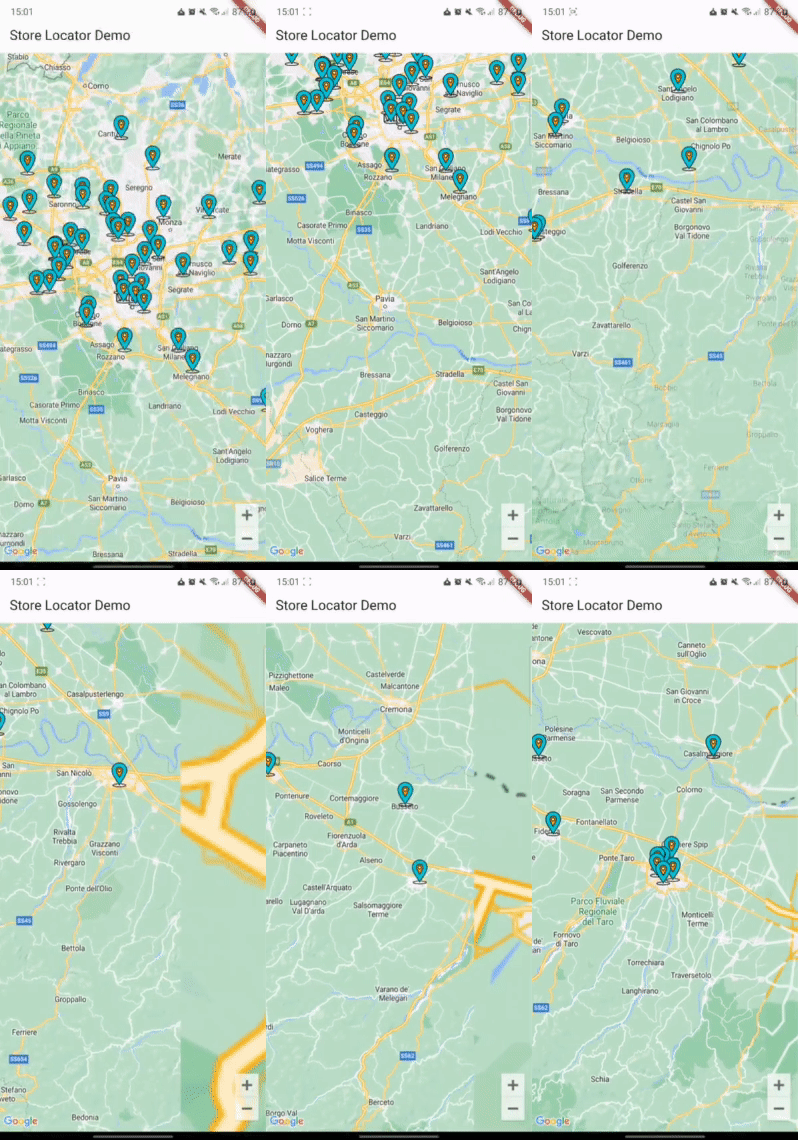
The example app running in Android

Installation

First, add store_locator as a dependency in your pubspec.yaml file.

You also need to implement google_maps_flutter properly, check their guide

Import

You can import the package with:

import 'package:store_locator/store_locator.dart';

Example

StoreLocator<Store>(
  mapConfiguration: const MapConfiguration(
    initialCameraPosition: CameraPosition(
      target: LatLng(45.464211, 9.191383),
      zoom: 10,
    ),
  ),
  positionCallback: (position) async {
    Response response = await Dio().get('stores', queryParameters: {
      "latitude": position.latitude,
      "longitude": position.longitude,
    });
    if (response.statusCode == 200 || response.statusCode == 201) {
      return storesFromJson(response.data);
    }
    return [];
  },
  markerBuilder: (store) {
    return Marker(
      markerId: MarkerId(store.id.toString()),
      position: LatLng(store.latitude, store.longitude),
      infoWindow: InfoWindow(
        title: store.name,
        snippet: store.city,
      ),
    );
  },
)

See the example directory for a complete sample app.

Support

If this plugin was useful to you, helped you to deliver your app, saved you a lot of time, or you just want to support the project, I would be very grateful if you buy me a cup of coffee.

Buy Me A Coffee

License

MIT

Categories

Dependencies

Dependency list 1 items

Source repository

Projects using this package

No data available yet.