Search packages, repositories and app categories

story_viewer cover
Package detailsv0.2.0

story_viewer

This package provides common story view experience for any Flutter app.

30-day downloads
57
Likes
44
Pub points
50

Install package

flutter pub add story_viewer

Package Overview

Package selection guidance compiled from public package information, community data, and project usage.

The story_viewer package enables developers to easily integrate a standard story viewing experience into their Flutter applications. It offers a clean, customizable interface for displaying sequential content such as images, videos, or text in a swipeable format, commonly seen in social media apps. Designed with simplicity and performance in mind, it supports basic navigation gestures like swiping and tapping, and can be tailored to fit various app designs. The package is ideal for enhancing user engagement through interactive storytelling features.

Use cases

  • Social media story feeds
  • User profile highlights
  • Interactive tutorials
  • Product showcase slides
  • Content discovery features

Key features

  • Swipeable story navigation
  • Customizable UI components
  • Support for images and videos
  • Simple integration with Flutter
  • Gesture-based interaction

Suitable for

  • Mobile apps with visual storytelling
  • Apps requiring user engagement
  • Developers seeking quick story implementation
  • Social networking platforms
  • Educational or marketing content delivery

Considerations

  • Limited to basic story functionality
  • No built-in analytics tracking
  • Requires manual handling of story data
  • Not optimized for very long story sequences
  • Depends on external assets for content
Original README

Original README snapshot from the linked source repository. Visit the repository for the latest content.

story_viewer

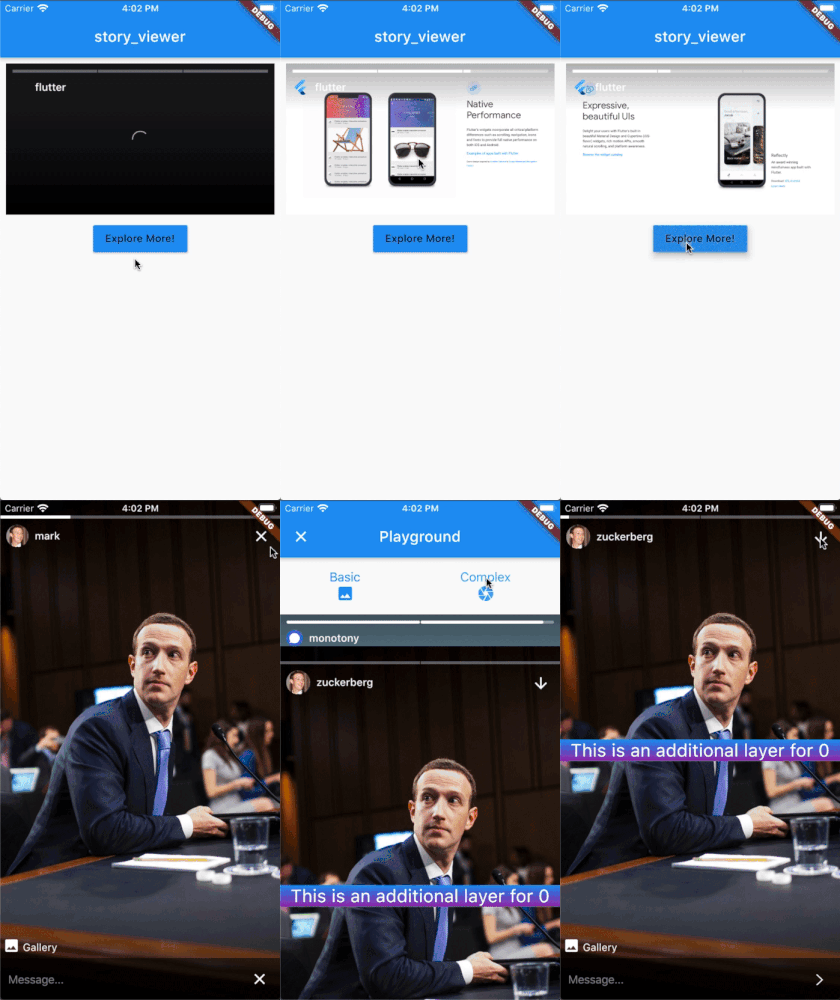
This package provides common story view experience for any Flutter app.

Features

  • Complate known gestures;
    • next story, previous story
    • hide UI layer on long press
  • Custom texts, icons, colors, paddings etc.
  • Easy to implement data model for story and story owner user.
  • Slide out page on vertical swipe down
  • Reply a story just like Instagram with text or emojis on vertical swipe up
  • **Display ratio for dynamic view inside any Widget.
  • Listener support with callbacks for story with StoryViewerController
    • played, paused, story index changed etc.
  • Customized additional layers support for under or on the media layer.
  • Blurred layer for possible inappropriate media

** Default and fully tested ratio is 9:16 with full screen.

Usage

This is common usage of story_viewer

StoryViewer(
    padding: EdgeInsets.all(8),
    backgroundColor: Colors.white,
    ratio: StoryRatio.r16_9,
    stories: [
        StoryItemModel(imageProvider: NetworkImage(imageURL)),
        StoryItemModel(imageProvider: MemoryImage(memoryImage)),
        StoryItemModel(imageProvider: AssetImage(assetName)),
    ],
    userModel: UserModel(
        username: username,
        profilePicture: NetworkImage(profileURL),
    ),
);

Custom controller example with event listeners

StoryViewerController controller = StoryViewerController();
controller.addListener(
    onPlayed: () {
        print("'onPlayed' callback outside of story_viewer");
    },
    onPaused: () {
        print("'onPaused' callback outside of story_viewer");
    },
);
return StoryViewer(
    viewerController: controller,
    .
    .

Check out example/lib/detailed_example.dart for more!

Dependencies

Package Name Type Description
extended_image Core Caching images, slide out page

Categories

Dependencies

Dependency list 1 items

Source repository

Projects using this package

No data available yet.