Search packages, repositories and app categories

Package detailsv1.1.1

tailwind_standards

Tailwind CSS for Flutter. Colors, Sizes, Weights and a TText widget to style your app.

AndroidiOSWebmacOSWindowsLinux
30-day downloads
19
Likes
28
Pub points
150

Install package

flutter pub add tailwind_standards

Package Overview

Package selection guidance compiled from public package information, community data, and project usage.

Tailwind_standards brings the utility-first styling approach of Tailwind CSS to Flutter, offering a set of predefined classes for colors, sizes, and font weights. It includes a TText widget that simplifies text styling with concise, readable syntax. Designed for developers familiar with Tailwind, it enables rapid UI development across multiple platforms. The package supports Android, iOS, Web, macOS, Windows, and Linux, making it ideal for cross-platform apps seeking consistent, scalable design patterns without writing custom styles.

Use cases

  • Rapid UI prototyping
  • Cross-platform app styling
  • Consistent design systems
  • Simplifying text styling
  • Reducing boilerplate code

Key features

  • Tailwind-inspired utility classes
  • TText widget for styled text
  • Color, size, and weight presets
  • Multi-platform support
  • Minimal custom CSS needed
  • Clean, readable style syntax

Suitable for

  • Flutter developers familiar with Tailwind CSS
  • Teams prioritizing design consistency
  • Projects requiring fast UI iteration
  • Web and mobile app development
  • Developers wanting reduced CSS verbosity

Considerations

  • Limited to basic styling utilities
  • Not a full CSS replacement
  • Requires learning new widget conventions
  • Best suited for simple to moderate UIs
  • Less flexible than custom styling approaches
Original README

Original README snapshot from the linked source repository. Visit the repository for the latest content.

Tailwind Standards

Style your Flutter app with Tailwind CSS. Colors, Sizes, Weights and a TText widget that takes classes. All in the same structure as you would use Tailwind CSS in HTML.

Features

  • TColor: Use all tailwind default colors
  • TText: An extension on the Flutter Text widget that can be styled in the same way as a class in HTML.
  • TSize: All tailwind default sizes are easily accessible
  • TWeight: Use the naming convention of Tailwind CSS for weights

Getting started

To install the package run the following command.

flutter pub add tailwind_standards

Usage

TColor

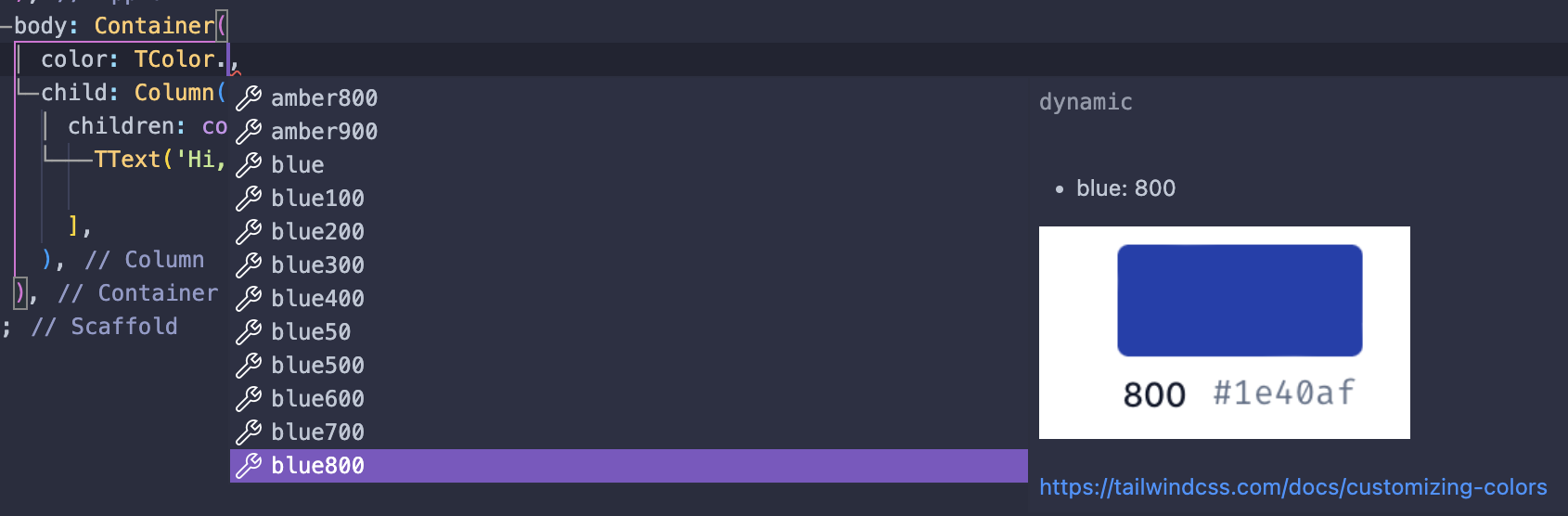
TColor has all the default colors that Tailwind CSS offers. You can access every color in the following way.

Color tcolor = TColor.slate500;

Alt text

TText

TText is an extension of the Text widget from Flutter. It takes classes in the same structure as when you use Tailwind CSS for HTML.

const TText(
    'TText widget from tailwind_standards!',
    props: 'text-xs text-gray-500 text-center font-bold',
),
TSize

TSize has all the default Tailwind CSS sizes that are mostly used in padding, margin, etc.

int tsize = TSize.lg;
TWeight

TWeight translates the Tailwind CSS naming convention to the font weights used in Flutter.

FontWeight tweight = TWeight.semiBold;

Additional information

Feedback is always welcome! If you see improvements or if something comes to your attention, please let me know or create a pull request.

Categories

Source repository

Projects using this package

No data available yet.