
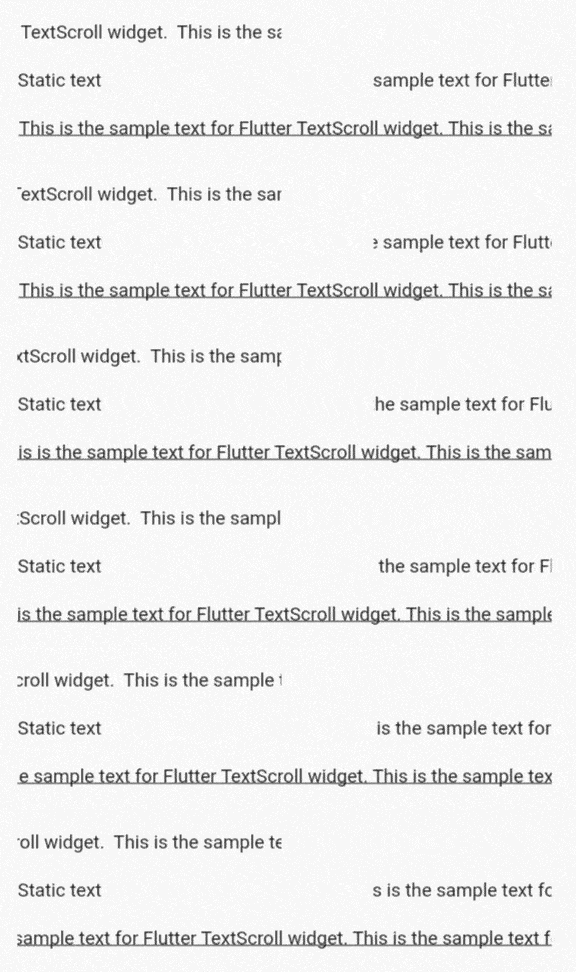
TextScroll is a Flutter widget that enables automatic scrolling of text, ideal for creating marquee effects. It smoothly animates text across the screen, making it perfect for displaying long content in limited space. The widget supports various customization options such as scroll speed, direction, and pause behavior. Compatible with all major platforms including Android, iOS, Web, macOS, Windows, and Linux, it integrates seamlessly into existing Flutter applications. Designed for simplicity and performance, TextScroll enhances user experience with minimal setup.
Use cases
- Displaying long headlines in limited space
- Creating animated banners or notifications
- Showing ticker-style news feeds
- Enhancing UI with dynamic text elements
- Implementing scrolling subtitles or captions
Key features
- Smooth auto-scrolling animation
- Customizable scroll speed and direction
- Pause on hover support
- Cross-platform compatibility
- Simple integration with minimal configuration
- Supports multiline and single-line text
Suitable for
- Developers building dashboards or news apps
- Designers wanting dynamic text effects
- Apps requiring continuous text display
- Projects targeting multiple platforms
- Users seeking lightweight animation solutions
Considerations
- May require additional styling for optimal appearance
- Performance impact with very long texts
- Limited control over individual character animation
- Not suitable for static text displays
- Best used with short to moderately long text content
