Search categories, packages and repositories

time_planner cover
Package detailsv0.1.2+1

time_planner

A beautiful, easy to use and customizable time planner for flutter mobile, desktop and web

AndroidiOSWebmacOSWindowsLinux
30-day downloads
48
Likes
161
Pub points
160

Install package

flutter pub add time_planner

Package Overview

Package selection guidance compiled from public package information, community data, and project usage.

TimePlanner is a visually appealing, intuitive, and highly customizable time management tool designed for Flutter applications across mobile, desktop, and web platforms. It enables users to organize schedules, set appointments, and visualize time blocks with ease. Built with flexibility in mind, it supports custom themes, event handling, and responsive layouts. Ideal for productivity apps, calendars, or task management tools, it integrates seamlessly into existing Flutter projects. The package is actively maintained and open-source, encouraging community contributions.

Use cases

  • Daily schedule management
  • Task and appointment planning
  • Cross-platform calendar integration
  • Personal productivity apps
  • Team scheduling tools

Key features

  • Customizable UI and themes
  • Responsive design for all platforms
  • Event creation and management
  • Drag-and-drop functionality
  • Support for multiple time zones
  • Open-source and community-driven

Suitable for

  • Developers building calendar apps
  • Productivity-focused Flutter projects
  • Apps requiring visual time organization
  • Cross-platform application developers
  • Designers wanting flexible UI components

Considerations

  • Requires basic knowledge of Flutter state management
  • May need additional styling for complex use cases
  • Dependent on platform-specific rendering behaviors
  • Limited documentation beyond basic setup
  • Not optimized for high-frequency real-time updates

Original README

Original README snapshot from the linked source repository. Visit the repository for the latest content.

Time planner

Pub Version Awesome Flutter

A beautiful, easy to use and customizable time planner for flutter mobile 📱, desktop 🖥 and web 🌐

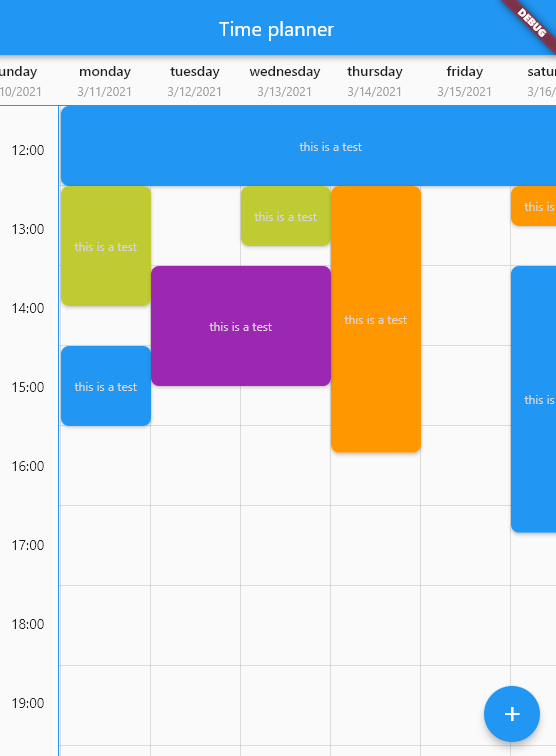
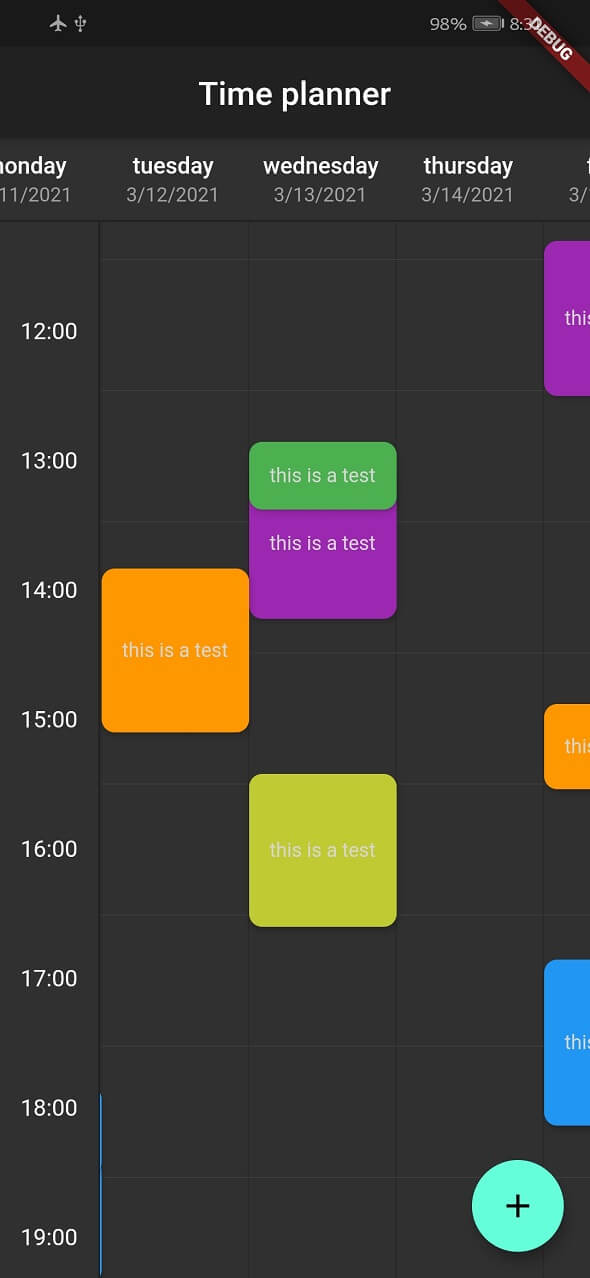
This is a widget for show tasks to user on a time table.
Each row show an hour and each column show a day but you can change the title of column and show any things else you want.

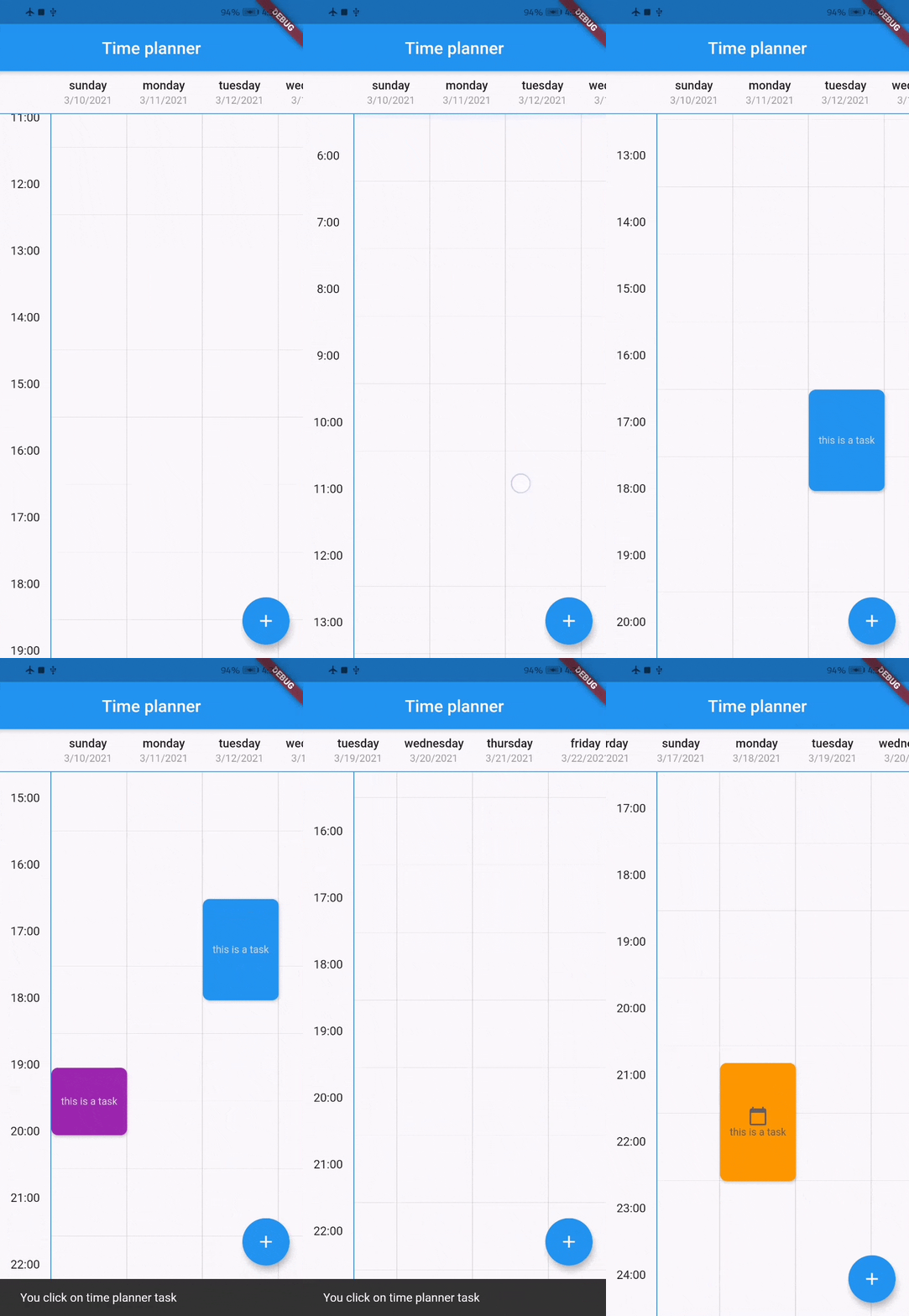
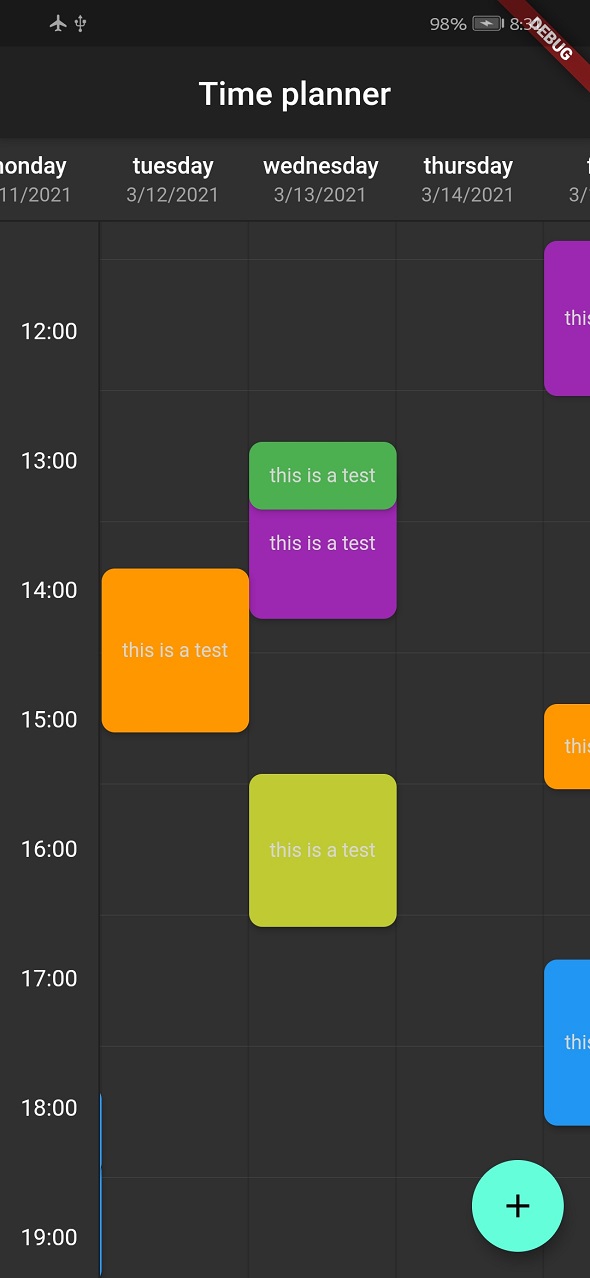
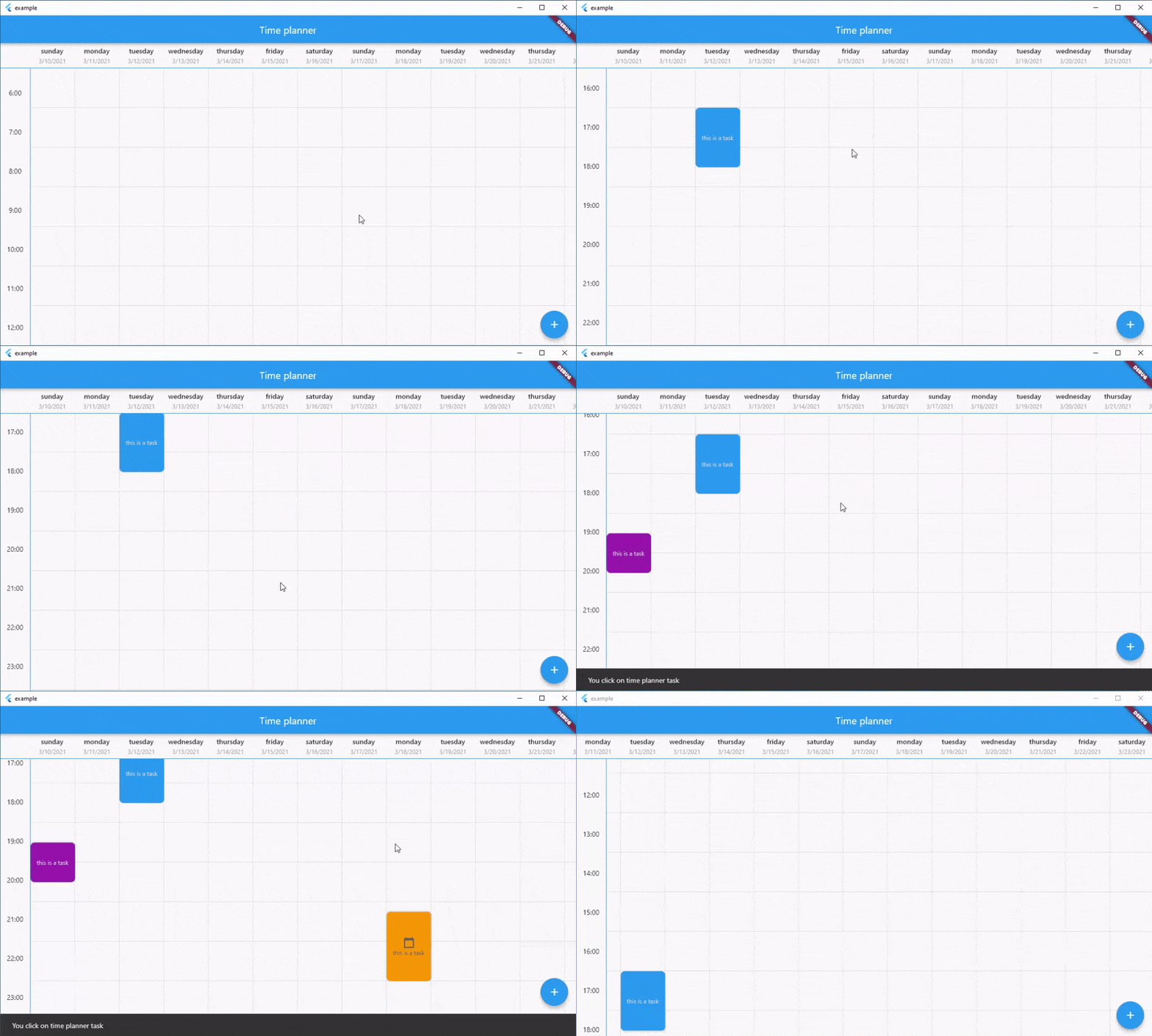
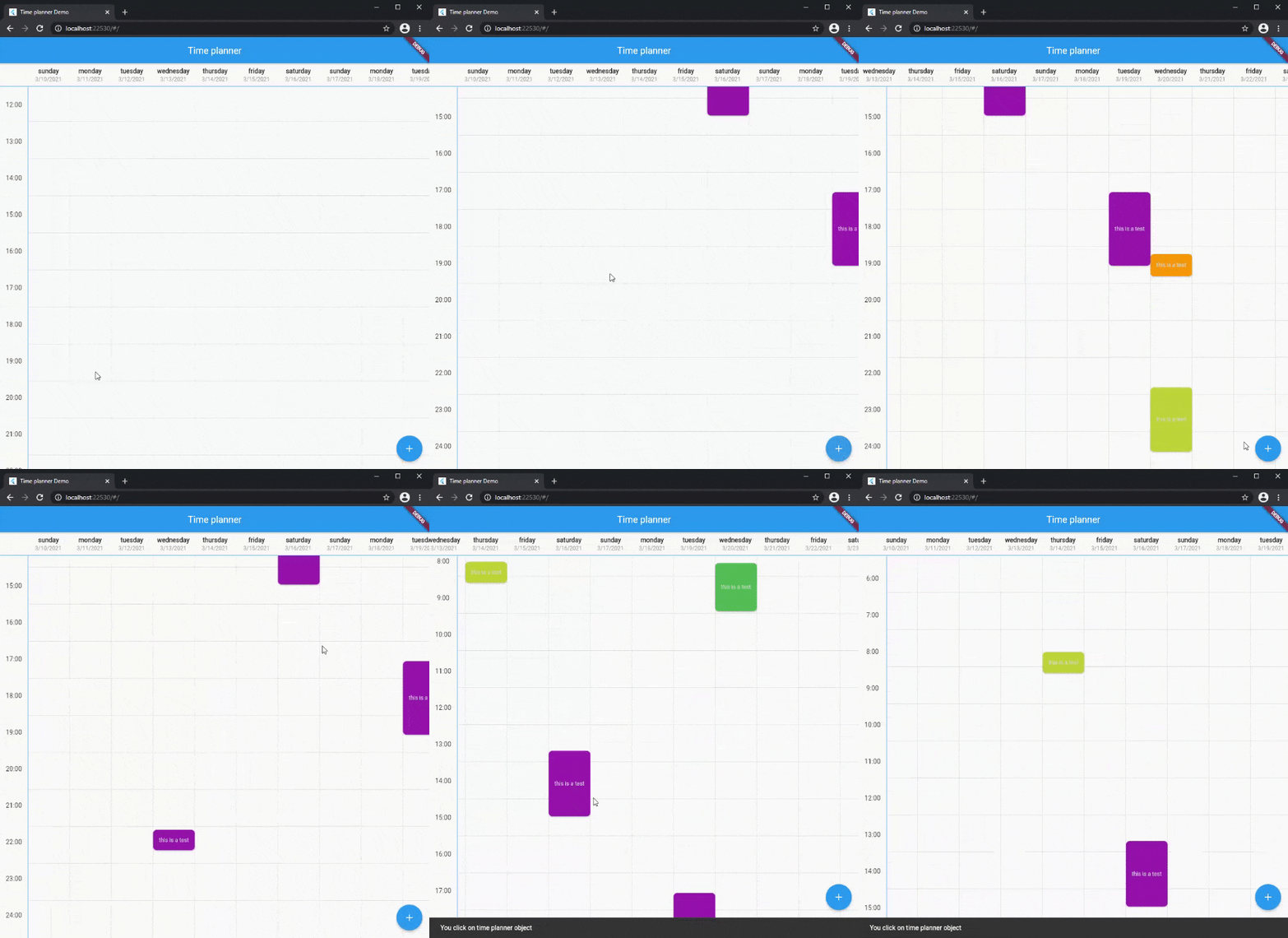
Screenshots

Mobile Dark
Mobile Dark
Desktop Web
Desktop Web

Demo

You can see web demo here: https://jamalianpour.github.io/time_planner_demo

Usage

1. add dependencies into you project pubspec.yaml file
dependencies:
  time_planner: ^0.1.2+1
2. import time planner lib
import 'package:time_planner/time_planner.dart';
3. use time planner
List<TimePlannerTask> tasks = [
  TimePlannerTask(
    // background color for task
    color: Colors.purple,
    // day: Index of header, hour: Task will be begin at this hour
    // minutes: Task will be begin at this minutes
    dateTime: TimePlannerDateTime(day: 0, hour: 14, minutes: 30),
    // Minutes duration of task
    minutesDuration: 90,
    // Days duration of task (use for multi days task)
    daysDuration: 1,
    onTap: () {},
    child: Text(
      'this is a task',
      style: TextStyle(color: Colors.grey[350], fontSize: 12),
    ),
  ),
];
TimePlanner(
  // time will be start at this hour on table
  startHour: 6,
  // time will be end at this hour on table
  endHour: 23,
  // each header is a column and a day
  headers: [
    TimePlannerTitle(
      date: "3/10/2021",
      title: "sunday",
    ),
    TimePlannerTitle(
      date: "3/11/2021",
      title: "monday",
    ),
    TimePlannerTitle(
      date: "3/12/2021",
      title: "tuesday",
    ),
  ],
  // List of task will be show on the time planner
  tasks: tasks,
),
Multi days task

You can add multi days task with daysDuration minimum and default value for this argument is 1 and result look like this :

MultiDay

Style

you can change style of time planner with TimePlannerStyle :

style: TimePlannerStyle(
  backgroundColor: Colors.blueGrey[900],
  // default value for height is 80
  cellHeight: 60,
  // default value for width is 90
  cellWidth: 60,
  dividerColor: Colors.white,
  showScrollBar: true,
  horizontalTaskPadding: 5,
  borderRadius: const BorderRadius.all(Radius.circular(8)),
),

when time planner widget loaded it will be scroll to current local hour and this option is true by default, you can turn this off like this:

currentTimeAnimation: false,
Note

If you use desktop or web platform and want users to be able to move with the mouse in the time planner, add this code to the code:

class MyCustomScrollBehavior extends MaterialScrollBehavior {
  // Override behavior methods and getters like dragDevices
  @override
  Set<PointerDeviceKind> get dragDevices => {
    PointerDeviceKind.touch,
    PointerDeviceKind.mouse,
  };
}

// Set ScrollBehavior for an entire application.
MaterialApp(
  scrollBehavior: MyCustomScrollBehavior(),
  // ...
);

Fill free to fork this repository and send pull request 🏁👍

Medium post

Categories

Source repository

Projects using this package

No data available yet.