Package selection guidance compiled from public package information, community data, and project usage.
A versatile Flutter widget designed to be seamlessly integrated anywhere in the widget tree. It supports full animation capabilities and accessibility features, ensuring a consistent and inclusive user experience across different contexts. Ideal for reusable components that need dynamic behavior and screen reader compatibility. The package enhances widget flexibility without compromising on performance or usability.
Use cases
Reusable UI components
Dynamic content rendering
Accessibility-compliant interfaces
Cross-platform widget integration
Animated UI elements
Key features
Full animation support
Built-in accessibility
Flexible placement in widget tree
Lightweight and efficient
Extensible design
Suitable for
Developers building reusable widgets
Teams prioritizing accessibility
Apps requiring animated UIs
Projects with complex widget hierarchies
Cross-platform Flutter applications
Considerations
Requires understanding of Flutter's widget lifecycle
May need additional configuration for advanced animations
Not optimized for high-frequency updates
Limited platform-specific customization
Depends on proper integration within state management flows
Original README
Original README snapshot from the linked source repository. Visit the repository for the latest content.
The Mighty UniversalWidget
I'm just so excited to introduce to you my superhero widget: UniversalWidget
You can find the package at: https://pub.dartlang.org/packages/universal_widget
With UniversalWidget, you will have full control with it in the widget tree.
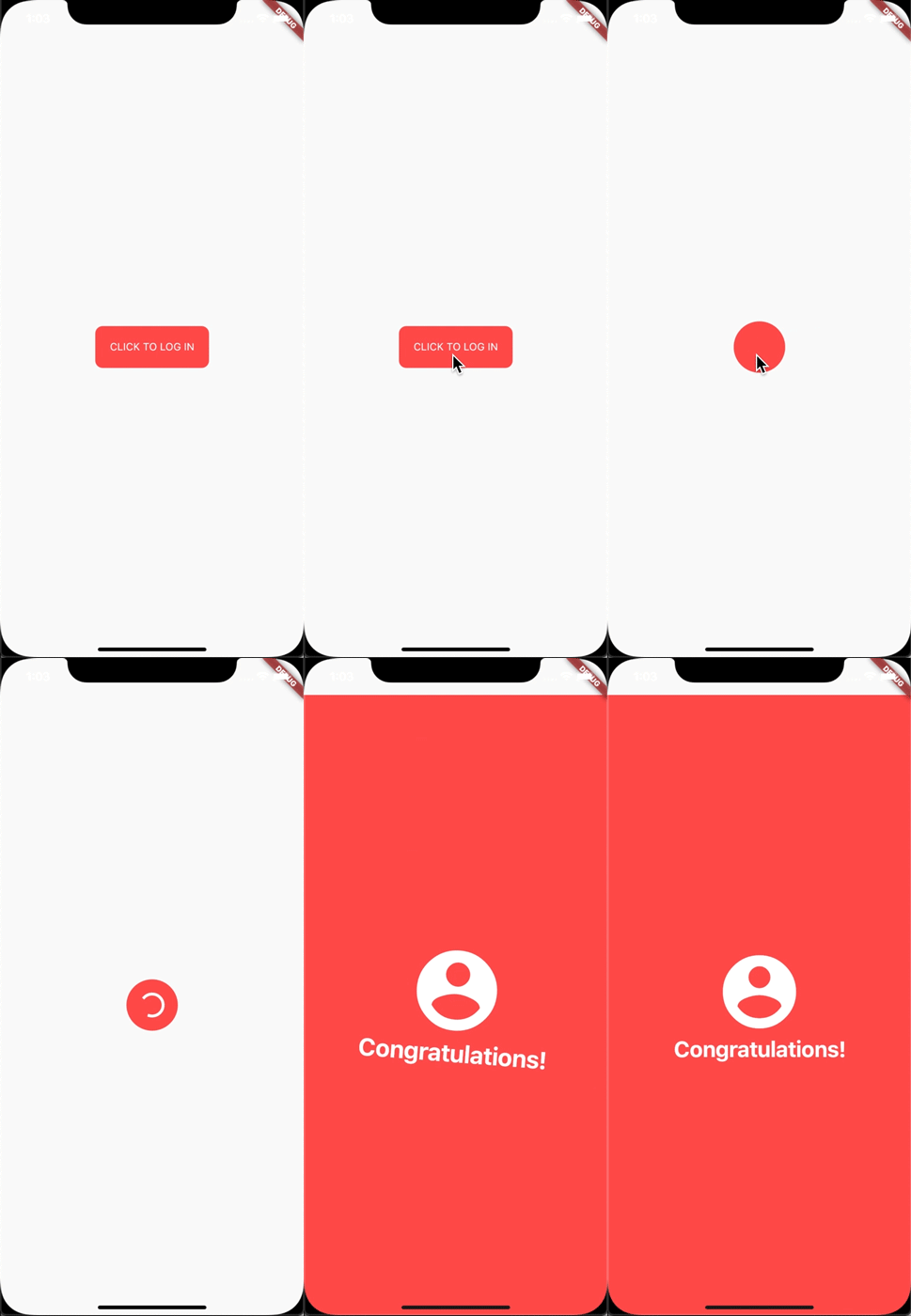
I made this login animation with UniversalWidget in only 8 lines of code. If you want to know how to do it with Flutter, see this cool tutorial: https://blog.geekyants.com/flutter-login-animation-ab3e6ed4bd19
Apply easing type to the animation, listen to the widget to see when the animation is finished, see the progress of the animation, or make the animation repeated. Here you go:
myWidget.update(
  duration: 0.5, // in seconds
  delay: 2, // in seconds - wait 2 seconds then play the animation
  height: 100,
  ease: Curve.elasticEaseOut, // or your can use Ease.elasticEaseOut, it's the same
  onComplete: (widget){
    print("I finished changing my height!");
  },
  onUpdate: (progress){
    print("Animation progress is $progress");
  }
);
If you want to repeat the animation 5 times:
myWidget.update(
  ...
  repeat: 5,
  ...
);
If you want the animation to play in reverse after it's finish: (like the way playing Yoyo in real life)
myWidget.update(
  ...
  yoyo: true,
  ...
);
If you want to repeat the animation forever:
myWidget.update(
  ...
  repeat: -1,
  ...
);
Combining "repeat" and "yoyo", you will have the animation go forward & backward forever:
myWidget.update(...repeat:-1,yoyo:true,...);
To stop the widget from animation:
myWidget.killAllTweens();
Additional Animation Easing Types
Yes, UniversalWidget has more easing type than Flutter framework, it supports:
Ease.backIn
Ease.backOut
Ease.backInOut
Ease.slowMo
Ease.sineIn
Ease.sineOut
Ease.sineInOut
Let play with it yourself! ;)
Accessibility
Let's take full control of your UniversalWidget, you can access to it everywhere, EVERYWHERE. (as long as it's still on your screen)
Notes that the given name should be unique, if you have many UniversalWidget with the same name, only the latest one in the widget tree can be accessible by a name, the others won't. So please name it wisely.
Wait, there's more. If you want to check for the size of the widget, do this:
UniversalWidget(
  child: Text("Hello World!"),
  // because the widget size can only be calculated after the widget are build, you need to listen on this event:
  onWidgetBuilt: (context){
    print("My size is ${context.size}");
  }
);
Phewwww... that's it for now. Now you guys might understand why I called it "The Mighty Widget", not too brag, eh? Hopefully it will save you a bunch of time, as it's saving me right now.
If you have any feedback, or meet any troubles while using this widget, please feel free to reach me via this Github repo.