
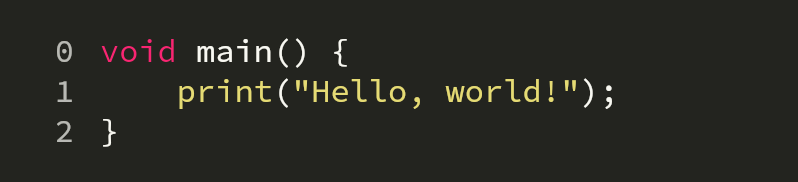
Overview
A customizable code text field for Flutter that provides syntax highlighting, bidirectional scrolling, and support for code modifiers. Designed for developers who need a lightweight yet powerful code editing experience within their apps. It supports multiple platforms including Android, iOS, Web, macOS, Windows, and Linux, making it ideal for cross-platform development. The package integrates seamlessly with Flutter’s widget system and allows fine-grained control over code appearance and behavior.
Use cases
- Inline code editing in developer tools
- Syntax-highlighted code input in educational apps
- Real-time code collaboration interfaces
- Code snippet creation and display
- Custom IDE-like components in Flutter apps
Key features
- Syntax highlighting
- Bidirectional scrolling
- Code modifiers support
- Cross-platform compatibility
- Customizable styling
- Lightweight integration
Suitable for
- Flutter developers building code editors
- Educational apps teaching programming
- Developer tooling and IDE extensions
- Apps requiring real-time code input
- Teams needing consistent code UI across platforms
Considerations
- Requires manual setup for advanced syntax rules
- Performance may vary with very large code files
- Limited built-in language support (extensible via configuration)
- May need additional state management for complex use cases
- Not designed for full-featured IDE workflows