
Overview
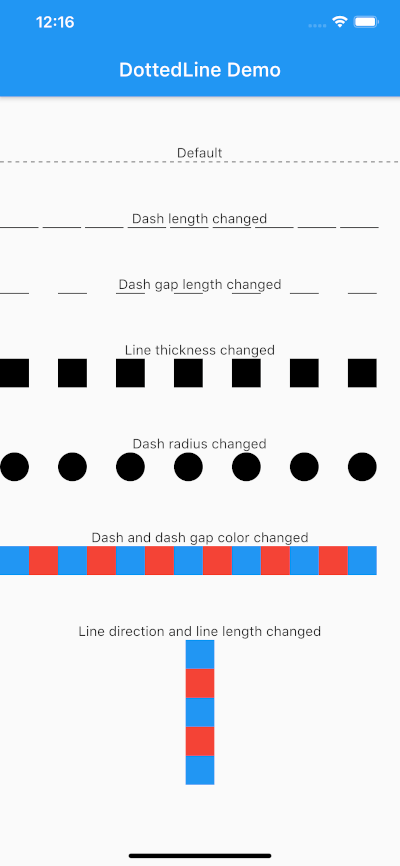
The dotted_line package enables developers to easily create visually appealing dotted lines in Flutter applications. It provides a simple and customizable way to draw dashed or dotted lines across various UI elements, enhancing the design of interfaces with minimal code. The package supports multiple platforms including Android, iOS, Web, macOS, Windows, and Linux, making it versatile for cross-platform development. With intuitive configuration options, it's ideal for adding separators, dividers, or decorative elements in modern app designs.
Use cases
- Creating visual separators in lists
- Designing custom dividers in forms
- Enhancing UI with decorative line elements
- Building responsive layouts with dashed borders
- Adding stylistic accents in card components
Key features
- Easy integration with Flutter widgets
- Customizable dot size and spacing
- Support for both horizontal and vertical lines
- Cross-platform compatibility
- Lightweight and performant
- Configurable stroke color and width
Suitable for
- UI designers seeking decorative elements
- Developers building clean, modern interfaces
- Projects requiring consistent visual styling
- Apps with need for subtle graphical accents
- Cross-platform Flutter applications
Considerations
- Limited to line-based decorations only
- No support for animated dots
- Requires manual handling of alignment in complex layouts
- Not suitable for high-performance drawing scenarios
- Depends on Flutter's rendering pipeline for smooth display