Package selection guidance compiled from public package information, community data, and project usage.
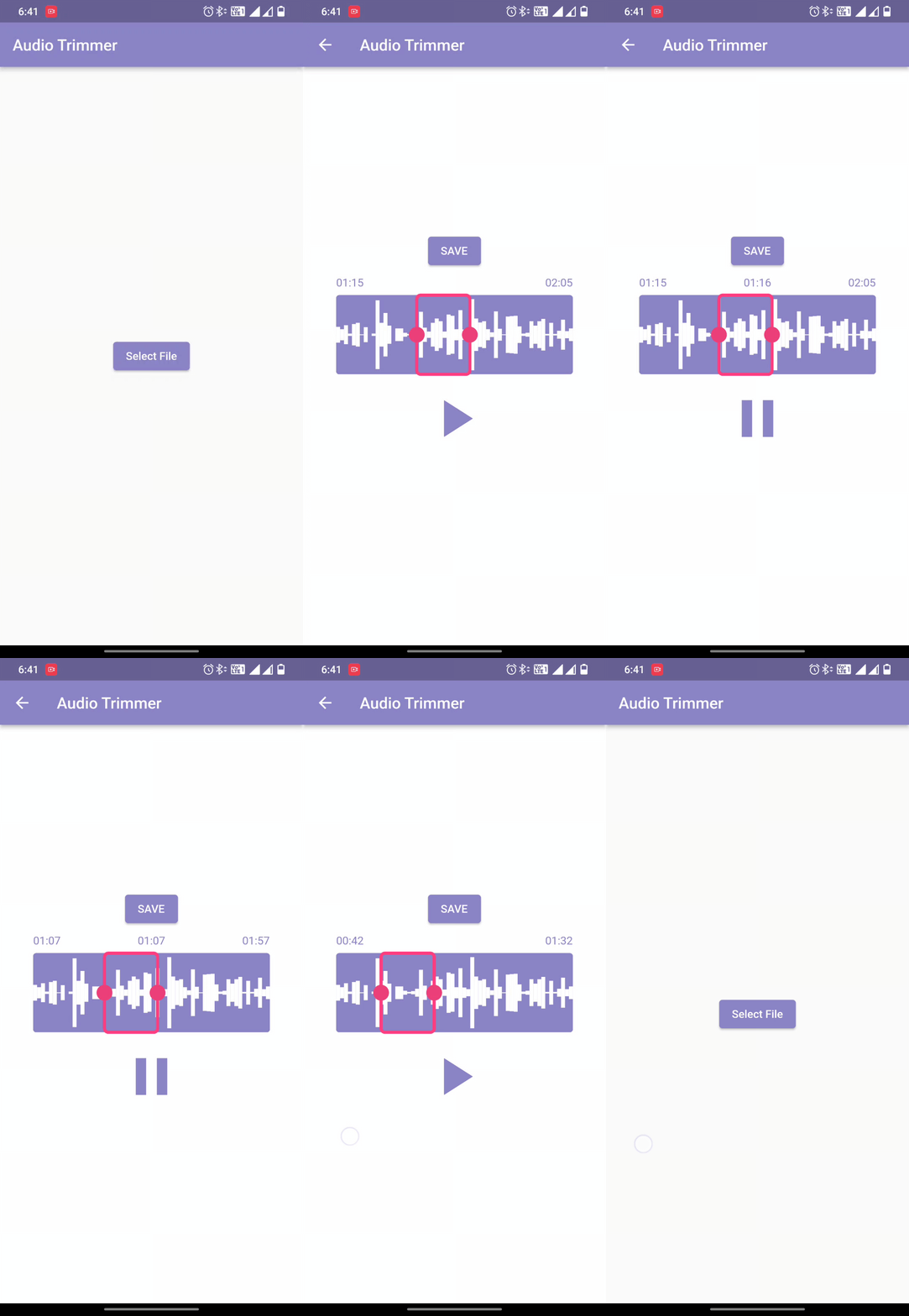
Easy Audio Trimmer is a Flutter package designed to simplify audio trimming tasks. It enables users to retrieve audio files, trim them within specified start and end times, and save the resulting clips to the device's file system. The package supports Android, iOS, and macOS, making it suitable for cross-platform audio editing applications. With straightforward APIs, it streamlines integration into apps requiring basic audio manipulation without complex setup.
Use cases
Audio clip creation
Podcast editing
Voice memo trimming
In-app audio processing
Social media content preparation
Key features
Simple API for trimming
File system storage
Cross-platform support
Start/end time selection
Audio file retrieval
Suitable for
Developers building audio apps
Educational tools with voice recording
Content creators needing quick edits
Mobile apps with audio features
Apps requiring lightweight audio editing
Considerations
Requires file permissions on Android and iOS
Limited to basic trimming operations
No audio format conversion
Depends on native platform audio handling
May require additional error handling for large files
Original README
Original README snapshot from the linked source repository. Visit the repository for the latest content.
Welcome to Easy Audio Trimmer! This is a Flutter package that allows you to easily trim audio files within your Flutter app.
Features
Trim audio files within your Flutter app
Specify the start and end times for the trimmed audio file
Audio playback control.
Retrieving and storing audio file.
Trimmed audio files are saved on the device
Easy to use with a simple function call
Compatible with most audio file formats (mp3, wav, aac, etc.)
While running on the Android platform if it gives an error that the minSdkVersion needs to be 24, or on iOS platform that the Podfile platform version should be 11, first go to pubspec.lock file and see if the version of ffmpeg_kit_flutter has -LTS suffix. This should fix all issues for iOS platform.
On Android, if you still face the same issue, try adding the following to the <project_directory>/android/app/src/main/AndroidManifest.xml:
"We would like to thank the contributors to the Video Trimmer repository for their invaluable assistance in creating this project. We used code from the Video Trimmer tool to implement the trimming and editing features in this project, and we are grateful for the opportunity to use it in our work. Thank you to the team behind Video Trimmer for their valuable contributions."
License
Copyright (c) 2022 Mayur Pitroda
Permission is hereby granted, free of charge, to any person obtaining a copy
of this software and associated documentation files (the "Software"), to deal
in the Software without restriction, including without limitation the rights
to use, copy, modify, merge, publish, distribute, sublicense, and/or sell
copies of the Software, and to permit persons to whom the Software is
furnished to do so, subject to the following conditions:
The above copyright notice and this permission notice shall be included in all
copies or substantial portions of the Software.
THE SOFTWARE IS PROVIDED "AS IS", WITHOUT WARRANTY OF ANY KIND, EXPRESS OR
IMPLIED, INCLUDING BUT NOT LIMITED TO THE WARRANTIES OF MERCHANTABILITY,
FITNESS FOR A PARTICULAR PURPOSE AND NONINFRINGEMENT. IN NO EVENT SHALL THE
AUTHORS OR COPYRIGHT HOLDERS BE LIABLE FOR ANY CLAIM, DAMAGES OR OTHER
LIABILITY, WHETHER IN AN ACTION OF CONTRACT, TORT OR OTHERWISE, ARISING FROM,
OUT OF OR IN CONNECTION WITH THE SOFTWARE OR THE USE OR OTHER DEALINGS IN THE
SOFTWARE.