
Overview
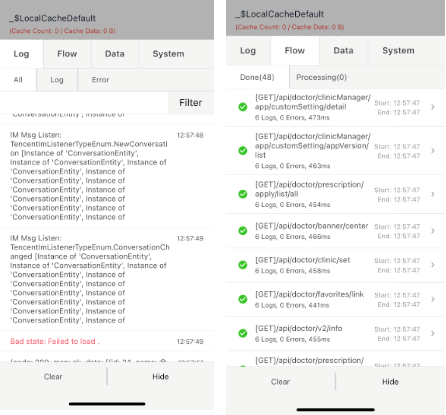
FConsole is a debugging tool for Flutter applications that provides an overlay console log interface similar to v-console. It displays logs, errors, and performance metrics in real time, making it easier to debug during development. The console appears as an accessible overlay on the app screen, allowing developers to inspect output without switching contexts. It supports multiple platforms including Android, iOS, macOS, Windows, and Linux. FConsole enhances developer productivity by offering immediate feedback and interactive logging capabilities.
Use cases
- Real-time debugging during app development
- Monitoring runtime logs and errors
- Performance monitoring in development mode
- Quick inspection of app state and logs
- Enhancing developer workflow with live console access
Key features
- Overlay console interface
- Live log display and filtering
- Cross-platform support
- Error and warning highlighting
- Interactive log inspection
Suitable for
- Flutter developers in active development
- Teams needing real-time debugging tools
- Apps requiring detailed logging during testing
- Developers using local debugging workflows
- Projects where rapid feedback is essential
Considerations
- Not intended for production use
- May affect app performance slightly in debug mode
- Overlay can interfere with UI during testing
- Requires manual integration and setup
- Limited customization options for layout and styling