Search packages, repositories and app categories

floating cover
Package detailsv6.0.0

floating

Picture in Picture mode management for Flutter. Available only for Android.

Android
30-day downloads
22.7K
Likes
270
Pub points
160

Install package

flutter pub add floating

Package Overview

Package selection guidance compiled from public package information, community data, and project usage.

The floating package enables Picture-in-Picture (PiP) mode management in Flutter applications, specifically for Android. It allows developers to seamlessly transition media playback into a small floating window that can be moved and resized while the user interacts with other apps. This is particularly useful for video or audio content that should continue playing in the background. The package integrates directly with Android's PiP API, providing a straightforward interface for controlling PiP behavior. It supports both video and audio use cases where continuous playback is desired without full app focus.

Use cases

  • Background video playback
  • Audio streaming in PiP mode
  • Media apps requiring continuous playback
  • Multitasking support on Android
  • Video calls with minimized view

Key features

  • Android-only PiP support
  • Simple API for PiP activation
  • Automatic PiP state handling
  • Customizable PiP size and position
  • Integration with Android's PiP API

Suitable for

  • Video player apps
  • Audio streaming apps
  • Educational apps with media content
  • Apps needing multitasking features
  • Developers targeting Android devices

Considerations

  • Only available on Android
  • Requires Android 8.0+ (API 26)
  • Limited to media playback scenarios
  • No iOS support
  • Must handle PiP lifecycle events properly

Original README

Original README snapshot from the linked source repository. Visit the repository for the latest content.

floating

codecov

Picture in Picture management for Flutter. Android only

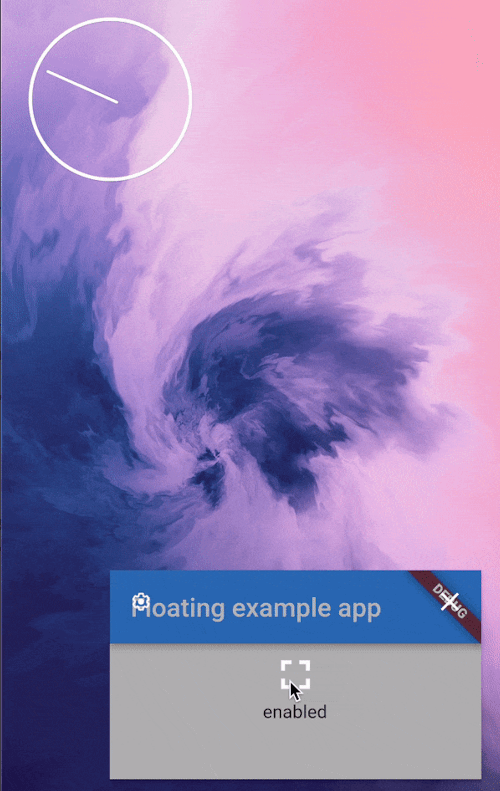
Picture in picture demo

App configuration

Add android:supportsPictureInPicture="true" line to the <activity> tag in android/src/main/AndroidManifest.xml:

<manifest>
   <application>
        <activity
            android:name=".MainActivity"
            android:supportsPictureInPicture="true"
            ...

Widget

This package provides a helper PiPSwitcher widget for switching the displayed widgets according to current PiP status. Use it like so:

PiPSwitcher(
    childWhenDisabled: Scaffold(...),
    childWhenEnabled: JustVideo(), 
)

API

PiP mode in desired mode is available only in Android so iOS and web support is not planned until the platforms adds native support for such feature.

Create a Floating instance
final floating = Floating();
Check if PiP is available
final canUsePiP = await floating.isPipAvailable;

PiP may be unavailable because of system settings managed by admin or device manufacturer. Also, the device may have Android version that was released without this feature.

Check if app is in PiP mode
final currentStatus = await floating.pipStatus;

Possible statuses:

Status Description Will enable() have an effect?
disabled PiP is available to use but currently disabled. Yes
enabled PiP is enabled. The app can display content but will not receive user inputs until the user decides to bring the app to it's full size. No
automatic PiP will be enabled automatically by the OS. Yes
unavailable PiP is disabled on given device. No
Enable PiP mode

Enable PiP right away:

final statusAfterEnabling = await floating.enable(ImmediatePiP());

Enable PiP when the app gets minimized via system gesture:

final statusAfterEnabling = await floating.enable(OnLeavePiP());

To later cancel, use .cancelOnLeavePiP().

When enabled, PiP mode can be toggled off by the user via system UI.

Arguments
aspectRatio:

The default 16/9 aspect ratio can be overridden with custom Rational. Eg. to make PiP square use: .enable(aspectRatio: Rational(1, 1)) or .enable(aspectRatio: Rational.square()).

sourceRectHint:

By default, system will simply use fade animation to tween between full app and PiP. Switching animation can be smoother by using source rect hint (example animation).

Check the example project to see an example of usage.

Categories

Source repository

Projects using this package