Search packages, repositories and app categories

Package detailsv0.0.6

flutter_3d_obj

A new flutter package to render wavefront obj files into a canvas.

30-day downloads
45
Likes
25
Pub points
35

Install package

flutter pub add flutter_3d_obj

Package Overview

Package selection guidance compiled from public package information, community data, and project usage.

flutter_3d_obj is a Flutter package designed to render Wavefront OBJ files within a Flutter application. It enables developers to display 3D models in a canvas, facilitating interactive 3D visualizations. The package supports basic OBJ file parsing and rendering, making it suitable for lightweight 3D content integration. It is ideal for applications requiring simple 3D model display without complex scene management. The package is open-source and hosted on GitHub, allowing community contributions and transparency.

Use cases

  • Displaying 3D models in apps
  • Interactive 3D visualizations
  • Educational 3D content
  • Simple 3D game assets
  • Model previews in design tools

Key features

  • OBJ file rendering
  • Canvas-based 3D display
  • Lightweight 3D support
  • Open-source code
  • Easy integration via pub

Suitable for

  • Developers building 3D app features
  • Educational or prototyping projects
  • Simple 3D model viewers
  • Flutter beginners exploring 3D
  • Apps needing minimal 3D functionality

Considerations

  • Limited to OBJ format
  • No advanced lighting or animation
  • No 3D interaction controls
  • Not optimized for large models
  • No platform-specific optimizations

Original README

Original README snapshot from the linked source repository. Visit the repository for the latest content.

flutter_3d_obj

A flutter package to render wavefront obj files on a canvas.

Usage

To use this package, add flutter_3d_obj to your pubspec.yaml file. Then import the package to use it.

Example Usage

The following example basic usage of package.

...
child: new Object3D(size:'/size of canvas/',
                    path:'/path of file/',
                    asset: true'/set true to load file from assets/'),
...

If SD-card path provided, ensure SD-card permissions are available.

Example

To run the example.

* git clone https://github.com/hemanthrajv/flutter_3d_obj.git
* cd /path to cloned dir/
* cd example
* flutter run
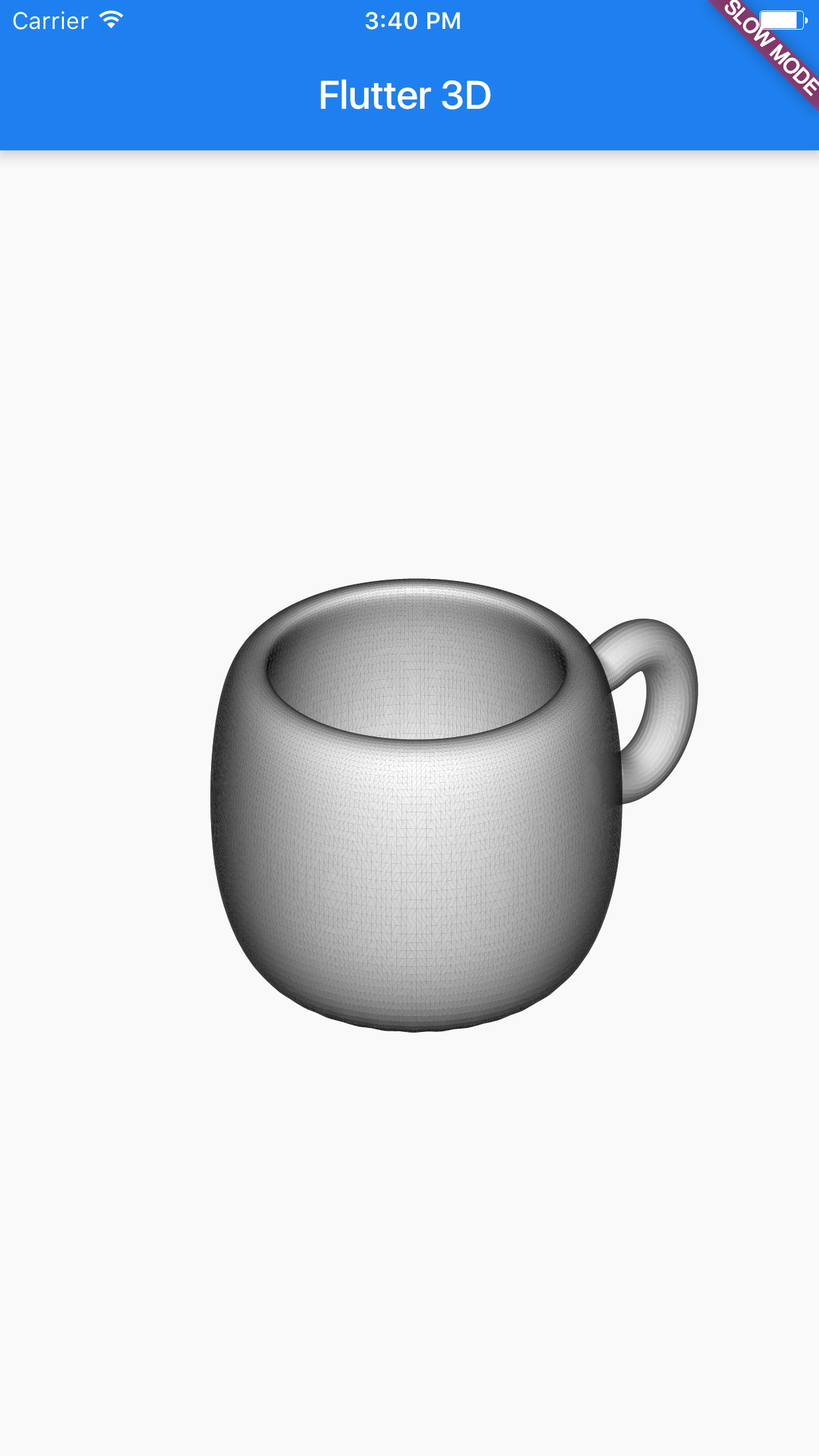
Screenshot:

Failed to load Screenshot

Built With

  • Flutter - A framework for building crossplatform mobile applications with native look and feel.

Author

Hemanth Raj StackOverflow

Getting Started

For help getting started with Flutter, view online documentation.

Categories

Dependencies

Dependency list 2 items

Source repository

Projects using this package

No data available yet.