Package selection guidance compiled from public package information, community data, and project usage.
Flutter Auto Form is a package designed to streamline the creation of user-friendly forms in Flutter applications. It reduces boilerplate code by automatically generating form fields based on data models, improving development speed and consistency. With built-in validation, error handling, and customizable widgets, it enhances both developer experience and end-user interaction. The package supports all major platforms, making it ideal for cross-platform form implementations.
Use cases
Building dynamic forms from data models
Reducing repetitive form code
Creating consistent UI across platforms
Implementing form validation easily
Rapid prototyping of input screens
Key features
Automatic form field generation
Built-in validation support
Customizable form widgets
Cross-platform compatibility
Minimal boilerplate required
Suitable for
Developers seeking faster form creation
Projects requiring consistent form design
Cross-platform Flutter apps
Prototypes needing quick form implementation
Teams prioritizing maintainable form code
Considerations
Limited customization for highly complex forms
May require additional configuration for advanced validation
Not ideal for forms with unique, non-standard layouts
Depends on model structure for auto-generation
Learning curve for new users unfamiliar with auto-form patterns
Original README
Original README snapshot from the linked source repository. Visit the repository for the latest content.
Flutter Auto Form
The easiest way to create fully customizable forms with only a tiny amount of code.
Introduction
Are you tired of writing endless lines of code to create forms in your Flutter apps? Look no further! Our Flutter Auto
Form package is here to revolutionize your form-building experience.
Our primary goal is to significantly reduce the amount of code required to create forms in Flutter. We achieve this by
embracing a clear separation of concerns between form logic and form display.
With Flutter Auto Form, you write the form logic in pure Dart, without any direct mention of widgets. Instead, we
introduce the AFWidget, which dynamically renders all the necessary widgets based on a straightforward form
declaration—a simple Dart class that extends the TemplateForm class.
But that's not all! Our package empowers you to design your custom fields and linked widgets, making nearly any form
conceivable. Whether you're working on basic forms or tackling complex ones, Flutter Auto Form has got you covered.
The true magic of Flutter Auto Form shines when you're dealing with multiple forms, especially complex ones. All your
validators are automatically called when you submit a form, and you can even create sub-forms that cascade into one
another.
Dynamic form generation is also feasible but still in experimental mode. It is accessible through the
JsonSchemaForm class.
dependencies:flutter:sdk:flutter# Your other packages ...flutter_auto_form:^1.0.6
Support
Platforms: All platforms currently supported
Autofill hints: Automatic support through AFTextFieldType
Validators: Email, Url, Hex colour, Not null, Minimum string length, Same as another field, Alphanumeric.
Fields: Password (auto obscure toggle), Text, Number, Model (built-in support for search through an api),
Boolean, Sub-form (cascading forms), Select (dropdown field allowing only predefined values)
Custom code: You can customize and create new fields, validators, widgets as you please without even touching the
source code of this package !
Usage
The first step in creating a form with Flutter Auto Form is to create a class inheriting from the TemplateForm class.
The second & (already) last step is to add the AFWidget wherever you would like to display a form.
AFWidget<RegistrationForm>(
formBuilder: () => RegistrationForm(),
submitButton: (Function({bool showLoadingDialog}) submit) => Padding(
padding: constEdgeInsets.only(top: 32),
child: MaterialButton(
child: Text('Submit'),
onPressed: () => submit(showLoadingDialog: true),
),
),
onSubmitted: (RegistrationForm form) {
// do whatever you want when the form is submittedprint(form.toMap());
},
);
Example
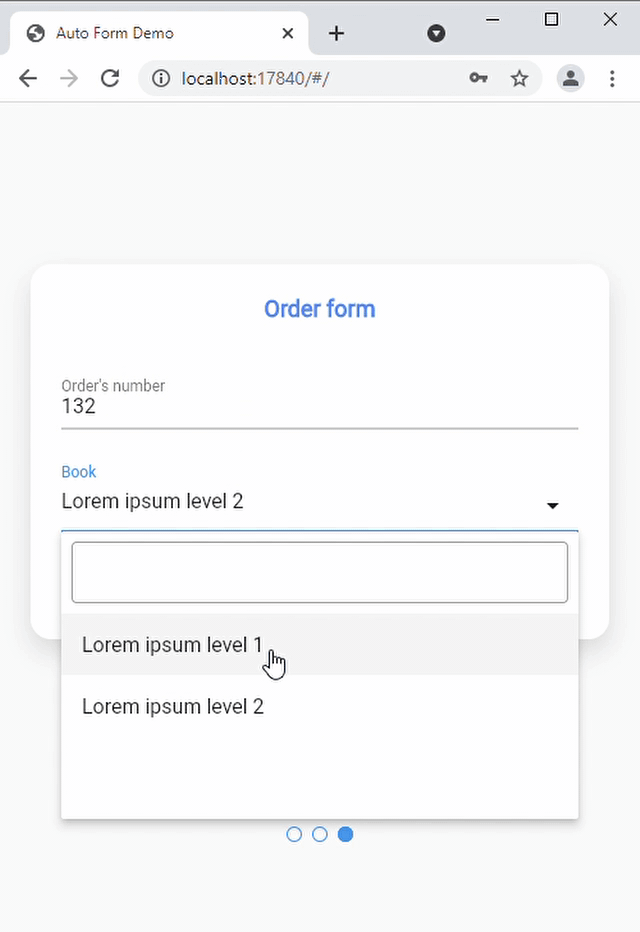
A demo video can be found here. The
four forms displayed in the video are all created with Flutter Auto Form, even the model search field.
The source code is located in the example folder.
Advanced usage
If you need to create your own field (color field, image field, ...) you can always create it by overriding the Field
class. Then to display a custom widget, create a stateful widget that extends the FieldStatefulWidget, and of which the
state extends the FieldState class.
This package is still under construction ! Do not hesitate to create an issue on the GitHub page if you find any bug
or if you would like to see a new type of validator, field !