Search packages, repositories and app categories

flutter_chord cover
Package detailsv0.1.3

flutter_chord

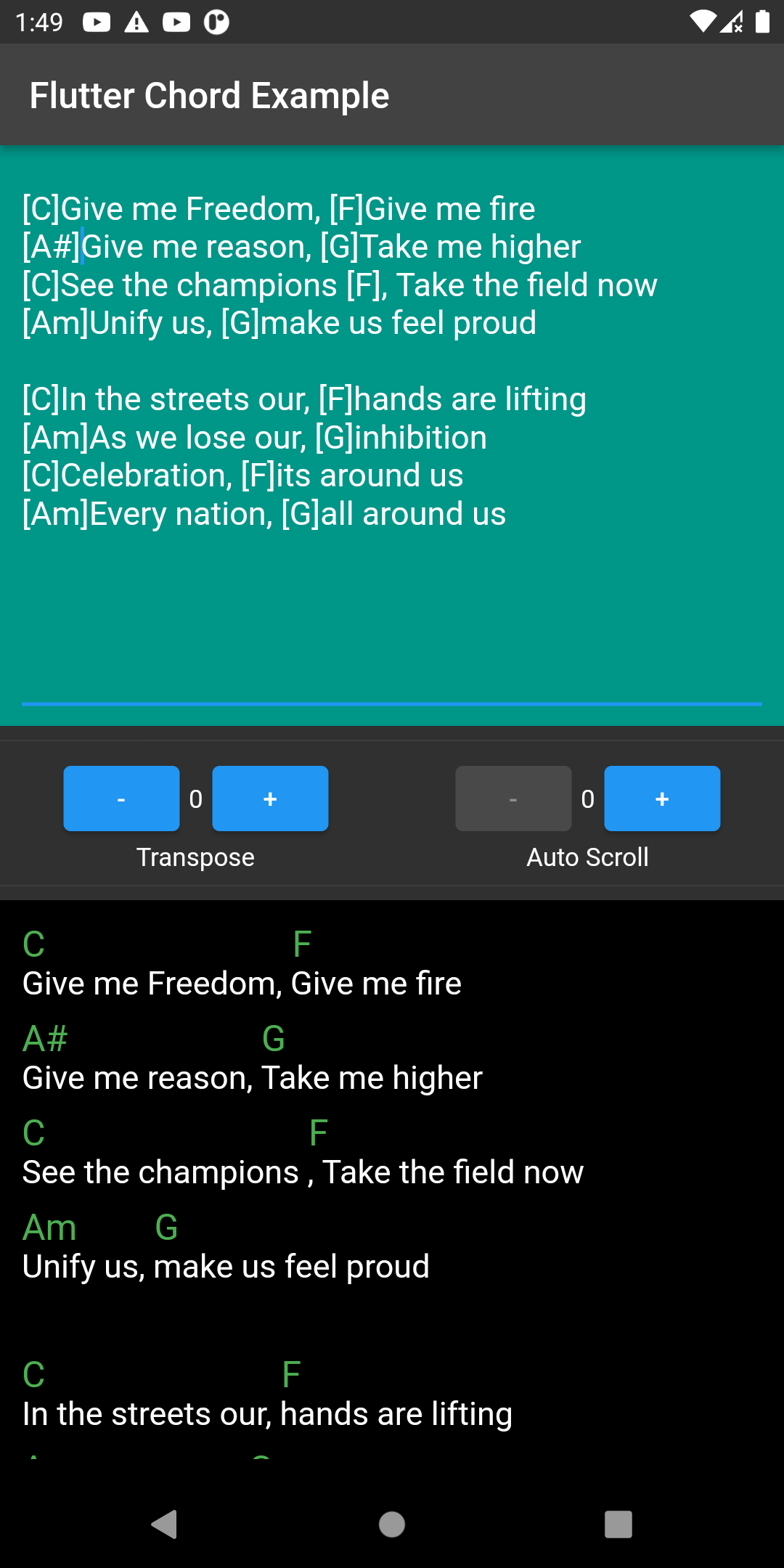
Lyrics Chord parser and renderer for Flutter. It also comes with transpose and auto-scroll features.

AndroidiOSWebmacOSWindowsLinux
30-day downloads
77
Likes
40
Pub points
160

Install package

flutter pub add flutter_chord

Package Overview

Package selection guidance compiled from public package information, community data, and project usage.

Flutter Chord is a Flutter package designed to parse and render lyrics with chord annotations, making it ideal for music applications. It supports chord parsing from text, automatic scrolling of lyrics in sync with playback, and transposition of chords to different keys. The package is suitable for developers building digital sheet music apps, karaoke tools, or interactive music learning platforms. With cross-platform support across Android, iOS, Web, macOS, Windows, and Linux, it ensures consistent performance across devices.

Use cases

  • Music sheet rendering
  • Karaoke applications
  • Interactive music learning
  • Chord transposition
  • Auto-scrolling lyrics

Key features

  • Chord parsing from text
  • Lyrics and chord rendering
  • Transposition of chords
  • Auto-scrolling functionality
  • Cross-platform compatibility

Suitable for

  • Music app developers
  • Educational tool creators
  • Karaoke application builders
  • Digital sheet music platforms
  • Interactive learning apps

Considerations

  • Requires proper chord notation formatting
  • Limited to text-based chord input
  • May need custom styling for complex layouts
  • Performance depends on content size
  • No built-in audio playback integration

Original README

Original README snapshot from the linked source repository. Visit the repository for the latest content.

flutter_chord

Test

Chord parser for Flutter apps.

Features

  • Transpose Chord
  • Auto Scroll

Usage

1) Render the Lyrics and Chords directly.

final textStyle = TextStyle(fontSize: 18, color: Colors.white);
final chordStyle = TextStyle(fontSize: 20, color: Colors.green);

final lyrics = '''
[C]Give me Freedom, [F]Give me fire
[Am] Give me reason, [G]Take me higher
''';

@override
  Widget build(BuildContext context) {
    return LyricsRenderer(
    lyrics: _lyrics,
    textStyle: textStyle,
    chordStyle: chordStyle,
    widgetPadding: 50,
    onTapChord: (String chord) {
      print('pressed chord: $chord');
    },
    transposeIncrement: 0,
    scrollSpeed: 0,
  );
}

2. Get a parsed ChordLyricsDocument and style it as you like.


final textStyle = TextStyle(fontSize: 18, color: Colors.white);
final chordStyle = TextStyle(fontSize: 20, color: Colors.green);

final lyrics = '''
[C]Give me Freedom , [F]Give me fire
[Am] Give me reason , [G]Take me higher
''';

ChordProcessor _chordProcessor = ChordProcessor(context);
ChordLyricsDocument chordLyricsDocument = _chordProcessor.processText(
  text: lyrics,
  lyricsStyle: textStyle,
  chordStyle: chordStyle,
  transposeIncrement: 0,
);

Categories

Source repository

Projects using this package

No data available yet.