Search packages, repositories and app categories

flutter_countdown_timer cover
Package detailsv4.1.0

flutter_countdown_timer

A flutter countdown timer. [10 days 5:30:46] ⬇⬇⬇⬇

AndroidiOSWebmacOSWindowsLinux
30-day downloads
28.2K
Likes
315
Pub points
130

Install package

flutter pub add flutter_countdown_timer

Package Overview

Package selection guidance compiled from public package information, community data, and project usage.

A Flutter package that provides a customizable countdown timer widget, displaying time in formats like '10 days 5:30:46'. It supports multiple platforms including Android, iOS, Web, macOS, Windows, and Linux. Ideal for apps requiring time-limited events, such as auctions, quizzes, or reminders. The timer can be paused, resumed, and reset programmatically. It integrates seamlessly with Flutter's UI system and offers flexible styling options for the displayed time.

Use cases

  • Event countdowns
  • Quiz timers
  • Auction countdowns
  • Reminder systems
  • Game timers

Key features

  • Customizable time format
  • Pause/resume functionality
  • Cross-platform support
  • Styling options
  • Programmatic control

Suitable for

  • Time-sensitive app features
  • Interactive UI components
  • Educational apps
  • E-commerce timers

Considerations

  • Requires manual handling of timer expiration
  • Limited built-in animation effects
  • No native integration with system alarms
  • Depends on accurate device time
  • Not optimized for very long durations

Original README

Original README snapshot from the linked source repository. Visit the repository for the latest content.

CountdownTimer

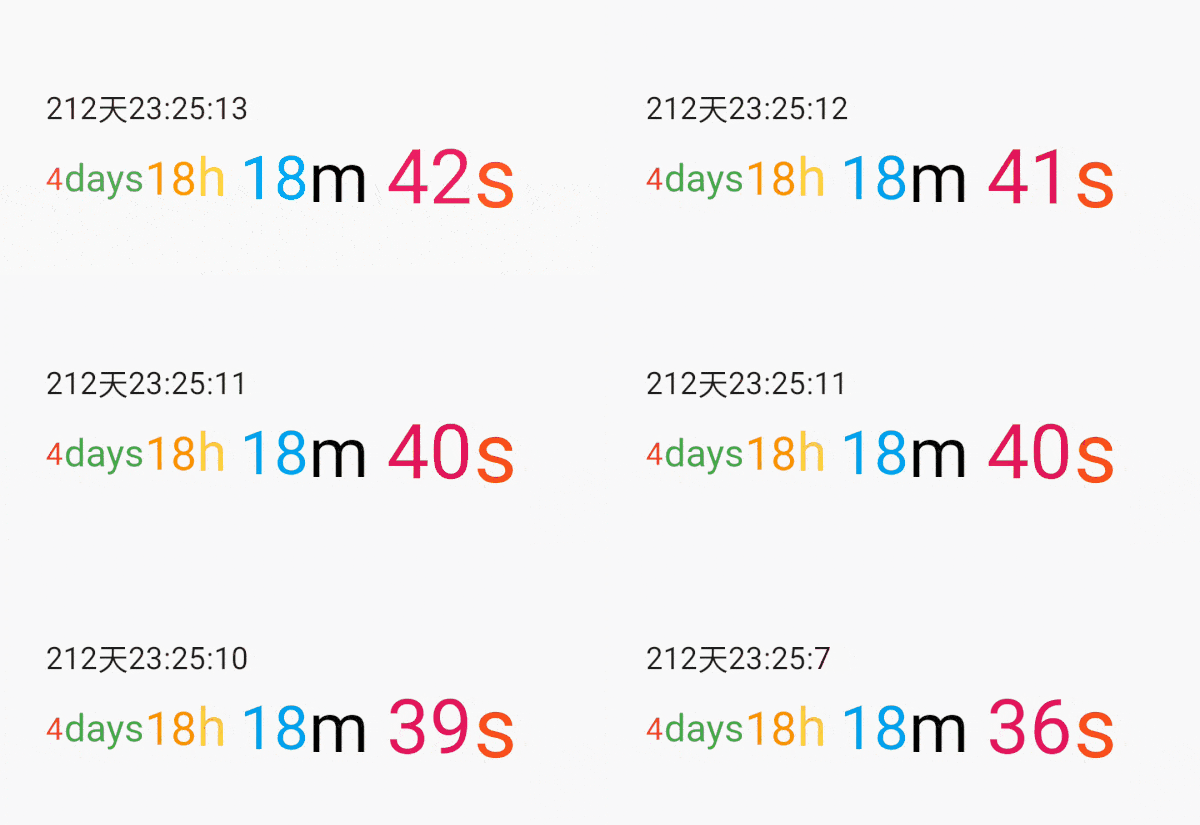
A simple flutter countdown timer widget.Count down through the end timestamp,Trigger an event after the countdown ends.

Installing

Add this to your package's pubspec.yaml file:

dependencies:
  flutter_countdown_timer: ^4.1.0

Install it

$ flutter pub get

CountdownTimer

name description
endWidget The widget displayed at the end of the countdown
widgetBuilder Widget Function(BuildContext context, CurrentRemainingTime time)
controller CountdownTimer start and dispose controller
endTime Countdown end time stamp
onEnd Countdown end event
textStyle Text color

CountdownTimerController

name description
endTime Countdown end time stamp
onEnd Countdown end event

Example

Simple to use
int endTime = DateTime.now().millisecondsSinceEpoch + 1000 * 30;

...
CountdownTimer(
  endTime: endTime,
),
Execute event at end.
int endTime = DateTime.now().millisecondsSinceEpoch + 1000 * 30;

void onEnd() {
  print('onEnd');
}

...
CountdownTimer(
  endTime: endTime,
  onEnd: onEnd,
),
Use the controller to end the countdown early.
  CountdownTimerController controller;
  int endTime = DateTime.now().millisecondsSinceEpoch + 1000 * 30;

  @override
  void initState() {
    super.initState();
    controller = CountdownTimerController(endTime: endTime, onEnd: onEnd);
  }

  void onEnd() {
    print('onEnd');
  }

  @override
  Widget build(BuildContext context) {
    return Scaffold(
      body: Center(
          CountdownTimer(
              controller: controller,
              onEnd: onEnd,
              endTime: endTime,
          ),
      ),
      floatingActionButton: FloatingActionButton(
        child: Icon(Icons.stop),
        onPressed: () {
          onEnd();
          controller.disposeTimer();
        },
      ),
    );
  }

  @override
  void dispose() {
    controller.dispose();
    super.dispose();
  }
Custom style.
  int endTime = DateTime.now().millisecondsSinceEpoch + 1000 * 30;

  @override
  Widget build(BuildContext context) {
    return Scaffold(
      body: Center(
          CountdownTimer(
            endTime: endTime,
            widgetBuilder: (_, CurrentRemainingTime time) {
              if (time == null) {
                return Text('Game over');
              }
              return Text(
                  'days: [ ${time.days} ], hours: [ ${time.hours} ], min: [ ${time.min} ], sec: [ ${time.sec} ]');
            },
          ),
      ),
    );
  }
Using millisecond animation
class _CountdownTimerPageState extends State<CountdownTimerPage>
    with SingleTickerProviderStateMixin {
  late CountdownTimerController controller;
  int endTime = DateTime.now().millisecondsSinceEpoch +
      Duration(seconds: 30).inMilliseconds;

  @override
  void initState() {
    super.initState();
    controller =
        CountdownTimerController(endTime: endTime, onEnd: onEnd, vsync: this);
  }

  @override
  Widget build(BuildContext context) {
    return Scaffold(
      body: Column(
        mainAxisAlignment: MainAxisAlignment.spaceEvenly,
        children: <Widget>[
          CountdownTimer(
            controller: controller,
            widgetBuilder: (BuildContext context, CurrentRemainingTime? time) {
              if (time == null) {
                return Text('Game over');
              }
              List<Widget> list = [];
              if (time.sec != null) {
                list.add(Row(
                  children: <Widget>[
                    Icon(Icons.sentiment_very_satisfied),
                    Text(time.sec.toString()),
                  ],
                ));
              }
              if (time.milliseconds != null) {
                list.add(Row(
                  children: <Widget>[
                    Icon(Icons.sentiment_very_satisfied),
                    AnimatedBuilder(
                      animation: time.milliseconds!,
                      builder: (context, child) {
                        return Text("${(time.milliseconds!.value * 1000).toInt()}");
                      },
                    )
                  ],
                ));
              }
              return Row(
                mainAxisAlignment: MainAxisAlignment.center,
                children: list,
              );
            },
          ),
        ],
      ),
    );
  }

}
In ListView.builder
class ListViewPage extends StatefulWidget {
  static final String rName = "ListView";

  @override
  _ListViewPageState createState() => _ListViewPageState();
}

class _ListViewPageState extends State<ListViewPage> {
  int endTime = DateTime.now().millisecondsSinceEpoch + 1000 * 60 * 60;

  @override
  Widget build(BuildContext context) {
    return Scaffold(
      body: ListView.builder(
        itemCount: 200,
        itemBuilder: (context, index) {
          if (index == 0) {
            return _CountdownDemo(endTime);
          } else {
            return Container(
              height: 200,
              color: Colors.blue,
              margin: EdgeInsets.all(10),
            );
          }
        },
      ),
    );
  }
}

class _CountdownDemo extends StatefulWidget {
  final int endTime;

  _CountdownDemo(this.endTime);

  @override
  __CountdownDemoState createState() => __CountdownDemoState();
}

class __CountdownDemoState extends State<_CountdownDemo> {
  CountdownTimerController countdownTimerController;

  @override
  Widget build(BuildContext context) {
    return CountdownTimer(
      controller: countdownTimerController,
    );
  }

  @override
  void initState() {
    super.initState();
    countdownTimerController =
        CountdownTimerController(endTime: widget.endTime);
  }
}

Countdown

CountdownController countdownController = CountdownController(duration: Duration(minutes: 1));


Scaffold(
      body: Center(
        child: Countdown(countdownController: countdownController),
      ),
      floatingActionButton: FloatingActionButton(
        child: Icon(countdownController.isRunning ? Icons.stop : Icons.play_arrow),
        onPressed: () {
          if(!countdownController.isRunning) {
          ///start
            countdownController.start();
          } else {
          ///pause
            countdownController.stop();
          }
          setState(() {
            ///change icon
          });
        },
      ),
    )

countdown.gif

000.gif

./example_2.png /example_0.png

example_1.png 000.gif

Categories

Source repository

Projects using this package