Package selection guidance compiled from public package information, community data, and project usage.
flutter_flavor is a developer tool that enables the creation of different app flavors, allowing distinct configurations and builds for various environments—such as development, staging, and production—before publishing to app stores. It simplifies managing environment-specific settings like API endpoints, logging levels, and branding without duplicating code. The package integrates seamlessly with Flutter’s build system across all supported platforms, including Android, iOS, Web, macOS, Windows, and Linux. It helps teams maintain clean, configurable workflows for testing and deployment.
Use cases
Managing multiple environments
Customizing build configurations
Testing before release
Separating dev/staging/prod settings
Streamlining CI/CD pipelines
Key features
Environment-specific configuration
Cross-platform support
Easy integration with Flutter
Build-time flavor differentiation
Minimal boilerplate
Suitable for
Development teams
CI/CD workflows
Multi-environment apps
App customization per release
Teams using different deployment stages
Considerations
Requires setup in build scripts
Flavor names must be consistent across platforms
Limited runtime switching
Not intended for user-facing flavor selection
Needs coordination between team members
Original README
Original README snapshot from the linked source repository. Visit the repository for the latest content.
flutter_flavor
Flavors helps us to create builds for different instances of our app. For example, we can create a flavor for development, a flavor for production and another flavor for a demo of the app. In this way we can create different flavors, and thus have different instances of our apps before publishing it on the App Store and Google Play.
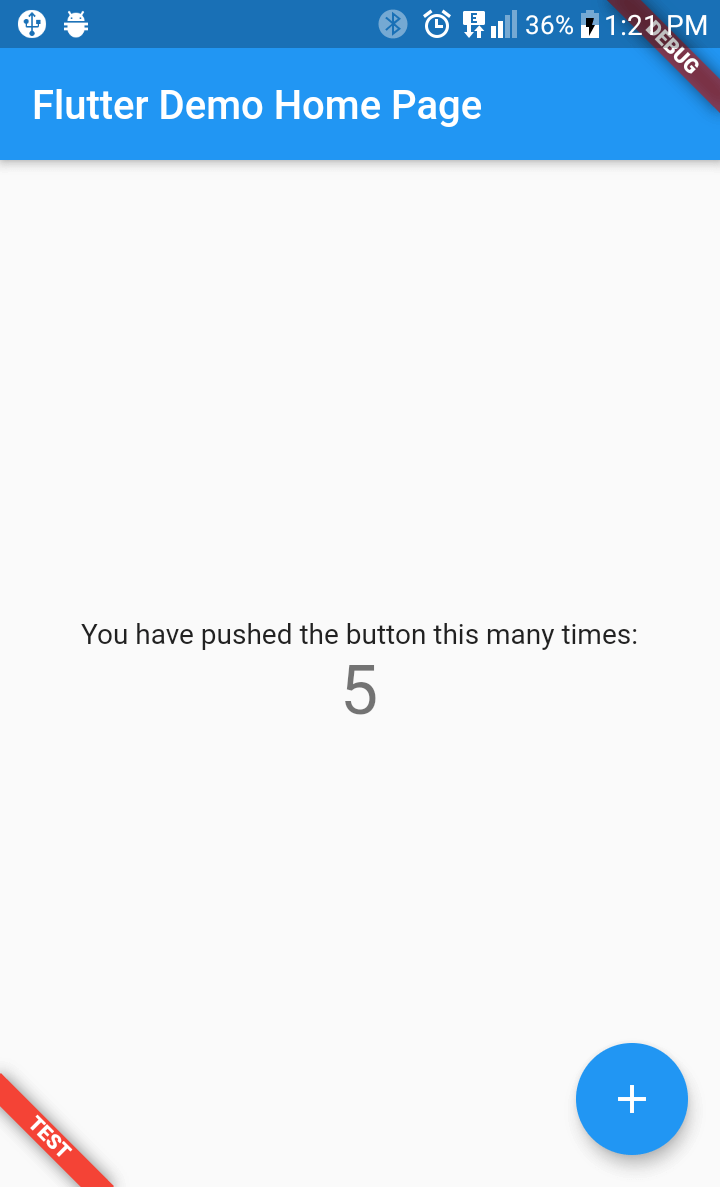
flutter_favor allows you to quickly configure and define dynamic variables for each flavor in your project. The flavors, as well as their names; they are dynamically defined by the developer or development team. In the configuration of a flavor you can set the name of each flavor, as well as the color and location of its banner. When attribute name is undefined or empty, the banner is hidden.
You can also configure the banners independently. The aforementioned attributes are globally configured in FlavorConfig, but can be changed in the FlavorBanner.
Screenshot
PROD
DEV
TEST
Note By default the banner is shown in BannerLocation.topStart and is visibility only when the attribute name of configuration is defined and not empty.