Search packages, repositories and app categories

Package detailsv1.0.3

flutter_flip_view

A new Flutter plugin.

30-day downloads
41
Likes
28
Pub points
30

Install package

flutter pub add flutter_flip_view

Package Overview

Package selection guidance compiled from public package information, community data, and project usage.

A Flutter plugin that enables interactive card flipping animations, ideal for creating dynamic UI elements like cards with front and back sides. It supports smooth transitions and is designed for use in interfaces requiring visual depth or layered content. The package is lightweight and integrates easily into existing Flutter projects. It's particularly useful for educational apps, flashcards, or any application where side-by-side information presentation enhances user experience.

Use cases

  • Creating flip cards for flashcards
  • Building interactive product previews
  • Designing educational quizzes
  • Enhancing onboarding screens
  • Displaying dual-content cards

Key features

  • Smooth flip animations
  • Support for custom front and back content
  • Easy integration with Flutter widgets
  • Lightweight and performant
  • Configurable flip direction and speed

Suitable for

  • Educational app developers
  • UI designers seeking interactive elements
  • App creators using card-based layouts
  • Developers building interactive tutorials
  • Teams focused on engaging user experiences

Considerations

  • Limited to basic flip mechanics
  • No built-in gesture recognition
  • Requires manual handling of state management
  • Not optimized for complex nested layouts
  • No support for 3D effects beyond simple flipping
Original README

Original README snapshot from the linked source repository. Visit the repository for the latest content.

flutter_flip_view

This is a flutter Widget base on pure Dart code that provides 3D flip card visuals.

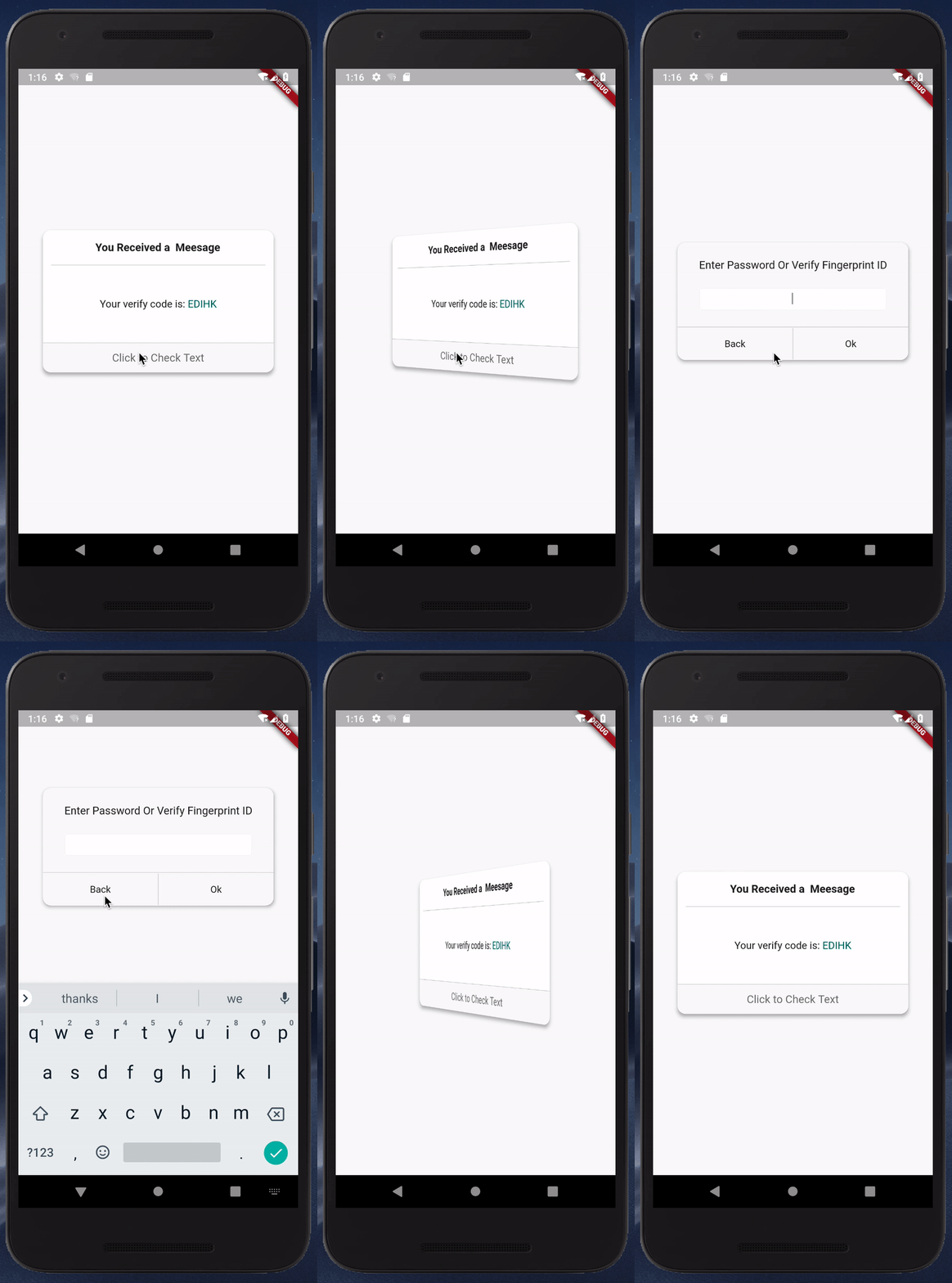
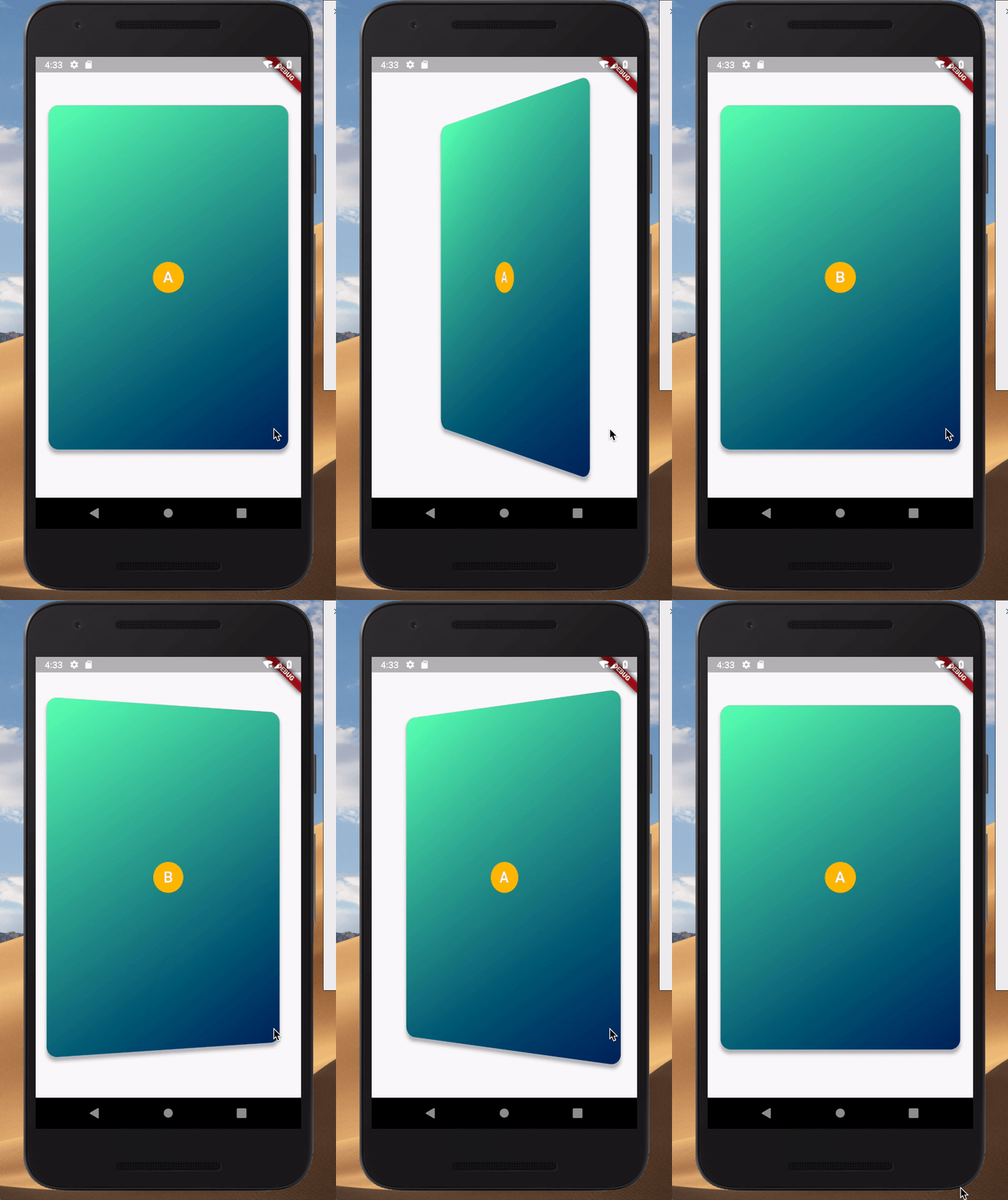
simplecard

customlayout

Usage

add package in your pubspec.yaml

dependencies:
   flutter_flip_view: ^latest_version

This is a simple usage

import 'package:flutter_flip_view/flutter_flip_view.dart';

FlipView(
  animationController: _curvedAnimation,
  front: Container(
    width: 300,
    height: 500,
    color: Colors.amber,
    alignment: Alignment.center,
    child: Text('Front'),
  ),
  back: Container(
    width: 300,
    height: 500,
    color: Colors.blueGrey,
    alignment: Alignment.center,
    child: Text('Back'),
  ),
)

You can get more usage case in main.dart and custom_layout_example.dart

Pay attention

If the widgets you are using within the flip_view are wrapped in a Card widget or a Material widget, you should set the Card (or Material) property clipBehavior to Clip.hardEdge or something other than Clip.none.

Getting Started

This project is a starting point for a Flutter plug-in package, a specialized package that includes platform-specific implementation code for Android and/or iOS.

For help getting started with Flutter, view our online documentation, which offers tutorials, samples, guidance on mobile development, and a full API reference.

Categories

Source repository

Projects using this package