Search packages, repositories and app categories

flutter_locales cover
Package detailsv3.0.6

flutter_locales

Easily localize your app to multiple languages

AndroidiOSWebmacOSWindowsLinux
30-day downloads
1.4K
Likes
59
Pub points
130

Install package

flutter pub add flutter_locales

Package Overview

Package selection guidance compiled from public package information, community data, and project usage.

flutter_locales is a Flutter package that simplifies app localization by enabling easy support for multiple languages. It provides a straightforward way to manage translations, switch between locales dynamically, and handle language-specific formatting. The package integrates seamlessly with Flutter’s internationalization system, allowing developers to define translation files and access localized strings through simple keys. It supports all major platforms including Android, iOS, Web, macOS, Windows, and Linux, making it ideal for cross-platform apps requiring multilingual capabilities.

Use cases

  • Multi-language app support
  • Dynamic language switching
  • Translation file management
  • Cross-platform localization
  • User preference-based language selection

Key features

  • Simple translation key system
  • Runtime locale switching
  • Support for pluralization
  • Integration with Flutter's i18n
  • Platform-agnostic design

Suitable for

  • Global mobile and web apps
  • Apps targeting diverse user bases
  • Developers new to localization
  • Projects needing quick i18n setup
  • Apps with frequent language updates

Considerations

  • Requires manual translation file creation
  • Limited built-in translation tools
  • No automatic string extraction
  • Best paired with external translation services
  • Depends on proper file structure adherence

Original README

Original README snapshot from the linked source repository. Visit the repository for the latest content.

flutter_locales

Localize your Flutter app to multiple locales within seconds

Why Flutter Locales

✅ Easily Localize your app
✅ Change App Locale within the app
✅ Get Last Changed locale on App starts
✅ Save Locale Language After changed buy LocaleNotifier
✅ Get Translation with LocaleText('key') Widget

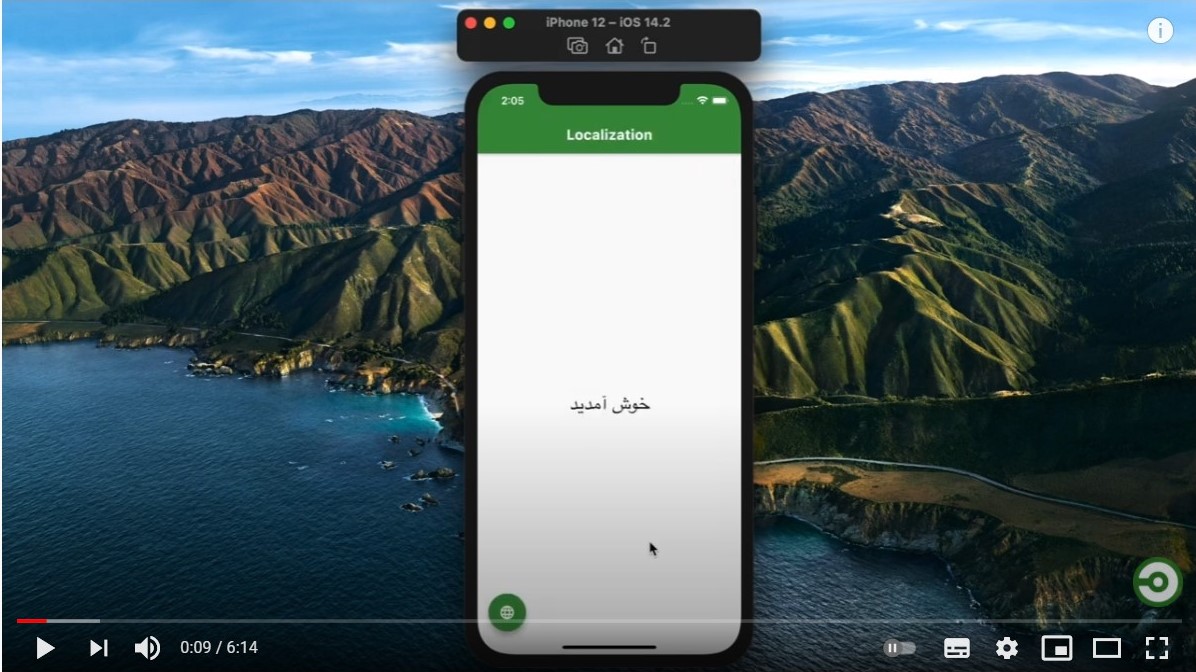
Example App

Look at a Simple app at GitHub.

Example App

Video Tutorial

Watch the video

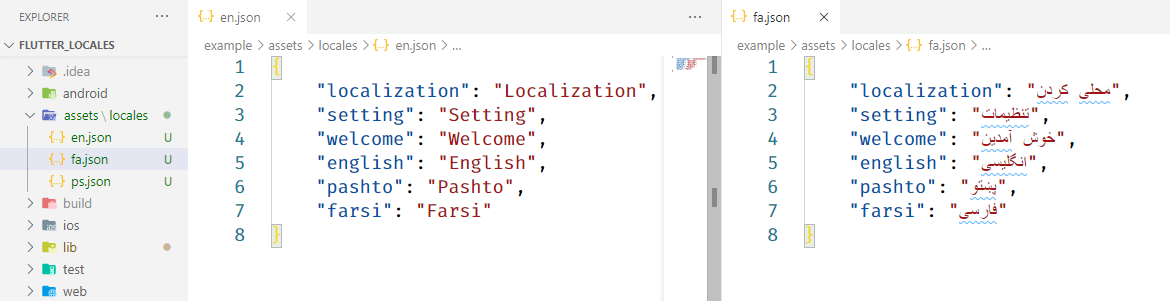
1) Create locales assets

Create an assets/locales folder at the root of your project and add your locales json files. like: Example app assets/locales

  • your locale files name shall be name of the language
    • like:
      • en.json For english locales
      • ps.json for pashto locales

2) Include package and assets

Include latest dependency of flutter_locales

dependencies:
  flutter:
    sdk: flutter
  flutter_locales:

Include assets/locales/ folder

flutter:
  uses-material-design: true
  assets:
    - assets/locales/

3) Initialize app

Replace your main app with

void main() async {
  WidgetsFlutterBinding.ensureInitialized();
  await Locales.init(['en', 'fa', 'ps']); // get last saved language
  // remove await if you want to get app default language

  runApp(MyApp());
}
  • ['en', 'fa', 'ps'] are language codes of .json files located in located in assets/locales folder
  • You can replace these languages with your languages

Wrap your MaterialApp with LocaleBuilder then provide locale to app

class MyApp extends StatelessWidget {
  @override
  Widget build(BuildContext context) {
    return LocaleBuilder(
      builder: (locale) => MaterialApp(
        title: 'Flutter Locales',
        localizationsDelegates: Locales.delegates,
        supportedLocales: Locales.supportedLocales,
        locale: locale,
        home: HomeScreen(),
      ),
    );
  }
}
  • LocaleBuilder rebuild the app you change the app locale by Locales.change(context, 'fa')

Locale Text

LocaleText Widget Use to translate a key

LocaleText(`welcome`);
  • LocaleText Translate a key to string
Locale String
  • To get a key translated call
Locales.string(context, 'welcome')

// with extension
context.localeString('welcome');

Change App Locale

To change app locale language

Locales.change(context, 'fa');

//with extension
context.changeLocale('fa');
  • When you change app automatically saves at Locale
Current Locale Language
  • To get current locale call
Locales.currentLocale(context);

//with extension
context.currentLocale;

Getting Started

This project is a starting point for a Dart package, a library module containing code that can be shared easily across multiple Flutter or Dart projects.

For help getting started with Flutter, view our online documentation, which offers tutorials, samples, guidance on mobile development, and a full API reference.

Categories

Dependencies

Dependency list 2 items

Source repository

Projects using this package

No data available yet.