Search packages, repositories and app categories

flutter_web_frame cover
Package detailsv1.0.0

flutter_web_frame

Make Limit content size in Flutter Web/Desktop/PWA, Make your app that doesn't support responsiveness more focused on content

AndroidiOSWebmacOSWindowsLinux
30-day downloads
3.5K
Likes
73
Pub points
150

Install package

flutter pub add flutter_web_frame

Package Overview

Package selection guidance compiled from public package information, community data, and project usage.

Flutter Web Frame is a package designed to limit content size in Flutter applications on web, desktop, and PWA platforms. It helps focus content by constraining layout dimensions, making apps that lack responsive design more visually consistent and centered. Ideal for creating fixed-width layouts or simulating device screens, it enhances presentation without requiring full responsiveness. The package integrates seamlessly into existing projects with minimal setup.

Use cases

  • Simulate device screen sizes
  • Create focused content layouts
  • Improve visual consistency on web
  • Enable fixed-width design previews
  • Support non-responsive app designs
  • Facilitate content-centered UIs

Key features

  • Content size limiting
  • Fixed-width container support
  • Cross-platform compatibility
  • Easy integration
  • Minimal configuration
  • Device-like frame styling

Suitable for

  • Web and desktop app developers
  • Designers testing layouts
  • Non-responsive app creators
  • UI prototyping
  • Content-focused applications
  • PWA developers

Considerations

  • Not intended for fully responsive designs
  • May require manual adjustments for complex layouts
  • Limited to visual framing, not layout logic
  • Best suited for static or semi-static content
  • Doesn't replace responsive widgets
  • Platform-specific rendering behavior may vary

Original README

Original README snapshot from the linked source repository. Visit the repository for the latest content.

Flutter Web Frame

Pub

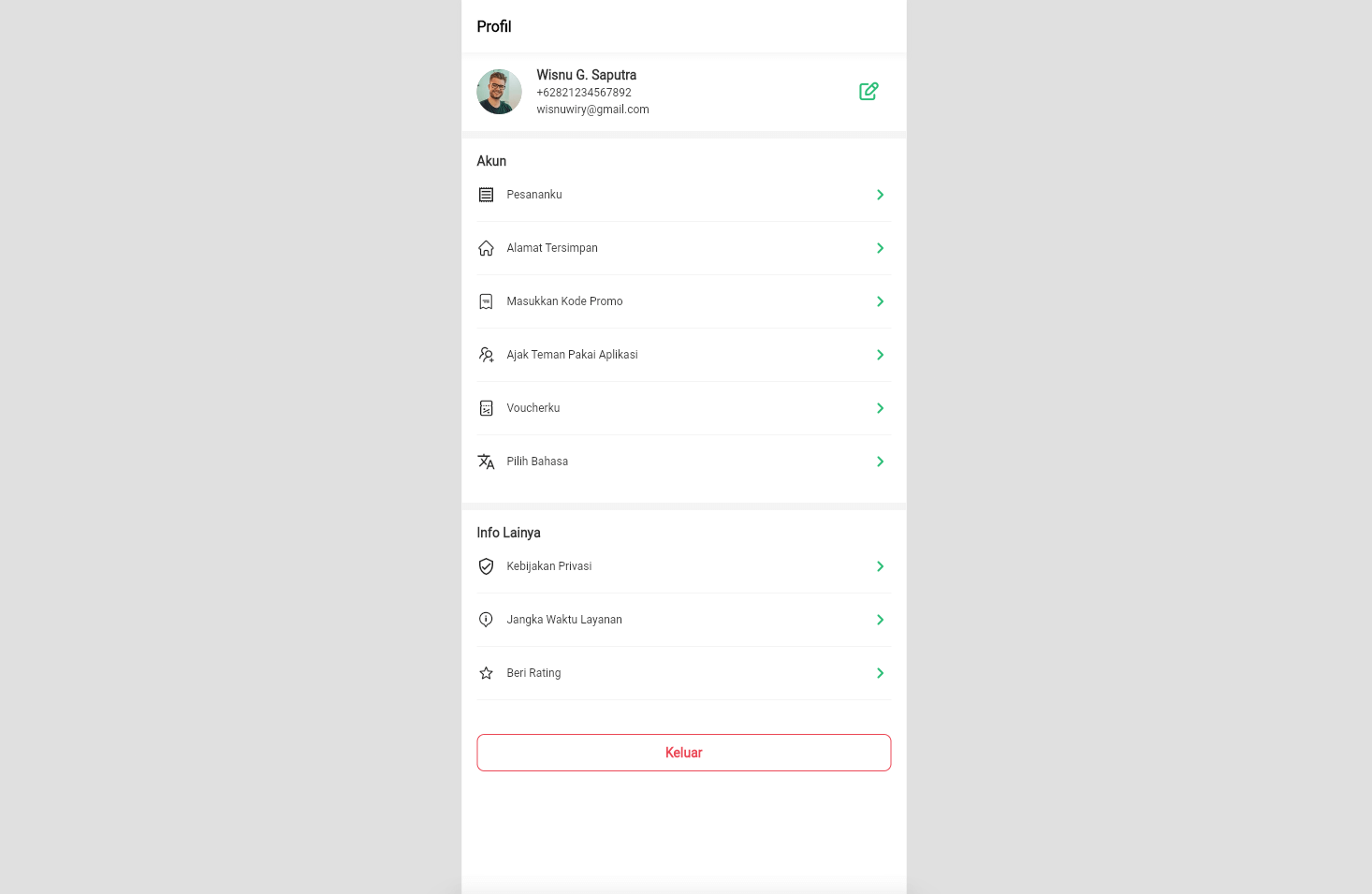
Make the frame max width / size when on large devices such as Web or Desktop.

This is very suitable to be used to limit the size of content, if your application is not yet available a responsive version if it is run on multiple devices / platforms.

Preview

Preview

Install

Follow the instructions to install it here

Example Usage

import 'package:flutter/foundation.dart';
import 'package:flutter/material.dart';
import 'package:flutter_web_frame/flutter_web_frame.dart';

void main() {
  runApp(MyAp());
}

class MyAp extends StatelessWidget {
  @override
  Widget build(BuildContext context) {
    return FlutterWebFrame(
      builder: (context) {
        return MaterialApp(
          home: Scaffold(
            appBar: AppBar(
              title: Text('Flutter Web Frame'),
            ),
            body: Center(
              child: Text('Body Text'),
            ),
          ),
        );
      },
      maximumSize: Size(475.0, 812.0), // Maximum size
      enabled: kIsWeb, // default is enable, when disable content is full size
      backgroundColor: Colors.grey, // Background color/white space
    );
  }
}

Categories

Source repository

Projects using this package