Package selection guidance compiled from public package information, community data, and project usage.
Foil is a Flutter package that wraps widgets with a dynamic, rainbow shimmer effect that responds to device motion via the accelerometer. It enhances visual appeal with smooth, twinkling animations and offers extensive gradient customization options. Ideal for creating eye-catching backgrounds or interactive elements, Foil combines motion sensitivity with rich gradient features to deliver a vibrant, animated experience. The package is lightweight and easy to integrate, making it perfect for apps aiming to stand out with playful, responsive design. Its source code is open and publicly available on GitHub.
Use cases
Creating animated app backgrounds
Adding motion-responsive effects to UI elements
Enhancing splash screens with shimmering gradients
Designing interactive buttons with dynamic visuals
Building visually engaging landing pages
Key features
Rainbow shimmer animation
Accelerometer-driven motion response
Customizable gradient configurations
Smooth, real-time animation
Lightweight and easy integration
Open-source on GitHub
Suitable for
UI designers seeking dynamic effects
Developers building playful or gamified apps
Apps requiring eye-catching visual feedback
Creative projects focused on motion graphics
Prototyping interactive user interfaces
Considerations
May impact performance on older devices
Requires device motion permissions for full effect
Best suited for decorative rather than functional UIs
Limited platform support (no specific platforms listed)
Original README
Original README snapshot from the linked source repository. Visit the repository for the latest content.
Use any gradient
of choice and determine the blendMode to mask the gradient
onto the child in different ways. Default is BlendMode.srcATop which will
reveal the child through the gradient if the gradient has opacity or if
Foil.opacity is provided a non-1.0 value.
Use BlendMode.srcIn to paint only the gradient and use the child as a mask.
Flag isUnwrapped toggles this Foil's invisibility. Default is false.
When this value is changed, the gradient will smoothly animate to a disabled
state, leaving only the child behind.
Plop an instance of this const Example() in a running ListView
you've got open in a code editor.
Run terminal command flutter pub add foil.
import 'package:foil/foil.dart'
Control how rapidly this Foil transforms its gradient with Foil.speed
and define the animation curve. Defaults are 150ms and Curves.ease.
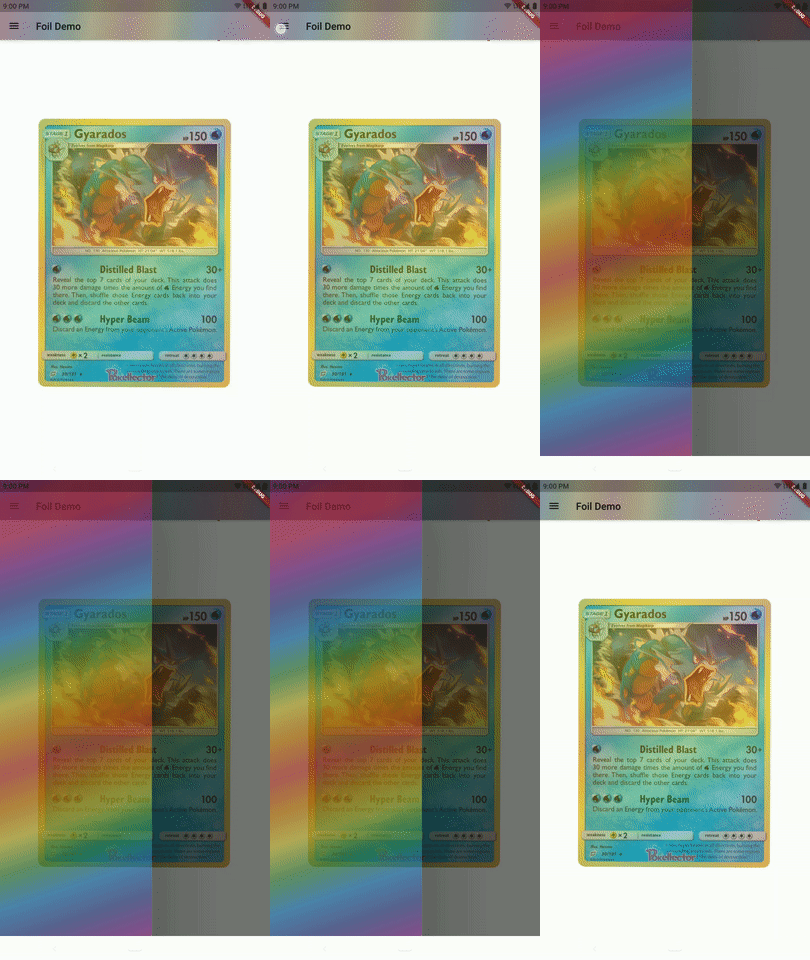
Furthermore, provide Foil.duration to dictate how long intrinsic animations of gradient will take. Foil.duration is also used if isUnwrapped is made true as the duration over which Foil.gradient will lerp to an appropriately-Typed transparent gradient for tweening. There is hard-coded recognition for linear, radial, and sweep gradients, as well as the additional Steps variants this package provides. Falls back to a transparent LinearGradient if Type cannot be matched. Override with Foil.unwrappedGradient. Click images to view full size.
Upon completion of any tween to a new gradient, this Foil will call
onEnd, an optional void callback.
These animations are in addition to any accelerometer sensors data
already animating the Foil unless Foil.useSensors: false.
The Roll.crinkle parameter defaults to Crinkle.smooth which is not animated (although each Roll has its own AnimationController for toggling purposes). A Crinkle dictates speed, intensity, and directionality of animation. Click image to view full size.
Crinkle.smooth is a non-animated preset
Crinkle.crawling is a very slow moving preset
Crinkle.twinkling is a little bit faster
Crinkle.vivacious is highly-animated
Build your own or opt to Crinkle.copyWith a preset
isAnimated, shouldReverse flags
Use period to determine the animation loop Duration
The scalar property can be used to invert, scale, or negate axes
(this is a Scalar object like a Foil uses to scale its sensors data)
This is the definition of a function
that takes in a scaled double x and double y
and returns a GradientTransform object. That object is used when a Foil's
gradient shader is drawn by calling its transform() method.
To provide a custom transformation as Crinkle.transform, extend that class
and override transform(), returning some Matrix4, such as the default
for this package:
classTranslateGradientextendsGradientTransform{
/// The default [TransformGradient] for `Foil`./// This class's [transform] method considers [TextDirection] and/// will consider positive values as translation to the right if `ltr`/// and translate left for positive values if `rtl`.constTranslateGradient({requiredthis.percentX, requiredthis.percentY});
finaldouble percentX, percentY;
/// Returning `null` here is equivalent to returning `Matrix4.identity`.@overrideMatrix4? transform(Rect bounds, {TextDirection? textDirection}) =>
Matrix4.translationValues(
(textDirection == TextDirection.rtl ? -1.0 : 1.0) * bounds.width * percentX,
bounds.height * percentY,
0.0,
);
}
This package also comes with some other offerings.
Some expand on Gradient functionality, and others make them simpler to use.
Up first is named Foil.sheet which functions like a self-contained
Foil + AnimatedContainer. Stylized by a Sheet which simply wraps
parameters for the AnimatedContainer.
The basic premise of a gradient is to gradate between colors.
Consider new Steps to be extensions of Gradients,
one each for linear, radial, and sweep,
where the colors do not gradate but instead hard-transition. Like steps!
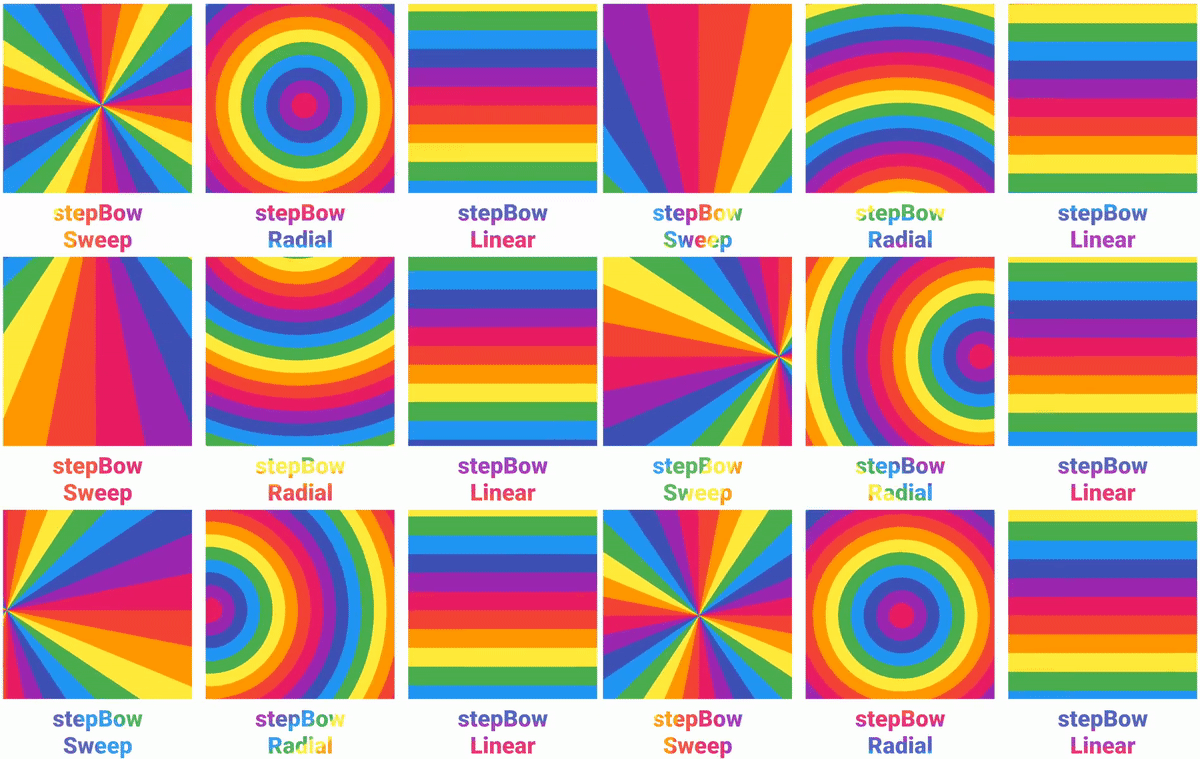
RadialSteps are great for making rainbows.
Even the superclass Gradient may be copied, provided this is a standard
linear, radial, or sweep gradient, or one of the three new steps gradients
(falls back to a standard linear gradient). Provides every potential
copyable parameter from the varieties. Most useful in a scenario where a
common parameter like colors or transform is to be applied to
some arbitrary Gradient.
This makes it a cinch to pick out pre-rolled Foils
yet tweak them for specific scenarios--such as changing
start and end points while maintaining the list of colors.
Finally, this package is bundled with a selection of pre-defined gradients.
One such pre-rolled Foils.oilslick has opacity within each Color.
But consider that the Foil constructor accepts an overriding
opacity parameter for semi-transparent appearance even without
Gradient.colors that have opacity.
The default gradient for this package is Foils.linearLooping, a nice 'n' simple LinearGradient. Reverse the order of colors with Foils.linearReversed. To only cycle through the rainbow once see Foils.linearRainbow. Click image to view full size.
Find other options like Foils.gymClassParachute and Foils.sitAndSpin,
then tweak them to your liking with the 📋 Gradient.copyWith() methods.
There is even a literal rainbow decal gradient made with the new RadialSteps type. Click image to view full size.
Make available a Roll of Foil feature such that a developer could
deploy a single gradient sheet in a region and mask that single gradient to any
child Foil widgets.
Rolls are implemented now, but only offer to pass a Gradient to
descendent Foils--not to mask them from the same gradient.
If this package's Gradient support expands further,
much of that functionality could be forked to an independent package.
Custom GradientTransforms will be investigated,
for example: to deform Foils.oilslick.
Potential optimizations for GradientTweening within lerp(),
especially with the new Steps style gradients.
Because this package's copyWith() method
for the superclass Gradient is used when applying Crinkle transformation,
the returned gradient is limited by the hard-coded return types of the
copyWith method; that is to say: the three Flutter Gradients and the
three Steps gradients added by this package.
If a bespoke Gradient type is used for some Foil that is wrapped in
a Roll whose Crinkle provides animation, that gradient will become a
LinearGradient with the appropriate colors at least.
In this scenario, until this bug is patched, consider transforming the
gradient prior to providing it to your Crinkle-animated Foil in order
to maintain the bespoke Gradient.






 |


