Package selection guidance compiled from public package information, community data, and project usage.
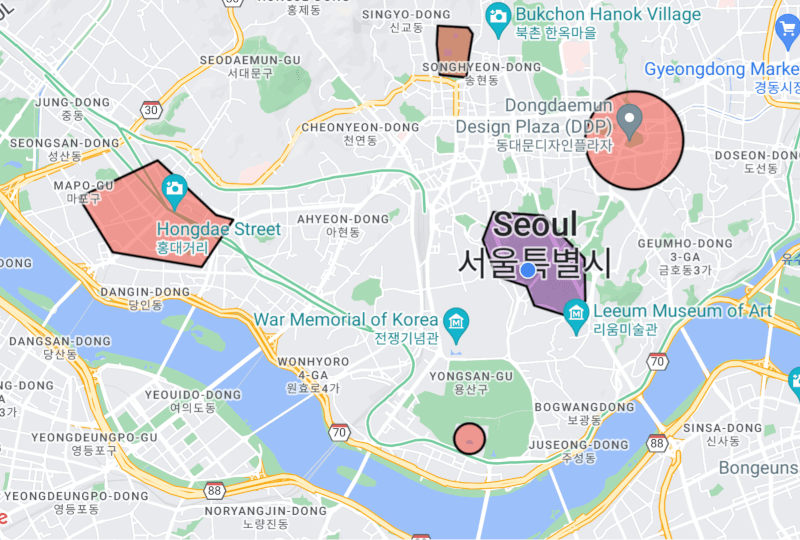
The geofencing_api package enables developers to implement circular and polygon-based geofencing on Android, iOS, and Web platforms. It provides a unified interface for monitoring geographic boundaries and triggering events when users enter or exit defined regions. Ideal for location-aware applications, it supports real-time geolocation tracking and region monitoring with minimal setup. The plugin integrates seamlessly with Flutter apps and leverages native geofencing capabilities for optimal performance and battery efficiency.
Use cases
Location-based notifications
Asset tracking
Proximity alerts
Geofenced check-ins
Real-time location monitoring
Key features
Circular and polygon geofencing
Cross-platform support (Android, iOS, Web)
Native performance integration
Event-driven region monitoring
Simple API for region management
Suitable for
Mobile apps with location services
Field operations tracking
Smart city applications
Retail proximity marketing
Logistics and delivery systems
Considerations
Requires location permissions
Battery usage may increase with active monitoring
Web support limited to modern browsers
Polygon precision depends on device accuracy
Background execution constraints on some platforms
Original README
Original README snapshot from the linked source repository. Visit the repository for the latest content.
This plugin is used to implement circular and polygon geofencing service.
[!CAUTION]
It does not use the geofencing api implemented in the platform.
Therefore, battery efficiency cannot be guaranteed.
Instead, this plugin can provide more accurate and real-time geofencing by navigating your location while your app is alive.
Features
Can create a circular type geofence.
Can create a polygon type geofence.
Can listen to geofence status changes in real-time.
<key>NSLocationAlwaysAndWhenInUseUsageDescription</key>
<string>Used to collect location data in the background.</string><key>NSLocationAlwaysUsageDescription</key><string>Used to collect location data in the background.</string><key>UIBackgroundModes</key><array><string>fetch</string><string>location</string></array>
Request location permission. To start the geofencing service, the permission result must be always or whileInUse.
Future<bool> requestLocationPermission({bool background = false}) async {
if (!awaitGeofencing.instance.isLocationServicesEnabled) {
// Location services is disabled.returnfalse;
}
LocationPermission permission =
awaitGeofencing.instance.getLocationPermission();
if (permission == LocationPermission.denied) {
// Android: ACCESS_COARSE_LOCATION or ACCESS_FINE_LOCATION// iOS 12-: NSLocationWhenInUseUsageDescription or NSLocationAlwaysAndWhenInUseUsageDescription// iOS 13+: NSLocationWhenInUseUsageDescription
permission = awaitGeofencing.instance.requestLocationPermission();
}
if (permission == LocationPermission.denied ||
permission == LocationPermission.deniedForever) {
// Location permission has been ${permission.name}.returnfalse;
}
// Web: Only allow whileInUse permission.if (kIsWeb || kIsWasm) {
returntrue;
}
// Android: You must request location permission one more time to access background location.// iOS 12-: You can request always permission through the above request.// iOS 13+: You can only request whileInUse permission through the above request.// When the app enters the background, a prompt will appear asking for always permission.if (Platform.isAndroid &&
background &&
permission == LocationPermission.whileInUse) {
// You need a clear explanation of why your app's feature needs access to background location.// https://developer.android.com/develop/sensors-and-location/location/permissions#request-background-location// Android: ACCESS_BACKGROUND_LOCATION
permission = awaitGeofencing.instance.requestLocationPermission();
if (permission != LocationPermission.always) {
// Location permission must always be granted to collect location in the background.returnfalse;
}
}
returntrue;
}
Set up the geofencing service.
interval: The millisecond interval at which to update the geofence status. This value may be delayed by device platform limitations. The default is 5000.
accuracy: The accuracy of the geofencing service in meters. The default is 100.
statusChangeDelay: The status change delay in milliseconds. GeofenceStatus.enter and GeofenceStatus.exit events may be called frequently when the location is near the boundary of the geofence. If the option value is too large, real-time geofencing is not possible, so use it carefully. The default is 10000.
allowsMockLocation: Whether to allow mock location. The default is false.
printsDebugLog: Whether to print debug logs in plugin. The default is true.