Package selection guidance compiled from public package information, community data, and project usage.
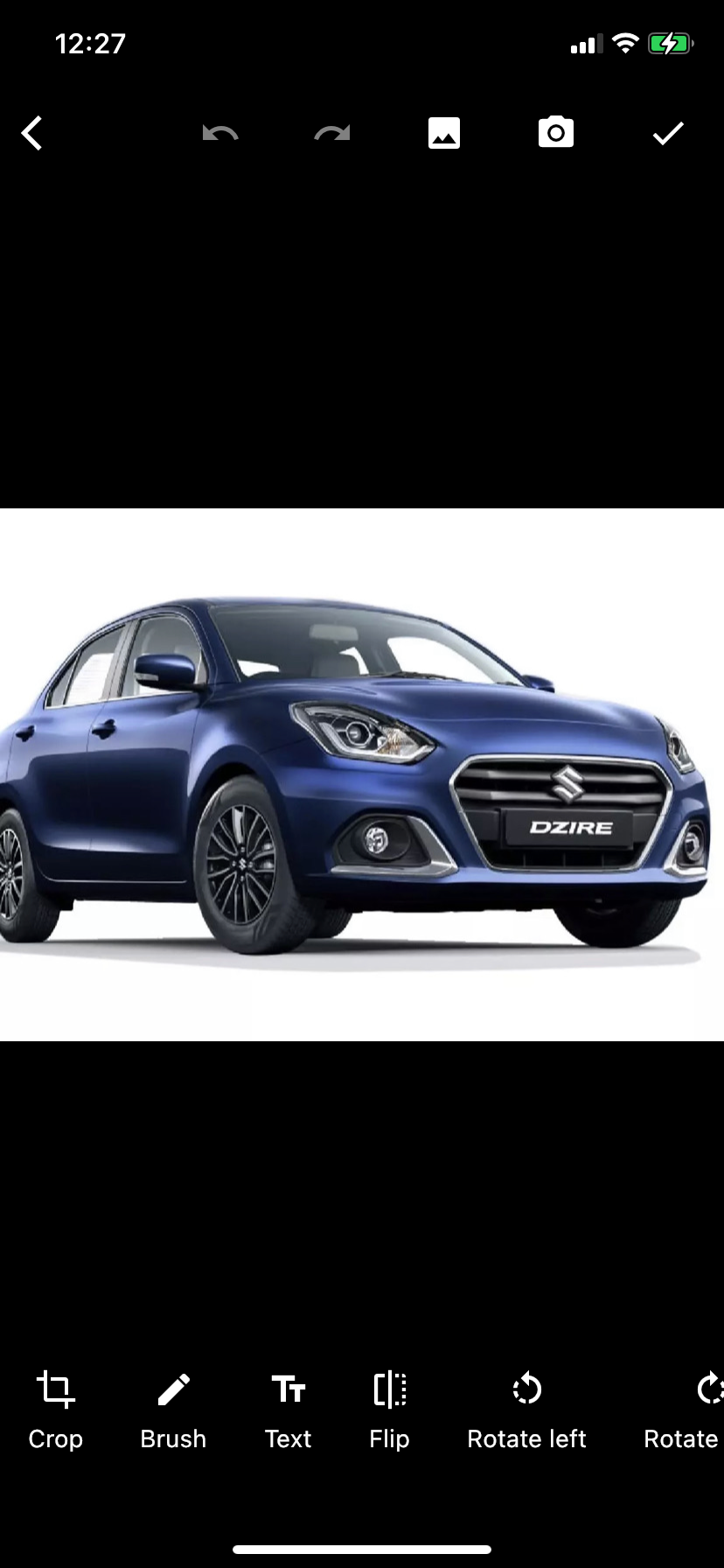
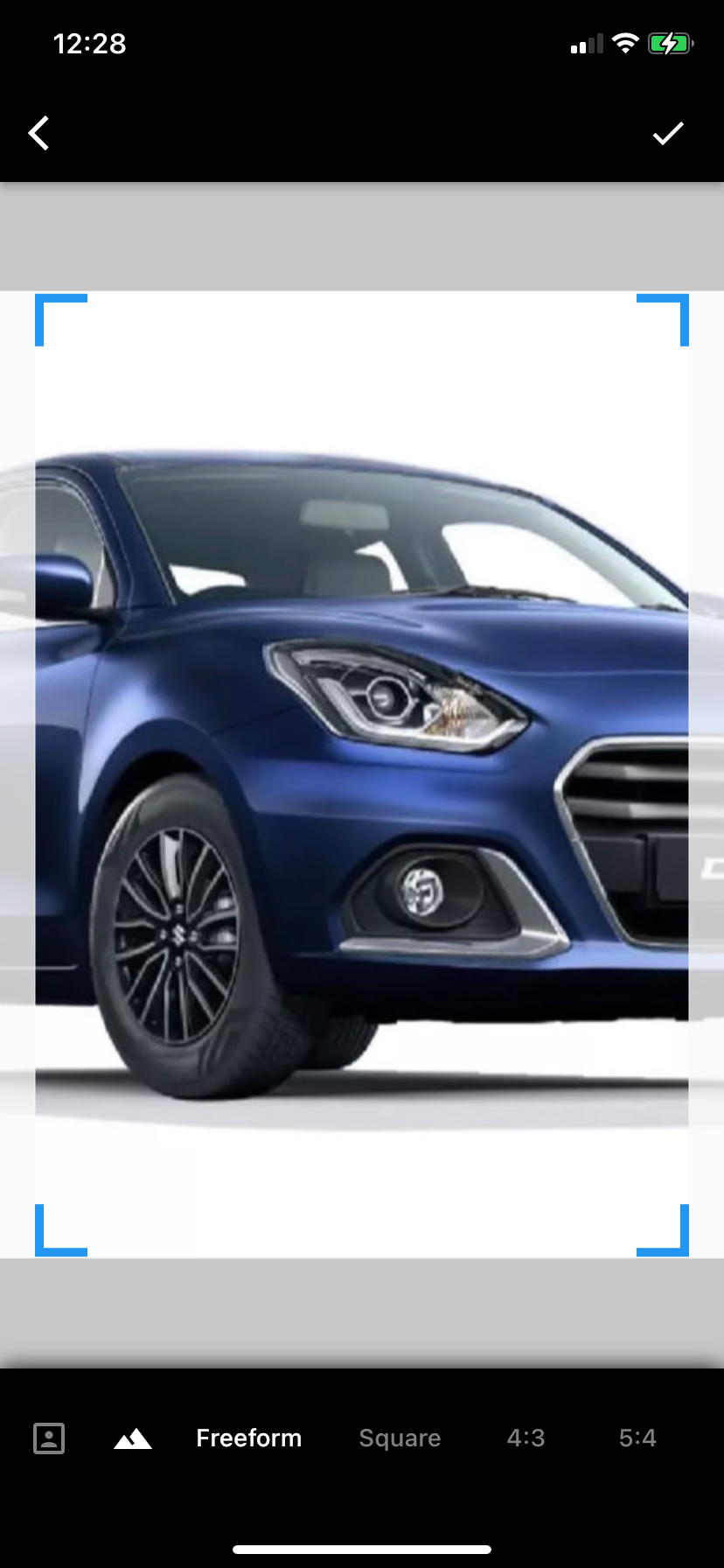
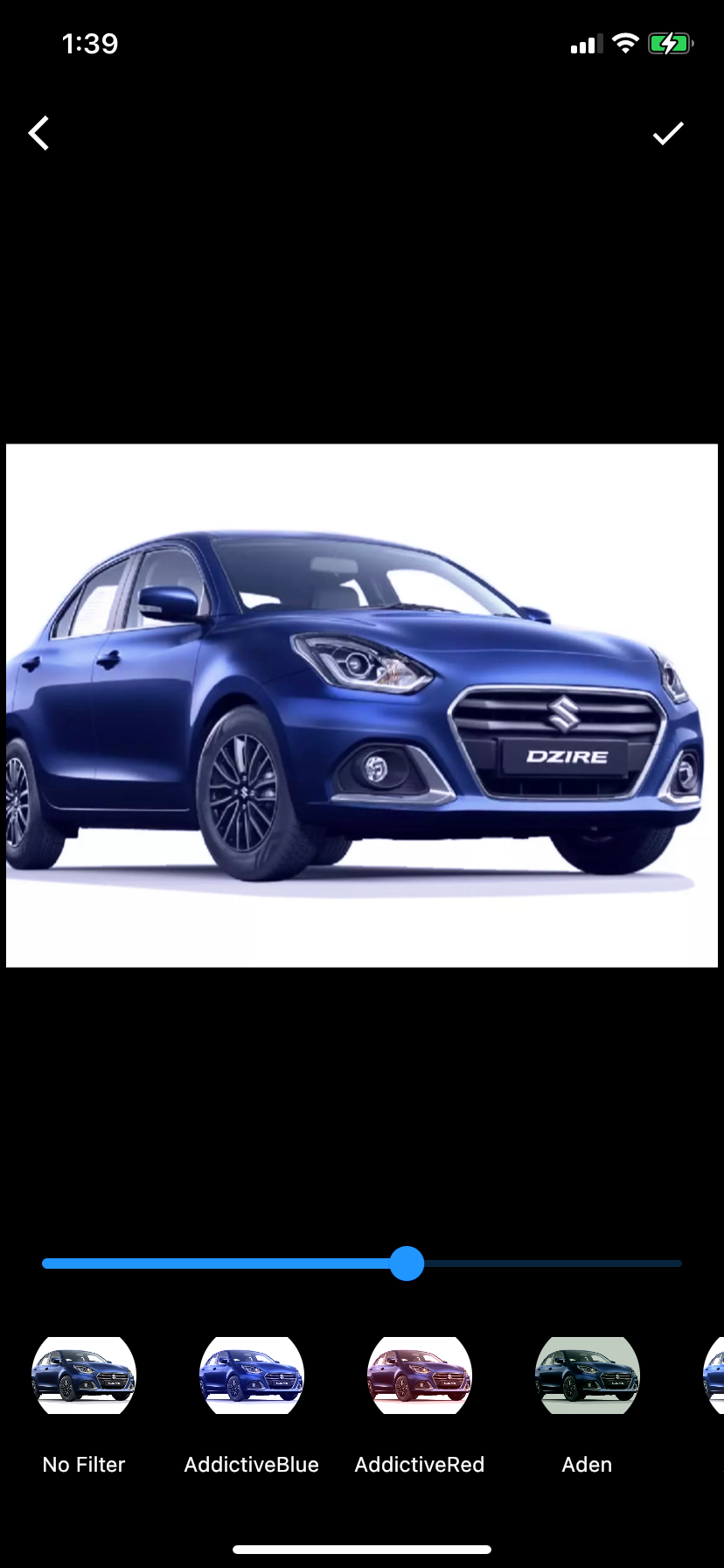
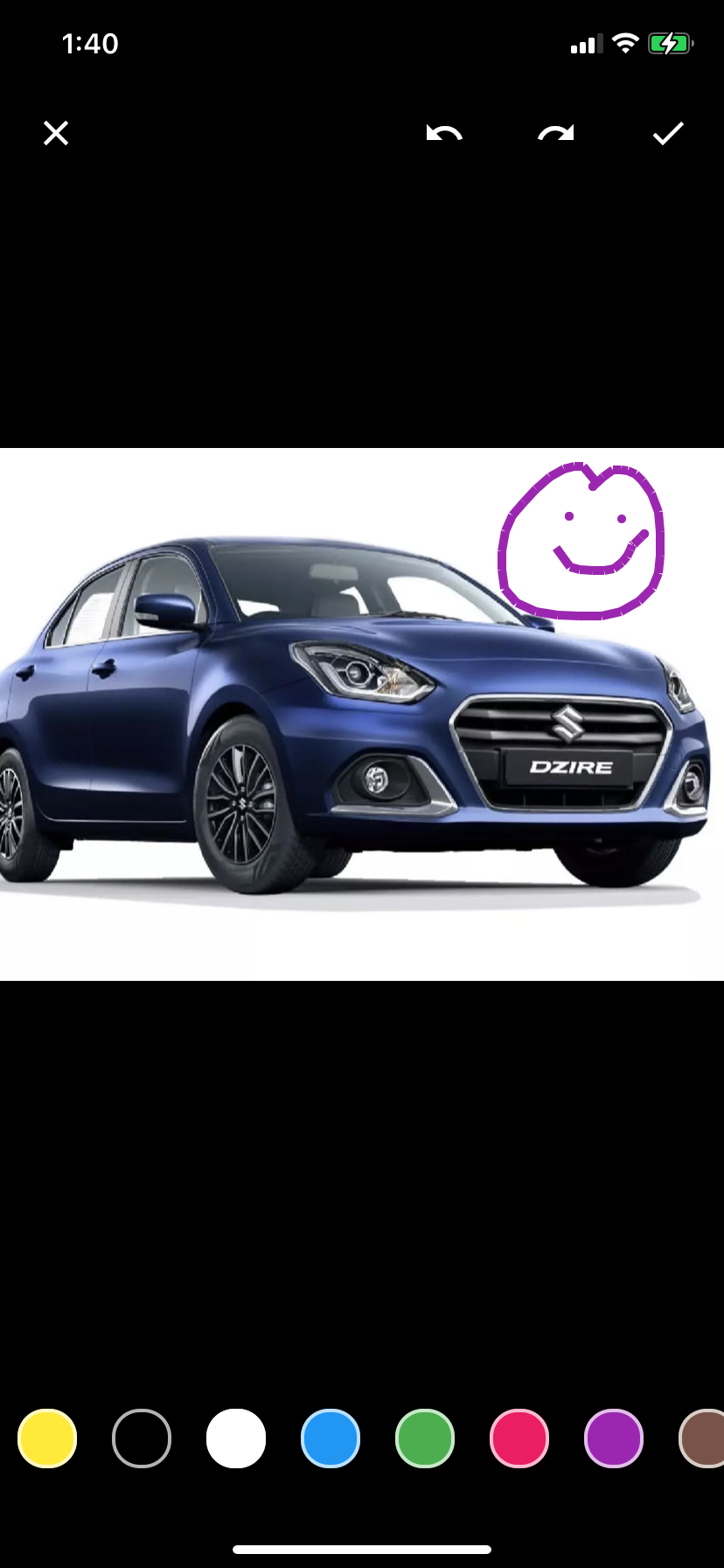
Image Editor Plus is a Flutter plugin that enables users to edit images with a range of features including filters, drawing tools, text addition, and emoji support—ideal for creating story-like visuals. It supports Android, iOS, Web, and Windows platforms, offering a seamless experience across devices. The plugin integrates easily via pub.dev and provides a customizable interface for developers to enhance image editing functionality in their apps. It’s particularly useful for social media, photo-sharing, or creative content applications.
Use cases
Creating story-style images
Adding text and emojis to photos
Applying real-time image filters
Drawing on images
Saving edited images with compression
Key features
Multiple image filters
Real-time drawing canvas
Text and emoji overlay
Image compression options
Cross-platform compatibility
Suitable for
Social media apps
Photo editing tools
Creative content platforms
User-generated story features
Mobile and web applications
Considerations
Requires platform-specific permissions for image access
Performance may vary on low-end devices
Limited advanced editing features compared to full desktop editors
May need additional UI components for optimal user experience
Depends on external dependencies for certain functionalities
Original README
Original README snapshot from the linked source repository. Visit the repository for the latest content.
ImageEditor
Image Editor Plugin with simple, easy support for image editing using Paints, Text, Filters, Emoji and Sticker like stories.
To start with this, we need to simply add the dependencies in the gradle file of our app module like this
Add the following keys to your Info.plist file, located in <project root>/ios/Runner/Info.plist:
NSPhotoLibraryUsageDescription - describe why your app needs permission for the photo library. This is called Privacy - Photo Library Usage Description in the visual editor.
NSCameraUsageDescription - describe why your app needs access to the camera. This is called Privacy - Camera Usage Description in the visual editor.
NSMicrophoneUsageDescription - describe why your app needs access to the microphone, if you intend to record videos. This is called Privacy - Microphone Usage Description in the visual editor.
Or in text format add the key:
<key>NSPhotoLibraryUsageDescription</key><string>Used to demonstrate image picker plugin</string><key>NSCameraUsageDescription</key><string>Used to demonstrate image picker plugin</string><key>NSMicrophoneUsageDescription</key><string>Used to capture audio for image picker plugin</string>
Android
No configuration required - the plugin should work out of the box.
Example - Language translation
// before using image editorImageEditor.i18n({
'Remove': 'हटा दीजिये',
'Save': 'सहेजें',
'Slider Filter Color': 'स्लाइडर फिल्टर का रंग',
});
final editedImage = awaitNavigator.push(
context,
MaterialPageRoute(
builder: (context) => ImageCropper(
image: data, // <-- Uint8List of image
),
),
);
Example - Image Convert
import'package:image_editor_plus/utils.dart';
// to jpegfinal convertedImage = awaitImageUtils.convert(
image: data, // <-- Uint8List/path of image
format: 'jpg',
quality: 80,
);
// to heicfinal convertedImage = awaitImageUtils.convert(
image: data, // <-- Uint8List/path of image
format: 'heic',
quality: 80,
);
// to pngfinal convertedImage = awaitImageUtils.convert(
image: data, // <-- Uint8List/path of image
format: 'png',
);
// to webpfinal convertedImage = awaitImageUtils.convert(
image: data, // <-- Uint8List/path of image
format: 'webp',
quality: 80,
);
MIT License
Copyright (c) 2022-2025 hsbijarniya@gmail.com
Permission is hereby granted, free of charge, to any person obtaining a copy
of this software and associated documentation files (the "Software"), to deal
in the Software without restriction, including without limitation the rights
to use, copy, modify, merge, publish, distribute, sublicense, and/or sell
copies of the Software, and to permit persons to whom the Software is
furnished to do so, subject to the following conditions:
The above copyright notice and this permission notice shall be included in all
copies or substantial portions of the Software.
THE SOFTWARE IS PROVIDED "AS IS", WITHOUT WARRANTY OF ANY KIND, EXPRESS OR
IMPLIED, INCLUDING BUT NOT LIMITED TO THE WARRANTIES OF MERCHANTABILITY,
FITNESS FOR A PARTICULAR PURPOSE AND NONINFRINGEMENT. IN NO EVENT SHALL THE
AUTHORS OR COPYRIGHT HOLDERS BE LIABLE FOR ANY CLAIM, DAMAGES OR OTHER
LIABILITY, WHETHER IN AN ACTION OF CONTRACT, TORT OR OTHERWISE, ARISING FROM,
OUT OF OR IN CONNECTION WITH THE SOFTWARE OR THE USE OR OTHER DEALINGS IN THE SOFTWARE.