Search categories, packages and repositories

image_painter cover
Package detailsv0.7.1

image_painter

A flutter package for drawing over images. Supports color, strokeWidth, different paintModes and exporting image.

AndroidiOSmacOSWindowsLinux
30-day downloads
7.1K
Likes
214
Pub points
150

Install package

flutter pub add image_painter

Package Overview

Package selection guidance compiled from public package information, community data, and project usage.

A Flutter package enabling users to draw on images with customizable colors, stroke widths, and paint modes. It supports interactive painting directly over images and allows exporting the result. Ideal for applications requiring image annotation, sketching, or creative editing within a Flutter app. The package is cross-platform, working seamlessly on Android, iOS, macOS, Windows, and Linux.

Use cases

  • Image annotation
  • Creative sketching
  • Digital signature capture
  • Photo editing tools
  • Interactive drawing apps

Key features

  • Customizable paint color
  • Adjustable stroke width
  • Multiple paint modes
  • Export painted image
  • Cross-platform support

Suitable for

  • App developers needing drawing features
  • Educational or design apps
  • User-generated content platforms
  • Mobile and desktop multimedia apps

Considerations

  • Requires handling of image loading and rendering
  • Performance may vary with large images
  • Limited to basic painting operations
  • No built-in undo/redo functionality
  • Depends on external image source management

Original README

Original README snapshot from the linked source repository. Visit the repository for the latest content.

image_painter

pub package style: effective dart Platform Badge License: MIT

A flutter implementation of painting over image.

Overview

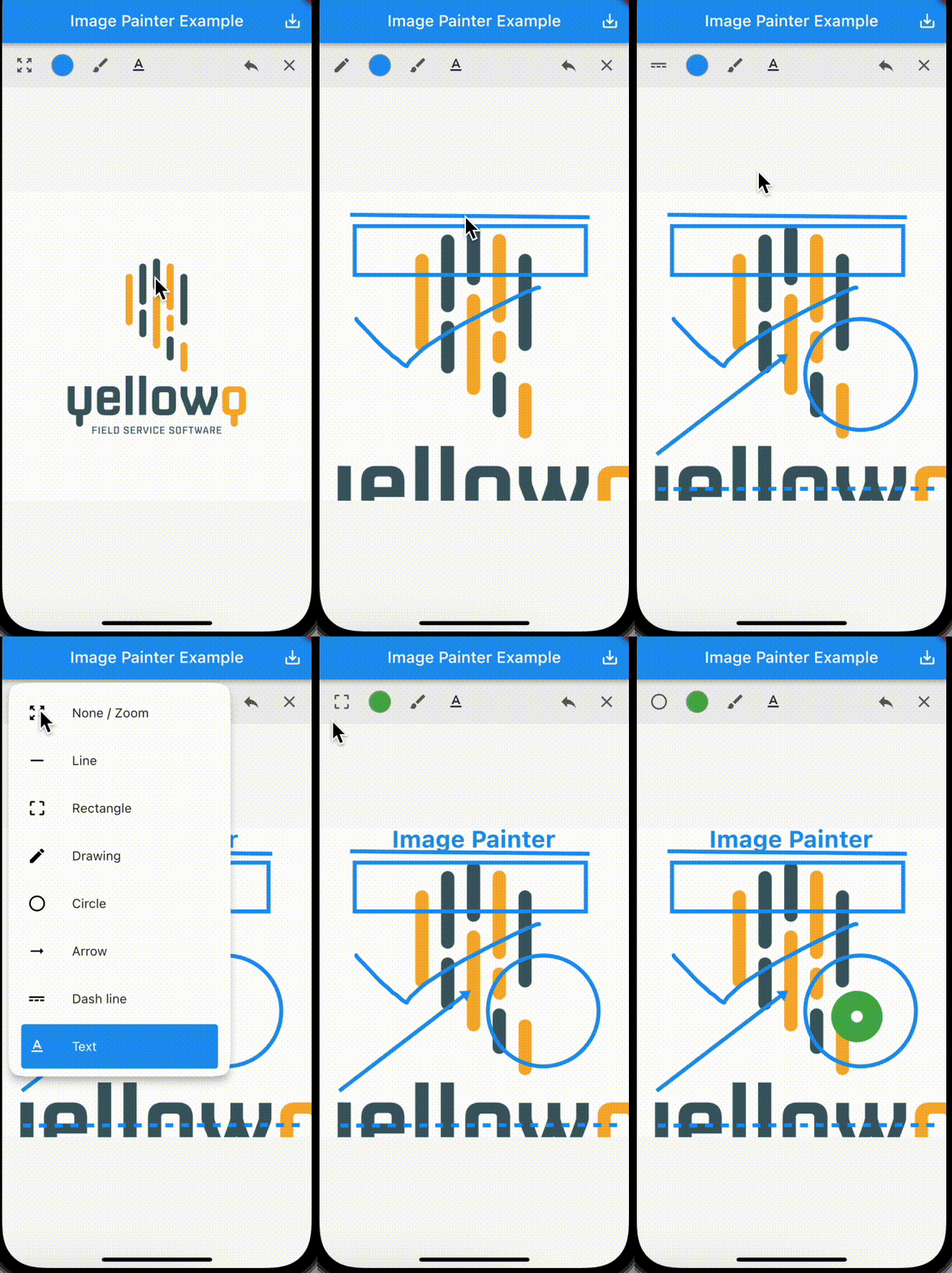
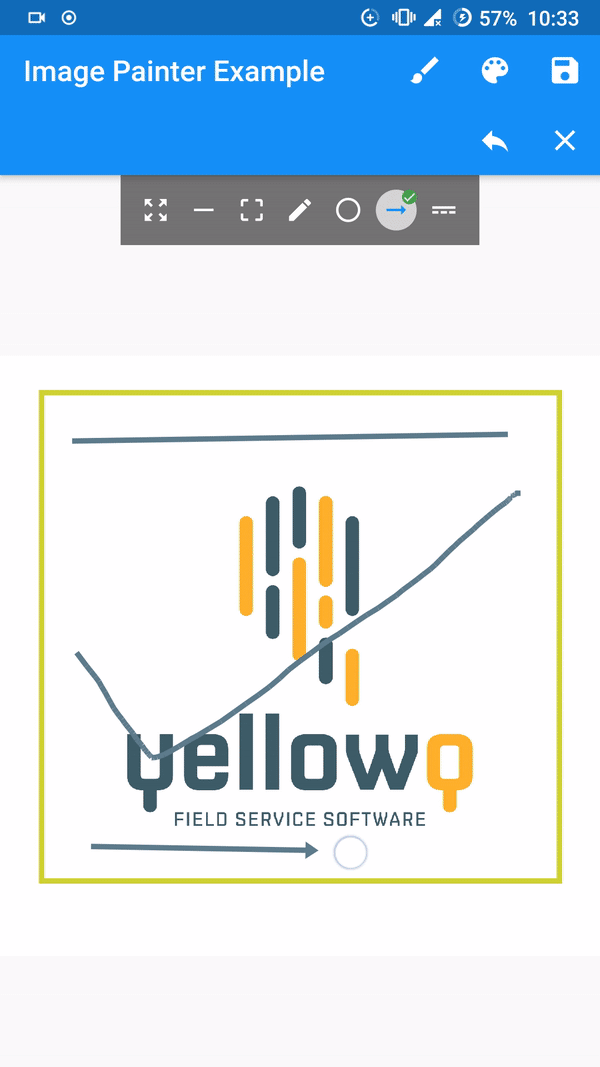
demo!

Features

  • Seven available paint modes. Line, Box/Rectangle, Circle, Freestyle/Signature, Dotted Line, Arrow and Text.
  • Four constructors for adding image from Network Url, Asset Image, Image from file and from memory.
  • Export image as memory bytes which can be converted to image. Implementation provided on example
  • Ability to undo and clear drawings.
  • Built in control bar.

[Note] Tested and working only on flutter stable channel. Please make sure you are on stable channel of flutter before using the package.

Getting started

In the pubspec.yaml of your flutter project, add the following dependency:

dependencies:
  ...
  image_painter: latest

In your library add the following import:

import 'package:image_painter/image_painter.dart';

For help getting started with Flutter, view the online documentation.

Using the library

Check out the example

Basic usage of the libary:

  • ImagePainter.network: Painting over image from network url.
/// Initialize `ImagePainterController`. 
final imagePainterController = ImagePainterController();

/// Provide controller to the painter.
ImagePainter.network("https://sample_image.png",
                  controller: imagePainterController,scalable: true),

///Export the image:
Uint8List byteArray = await imagePainterController.exportImage();

/// Create a file or create a File instance of existing file. 
File imgFile =  File('directoryPath/fileName.png');

/// Now you use `Uint8List` data and write it into the file.
imgFile.writeAsBytesSync(image);

For more thorough implementation guide, check the example.

Issues and Support.

For any issues or support please visit the Issues.

Categories

Source repository

Projects using this package

No data available yet.